

Ace Hardware Customer Service
My Account
My Account
Opening My Account
Opening an account on www.acehardware.com is easy. Simply sign in/register in the upper right hand corner of the site, or when you place an order, you will be prompted to log in with your e-mail address and password. If you do not have a password, you will be prompted to create one.
An account offers you a safe, easy and fast way to order. It also serves as a way to track your order history
Account Benefits
Set up My Account and customize your preferences! Improve your shopping experience by taking advantage of these great benefits...
- News & Exclusive Offers. Sign up to receive email updates on special promotions, sales alerts, new product announcements, gift ideas and more!
- Order History. Receive important information regarding your order and the capability to track your order.
- Faster Checkout. Save your billing and shipping information for a hassle-free checkout!
Managing My Account
It's easy to change your account information online, at any time. Simply sign into your account by clicking "sign in/register" in the upper right hand corner of acehardware.com. If you have forgotten your password, click here.
Terms of Use
ACE REWARDS® PROGRAM TERMS AND CONDITIONS
Last updated September 11th, 2025
IMPORTANT! These Ace Rewards Program Terms and Conditions ("Program Terms") govern the Ace Rewards Program (the "Program") and your participation in the Program. These Program Terms constitute a binding agreement between you and Ace Hardware Corporation ("Ace" OR "we" OR "us"). PLEASE READ THESE PROGRAM TERMS BEFORE PARTICIPATING IN THE PROGRAM, AS THEY AFFECT YOUR LEGAL RIGHTS AND OBLIGATIONS AND INCLUDE A BINDING CONFIDENTIAL ARBITRATION CLAUSE, A WAIVER OF YOUR RIGHT TO PARTICIPATE IN CLASS ACTIONS, AND A WAIVER OF YOUR RIGHT TO A JURY TRIAL. BY ENROLLING OR PARTICIPATING IN THE PROGRAM, YOU ACCEPT AND AGREE TO BE BOUND BY THESE PROGRAM TERMS. If you do not agree to these Program Terms, then you should not enroll or otherwise participate in the Program.
TABLE OF CONTENTS
- Privacy and Additional Terms
- Modifications and Cancellation
- Eligibility
- Enrollment
- Program Cards
- Accruing Points
- Earning and Redeeming Rewards
- Additional Program Benefits
- Ace Rewards Referral Friend Bonus Points Offer
- Ace Rewards Premier
- Expiration
- Additional Exclusions and Limitations
- Value and Transfer
- Assigned Participating Retailer
- Program Accounts; Program Account Termination; Program Cancellation
- Errors and Misconduct
- DISCLAIMER OF WARRANTIES AND LIMITATION OF LIABILITY
- DISPUTE RESOLUTION; ARBITRATION; PROHIBITION OF CLASS ACTIONS
- Communications
- Miscellaneous
- Customer Service
- Ace Hardware Home Services Pilot Program
1. Privacy and Additional Terms
Ace's collection, use, and sharing of your information is governed by our Privacy Policy, which is incorporated by reference into these Program Terms. In addition, your use of our Online Services as defined in Ace Hardware's Terms of Use, including the www.acehardware.com website (the "Site") and the Ace Hardware Mobile App (the "App"), in connection with the Program is subject to such Terms of Use, which are incorporated by reference into these Program Terms. To the extent of any conflict between the Privacy Policy and these Program Terms or the Terms of Use and these Program Terms, these Program Terms will prevail.
2. Modification and Cancellation
We reserve the right to modify, restrict, or cancel the Program, the Program Benefits (as defined below), or any portion thereof, and/or to modify these Program Terms (and any customer service policies or other documents related to the Program) at any time in our sole discretion with or without notice to you; provided that we will provide notice of any modifications to these Program terms by posting the modified version at www.acehardware.com/rewards-terms (or any other URL Ace may designate from time to time), together with a revised "Last updated" date. In addition, we may elect to provide notice of the modifications on the Site, the App, through printed marketing materials, and/or via email to the email address listed on your Program Account, however, we are not obligated to do so, and you hereby waive any right you may have to receive such notice. You should check this page periodically to see if any recent changes to the Program Terms have occurred. By participating in the Program, including redeeming or using any Program Benefits, after we post any such changes, you agree to the Program Terms as modified.
3. Eligibility
To be eligible for Program membership, you must: (i) be an individual at least 18 years of age; (ii) a resident of the fifty (50) United States, the District of Columbia, or the Commonwealth of Puerto Rico; and (iii) provide all required enrollment information. Except as otherwise provided in these Program Terms, business entities are eligible to participate in the Program, provided an authorized employee completes the enrollment process. Ace Hardware retailers may exclude their employees from participating in the Program.
By enrolling in the Program, you are certifying that you meet all eligibility criteria. In addition, if you are enrolling on behalf of a business entity, you are certifying that you are authorized to bind, and do hereby bind, the business entity to these Program Terms.
By enrolling in the Program, you are certifying that you meet all eligibility criteria. In addition, if you are enrolling on behalf of a business entity, you are certifying that you are authorized to bind, and do hereby bind, the business entity to these Terms.
4. Enrollment
There is no charge to enroll and participate in the Program.
You can enroll in the Program by creating an Ace Rewards Program account ("Program Account"): (i) in store, by completing Program enrollment at an Ace Hardware retail location that participates in the Program ("Participating Retailer"); (ii) by completing the Program enrollment process via the App, which is available for download at the Apple® App Store for iOS devices and the Google Play™ store for Android™ devices; or (iii) by completing the Program enrollment process on the Site at: https://www.acehardware.com/ace-rewards. Program enrollment in the App or on the Site requires a pre-existing Ace Hardware online account ("Ace Hardware Account"). If you don't have an Ace Hardware Account, you can open one at no charge by completing the Ace Hardware Account enrollment process in the App or on the Site at: https://www.acehardware.com/user/login?previous=web_page#create-account.
Program enrollment via the Online Services is not available to residents of Puerto Rico, who must enroll at a Participating Retailer. All required information must be provided, including full name, business name (if applicable), valid mailing address, and phone number. Additional required information may be identified during the enrollment process. Each Program member is limited to a single Program Account and Ace may elect to terminate duplicate Program Accounts. Only Program members with a Program Account in good standing can participate in the Program.
For information on Participating Retailers near you, please contact Customer Service.
5.Program Cards
Ace may elect to provide you with a Program membership card ("Program Card"), but a Program Card is not necessary to participate in the Program or take advantage of Program Benefits. If you enroll at a Participating Retailer, one or more Program Cards may be provided to you at that time.
You are responsible for all transactions using your Program Card and/or Program Account and agree to notify us immediately if you become aware of any unauthorized activity related to your Program Account. If you would like to replace your Program Card or would like additional Program Cards, please contact Customer Service.
6. Accruing Points
Members earn Program points ("Points") by making qualifying purchases on the Site, via the App, or at Participating Retailers. Purchases made on marketplace platforms, e.g., DoorDash, are not considered qualifying purchases and do not earn Points. Please note that members who are located in or whose Assigned Retailer is located in Puerto Rico will not be able to make purchases via the Site or App. Ten (10) Points will accrue for every $1.00 spent on qualifying purchases, less any discount, coupon, Instant Savings, Red Hot Buy, Reward redemption, in-store promotion and/or any other price adjustment made at time of purchase. Points will not accrue, and previously awarded Points may be deducted, for any returns, credits, refunds, chargebacks, or voided transactions.
For purposes of accruing Points, qualifying purchases exclude: (i) taxes; (ii) gift cards; (iii) charitable donations; (iv) service fees; (v) any merchandise purchased from a Participating Retailer's non-Ace businesses; (vi) any merchandise that a Participating Retailer, in its sole discretion, elects to exclude from time to time; (vii) any merchandise that Ace, in its sole discretion, elects to exclude from time to time; (viii) online shipping charges; (ix) payments on accounts, credit card payments, finance and interest charges, and late fees; (x) any purchase made on any website or application other than the Site or the App; (xi) in-store purchases at Ace retailers that don't participate in the Program; (xii) city stickers, trash bags, and other licenses and permits; and (xiii) any purchase required to be excluded by applicable law. Additional exclusions may apply and some Participating Retailers may permit Points to be awarded for the purchase of excluded items. See your Assigned Participating Retailer for details.
Except as Ace may permit on a case-by-case basis in its sole discretion, Points will not be awarded retroactively. To earn Points for qualifying purchases at a Participating Retailer, you must present your Program Card, the phone number associated with your Program Account, or the App at the time of purchase. Your Program Account number may appear at the bottom of the store receipt. However, the presence of your Program Account number on the receipt does not mean all items, or any items, appearing on the receipt were qualifying purchases. To earn Points for qualifying purchases on the Site or in the App, at the time of purchase you must have and be logged into an Ace Hardware Account linked to your Program Account ("Linked Ace Hardware Account").
In addition, from time to time Ace may elect to award Points in connection with Member Offers (as defined below). Please review the terms of each Member Offer for specific terms, limitations, restrictions, and/or exclusions, including expiration dates and channels/locations.
Points will typically appear in your account within thirty (30) business days of the date of your qualifying purchase for in-store purchases or, for qualifying purchases made online, within thirty (30) days of date of order fulfillment. Points earned in connection with Member Offers will typically appear within the timeframe identified in the applicable Member Offer (as defined below), or if no timeframe is identified, within thirty (30) business days of your redemption of the Member Offer. If you feel Points were not properly credited to your Program Account, you must notify us by contacting Customer Service within thirty (30) days of the date on which such Points should have been awarded per these Program Terms or, if applicable, the terms of the Member Offer. You agree that our determination with respect to Points accrued shall be final. Points reflected in our records shall be deemed correct and we shall have the right to determine the Points to be awarded to you and to adjust or void Points at any time, consistent with these Program Terms. Please login to your Linked Ace Hardware Account or contact Customer Service for information on your Point balance.
7. Earning and Redeeming Rewards
You must earn at least 2,500 Points to receive a Program reward ("Reward"). For every 2,500 Points accrued, you will receive a Reward redeemable for $5.00 off the purchase price of eligible merchandise. If you earn multiple Rewards at the same time (because you have accrued 5,000 or more Points), the Rewards may be combined into a single Reward or Ace may elect, in its sole discretion, to split the total value of the Rewards between multiple Rewards in denominations of Ace's choosing, provided that all Rewards are issued in multiples of $5.00. Ace does not issue partial or fractional Rewards.
Rewards are processed during the week in which the minimum 2,500 Point level is attained. Points are automatically deducted from your Program Account for issued Rewards. You cannot elect to retain the Points in your Program Account instead of receiving a Reward. Rewards are available in digital and print versions, as more fully described below, but digital and print versions of a Reward, and any permitted copies of a Reward, constitute a single Reward which may be redeemed only once. Ace, in its sole discretion, may immediately suspend or terminate your Program Account and your participation in the Program, if you attempt to redeem any Reward more than once or attempt to redeem any Reward that was not earned through your Program Account.
Rewards - Digital Versions: Program Accounts with more than 2,500 Points on Sunday will have a digital Reward ("Digital Reward") issued and available for redemption on or about Monday. Redemption of Digital Rewards requires a Linked Ace Hardware Account and is not available to members who are residents of Puerto Rico or whose Assigned Participating Retailer is located in Puerto Rico. Digital Rewards may be redeemed on the Site or in the App. There is a maximum of $99.99 per ship to home (or other designated address) orders that can be paid solely with redeemed Rewards. Digital Rewards may also be downloaded to your device or printed out for use at the Participating Retailer identified on the Digital Reward. In addition, Digital Rewards downloaded to your device or that you print out may be accepted by other Participating Retailers in their sole discretion. For guidance on redeeming Digital Rewards, please review Ace's Customer Service policies.
Rewards - Print Versions: Except as otherwise provided in these Program Terms, if a Digital Reward has not been redeemed by the end of the month following the month of issuance, Ace will mail a tangible print Reward ("Print Reward") to the mailing address associated with your Program Account if we have a valid mailing address for you. Notwithstanding the foregoing, your Print Rewards will be mailed to your Assigned Participating Retailer (defined below) rather than directly to you if (i) requested by your Assigned Participating Retailer and we have no valid mailing address on file for you, regardless of the amount of the Print Reward; (ii) requested by your Assigned Participating Retailer and the value of the Print Rewards is $24.99 or more; or (iii) the value of the Print Rewards is $100 or more. If your Print Reward is mailed to your Assigned Participating Retailer, your Digital Reward will still be available for redemption (see the paragraph above on Digital Rewards redemption) unless you are a resident of Puerto Rico or your Assigned Participating Retailer is located in Puerto Rico. In addition, for Rewards issued after 4/1/23, Ace generally will not mail Print Rewards to you (or your Assigned Participating Retailer, as applicable) if you are an Active App User. For purposes of these Program Terms, "Active App User" means a Program member who has (a) downloaded the App, (b) a Linked Ace Hardware Account, and (c) interacted with the App (other than deleting the App), during the ninety (90) day period immediately prior to the issuing of a Reward. A Print Reward may be redeemed at the Participating Retailer identified on the Print Reward. In addition, Print Rewards may be accepted by other Participating Retailers in their sole discretion.
Whether redeemed in-store, on the Site, or in the App, Rewards can be applied toward the purchase of eligible merchandise only. Eligible merchandise excludes: (i) services sold by Ace stores, including rentals, in-store services, and extended warranties; (ii) gift cards; (iii) subscriptions (iv) city stickers, trash bags, and other licenses and permits; (v) lumber and building materials; (vi) liquor, tobacco, firearms, and fuel; (vii) payments on account, including house accounts; (viii) previously purchased merchandise; and (ix) taxes. Additional exclusions may apply and some Participating Retailers may permit redemption of Rewards on excluded items. See your Assigned Participating Retailer for details. In addition, Ace may, but is not obligated to, permit online redemption of Rewards on excluded items.
Rewards are valid for a single transaction only. Subject to any limitations set forth in these Program Terms, you may combine more than one Reward towards an eligible purchase. Rewards may be used in conjunction with other offers unless prohibited by the terms of such other offers. If the value of the Reward(s) used is greater than the purchase price of eligible merchandise, before tax, no change will be given and the remaining balance of the Reward(s) will be forfeited. Photocopies, duplicates, and facsimiles of Print Rewards are not valid. Rewards are allocated pro rata across all eligible merchandise and will not be replaced if eligible merchandise is returned; provided, that if a Program member redeems a Reward toward an online order of eligible merchandise and the full order is cancelled prior to fulfillment, Ace will reissue to the Program member's Program Account Points equivalent to the value such Reward. Rewards can be used until their expiration date, unless sooner redeemed.
8. Additional Program Benefits
Ace, in its sole discretion, may offer additional benefits to Program members from time to time. These additional benefits may include:
Instant Savings in-store, on the Site, and/or in the App.
Instant Savings are subject to product availability. Not all Participating Retailers offer all Instant Savings. See each Instant Savings offer for any specific terms, limitations, and/or exclusions, including redemption channels and expiration dates.
Free delivery from store with qualifying online purchases of $50 or more.
Program members are eligible to receive free next day delivery on in-stock orders of merchandise with a subtotal (before Reward redemption and taxes) of $50 or more. Exclusions apply. See the product page on the Site or in the App to determine if a particular product is eligible for free delivery from store. Free delivery is not available in Puerto Rico. Free delivery is for the next business day and excludes same day delivery and ship to home. Not all Participating Retailers offer free delivery and delivery areas and delivery merchandise may be limited. See the Ace Customer Service Policy for Delivery from Store for additional limitations and details.
Offers and coupons exclusively for Program members.
From time to time, Ace may elect to make special offers, coupons, or promotions (collectively, "Member Offers") available to Program members. Member Offers may include, but are not limited to, bonus Point awards and discount coupons. Member Offers are made in Ace's sole discretion, may not be offered or awarded to all Program members, and are subject to the terms of the Member Offer. Ace reserves the right to withdraw Member Offers at any time and for any reason, including, but not limited to errors, fraud, or misconduct, with or without notice to you. See each Member Offer for any specific terms, limitations, and/or exclusions, including redemption channels and expiration dates. Please see Section 9 below for additional information regarding Member Offers.
Proof of Program membership may be required to take advantage of Program Benefits. PLEASE KEEP YOUR PROGRAM ACCOUNT INFORMATION, INCLUDING MAILING ADDRESS, EMAIL ADDRESS, AND BIRTH MONTH, CURRENT AND COMPLETE TO ENSURE YOU RECEIVE PROGRAM BENEFITS. ACE IS NOT LIABLE FOR ANY PROGRAM BENEFITS YOU MAY MISS DUE TO INCOMPLETE OR INCORRECT PROGRAM ACCOUNT INFORMATION.
9. Ace Rewards Program Promotional Member Offers.
From time-to-time, Ace may make Member Offers without a fixed expiration date. Ace may terminate such Member Offers at any time in its sole discretion, unless otherwise expressly provided in the terms applicable to such Member Offers. For more information on the terms of such Member Offers:
- For terms applicable to the Ace Rewards Referral Friend Bonus Offer, please visit: https://www.acehardware.com/customer-service?page=referral-terms
- Please see the App for terms applicable to the Ace Mobile App Download Bonus Offer.
10. Ace Rewards Premier
Ace Rewards Premier Eligibility and Expiration: Program members with a qualifying spend of $750 or more (excluding taxes and applied Rewards and discounts) on the Site, in the App, or at Participating Retailers in a rolling twelve (12) month period while an Ace Rewards Program member and for whom we have a valid mailing address are automatically eligible for Ace Rewards Premier status; Program members with store house accounts are ineligible for Ace Rewards Premier status. In order for purchases to count toward the qualifying spend, Program members must present their Rewards Card or number when making in-store purchases and be logged in to their Linked Ace Hardware Account when making purchases on the Site or in the App. Eligible Program members will be informed approximately one to two months following the end of the calendar month during which they became eligible for Ace Rewards Premier status. Information regarding eligibility for Ace Rewards Premier status is available by contacting Customer Service. Ace Rewards Premier status expires one (1) year from the end of the calendar month in which you qualify for Ace Rewards Premier status. Upon expiration of the one-year period, Program members may requalify for Ace Rewards Premier status for subsequent one-year terms if they continue to meet the Ace Rewards Premier eligibility criteria.
Ace Rewards Premier Benefits: From time to time, Program members with Ace Rewards Premier status will be given exclusive offers and coupons (collectively, "Ace Rewards Premier Coupons"). Ace Rewards Premier Coupons are redeemable at the Participating Retailer identified on the Ace Rewards Premier Coupon and may be accepted by other Participating Retailers, in their sole discretion. From time to time, Program members with Ace Rewards Premier status, who have a Linked Ace Hardware Account and who have downloaded the App will receive special offers and coupons in the App (collectively, "Ace Rewards Premier App Extras"). Ace, in its sole discretion, determines the nature, amount, and frequency of Ace Rewards Premier Coupons and Ace Rewards Premier App Extras (collectively, "Ace Rewards Premier Offers") which Ace may change from time to time with or without notice to you. Not all Ace Rewards Premier Offers may be made available to all Ace Rewards Premier members. See each Ace Rewards Premier Offer for any specific terms, limitations, restrictions, and/or exclusions, including expiration dates and redemption channels/locations.
11. Expiration
Points: Points do not expire and unused Points will remain in your Program Account until you reach the minimum number of Points needed to receive a Reward.
Rewards: Rewards expire on the last day of the fourth month following the month in which they are issued and available for redemption on the Site or via the App. For example, if a Reward is processed and available for redemption in January, the Reward will expire on May 31. You can obtain information regarding Reward expiration dates through your Linked Ace Hardware Account. The expiration date will appear on the Reward and is the same for both Digital Rewards and Print Rewards.
Member Offers: See the terms of each Member Offer for details regarding expiration.
Ace Rewards Premier and Ace Rewards Premier Offers: Ace Rewards Premier status will expire as described in the Ace Rewards Premier section above. See the terms of each Ace Rewards Premier Offer for details regarding expiration.
PROGRAM BENEFITS WILL ISSUE AND EXPIRE ACCORDING TO THESE PROGRAM TERMS. PLEASE KEEP YOUR PROGRAM ACCOUNT INFORMATION COMPLETE AND CURRENT TO ENSURE YOU RECEIVE PROGRAM BENEFITS.
12. Additional Exclusions and Limitations
Points, Rewards, Member Offers, Ace Rewards Premier Offers, and all other Program benefits (collectively, "Program Benefits) are subject to (i) the exclusions, conditions, and limitations specified in these Program Terms, (ii) availability, and (iii) the terms applicable to the particular Program Benefit. See each Program Benefit for any specific terms, limitations, restrictions, and/or exclusions, including redemption channels and expiration dates. Program Benefits are void where prohibited.
Not all Program Benefits may be made available to all Program members. Participating Retailers may alter the Program and the Program Benefits at their discretion. Please consult your Assigned Participating Retailer for details. For assistance identifying your Assigned Participating Retailer, please see Section 14.
13. Value and Transfer
Points, Rewards, Member Offers, Ace Rewards Premier Offers, and other Program Benefits: (i) have no cash value; (ii) cannot be exchanged for cash, in whole or in part; and (iii) have no value outside of the Program. At our discretion we may, but are not obligated to, replace unredeemed lost or stolen Print Rewards that have not expired. The accumulation of Points does not entitle you to any vested rights with respect to Points, Rewards, or any other Program Benefits.
A member's Program membership, Program Account, Program Card, and Program Benefits are for the use of the named Program member only and cannot be sold, shared, assigned, bartered, or otherwise transferred; provided, that if a Member Offer or Ace Rewards Premier Offer is expressly transferable, members are permitted to transfer such offer in accordance with its terms. In the event of a divorce of a Program member, the named Program member retains all Program Benefits unless otherwise provided by a valid and final court order submitted to Ace. In the event of the death of a Program member, except as otherwise required by law, all Program Benefits remain non-transferable.
14. Assigned Participating Retailer
Every Rewards member has a participating Ace retailer assigned to their Program Account ("Assigned Participating Retailer"). If you enroll in the Program on the Site or via the App without making a purchase, Ace will select your Assigned Participating Retailer based on the zip code associated with your Program Account. If you enroll in the Program on the Site or via the App and make a purchase, the Participating Retailer associated with the sale will be your Assigned Participating Retailer). If you enroll in the Program at a Participating Retailer, that Participating Retailer will be your Assigned Participating Retailer. From time to time Ace may change your Assigned Participating Retailer based on your shopping habits, store participation in the Program, or other factors. If your Assigned Participating Retailer ceases to participate in the Program, you will be assigned to the nearest Participating Retailer based on zip code unless you shop at another Participating Retailer in the interim. Ace may, but is not obligated to, send you a mail or email communication informing you of a change in your Assigned Participating Retailer. If you would like help identifying your Assigned Participating Retailer, please contact Customer Service. You may also contact Customer Service to request a change in your Assigned Participating Retailer, but any such change will be effective only for future Rewards and other Program Benefits and not Rewards or other Program Benefits that have already been processed.
15. Program Accounts; Program Account Termination; Program Cancellation
You are solely responsible for the accuracy and completeness of the information you supply in connection with your Program Account. Failure to keep your Program Account information current and complete may result in forfeiture or lapsing of Program Benefits. You may access and update your information and access your Program Account status, including Points accrued, by contacting Customer Service. You can also access and update some Program Account information online by logging into your Linked Ace Hardware Account on the Site. You may also update some Program Account information in the App. Please note that residents of Puerto Rico will not be able to manage Program Accounts via the Site or App.
You may terminate your Program Account at any time by contacting Customer Service. Ace may suspend or terminate your Program Account and your participation in the Program and/or suspend or void any or all Program Benefits at any time, with or without notice to you and without liability or obligation to you, if we determine, in our sole discretion, that (i) you are ineligible for the Program; (ii) you have violated these Program Terms or the Terms of Use; (iii) you have provided false information to Ace, its affiliates, or its retailers; (iv) you have engaged in illegal or fraudulent conduct or conduct that is dangerous, deceptive, improper, or objectionable; or (v) it is advisable to protect the interests of Ace, our retailers, employees, customers, Program members, or any third party.
In the event we cancel the Program, your Program Account will automatically terminate upon the effective date of Program cancellation.
Upon termination of your Program Account for any reason, your membership in the Program terminates and all Program Benefits, including Points and Rewards, are voided.
16. Errors and Misconduct
We reserve the right, in our sole discretion, to adjust, postpone, suspend, or void your Program Benefits, including Points and Rewards, and/or to suspend, revoke, or cancel your Ace Rewards Premier status and/or Program Account at any time, with or without notice, in the event of actual or suspected (i) human or technical errors; (ii) technical disruptions; (iii) misconduct, fraud, or other activity that impairs the administration, security, integrity, or proper use of the Program, any Program Benefits, or any property of Ace or Participating Retailers. In addition, we reserve the right, in our sole discretion, to adjust, suspend, postpone, or void your Program Benefits, including Points and Rewards, and/or to suspend, revoke or cancel your Ace Rewards Premier status and/or Program Account at any time, with or without notice, for any other reason we deem appropriate.
17. Disclaimer of Warranties and Limitation of Liability
TO THE FULLEST EXTENT PERMITTED BY LAW, THE PROGRAM AND ALL RELATED PRODUCTS, SERVICES, AND PROGRAM BENEFITS ARE PROVIDED "AS IS" WITHOUT ANY REPRESENTATION OR WARRANTY, EXPRESS, IMPLIED, OR STATUTORY, OF ANY KIND, INCLUDING WARRANTIES OF MERCHANTABILITY, NONINFRINGEMENT, OR FITNESS FOR ANY PARTICULAR PURPOSE.
TO THE FULLEST EXTENT PERMITTED BY LAW, ACE, ITS AFFILIATES, ITS RETAILERS AND THEIR RESPECTIVE DIRECTORS, MEMBERS, OFFICERS, EMPLOYEES, AGENTS, AND VENDORS SHALL NOT BE LIABLE FOR ANY DAMAGES OF ANY KIND, UNDER ANY THEORY OF LAW OR EQUITY, WHETHER FOR BREACH OF CONTRACT, TORT, OR OTHERWISE, ARISING FROM THE PROGRAM OR YOUR USE OF THE PROGRAM OR ANY PRODUCTS, SERVICES, OR PROGRAM BENEFITS RELATED THERETO, INCLUDING DIRECT, INDIRECT, THIRD PARTY, INCIDENTAL, PUNITIVE, AND CONSEQUENTIAL DAMAGES, EVEN IF ADVISED OF THE POSSIBILITY THEREOF. WITHOUT LIMITING THE GENERALITY OF THE FOREGOING, ACE, ITS AFFILIATES, ITS RETAILERS AND THEIR RESPECTIVE DIRECTORS, MEMBERS, OFFICERS, EMPLOYEES, AGENTS, AND VENDORS, SHALL NOT BE RESPONSIBLE TO YOU OR ANY THIRD PARTY FOR OR IN CONNECTION WITH: (i) YOUR PARTICIPATION IN THE PROGRAM, (ii) YOUR USE OF ANY PRODUCTS, SERVICES, OR PROGRAM BENEFITS RELATED TO THE PROGRAM, (iii) ANY UNAUTHORIZED ACCESS TO OR UNAUTHORIZED USE OF YOUR PROGRAM ACCOUNT, PROGRAM CARD, OR PROGRAM BENEFITS, OR (iv) TERMINATION OF YOUR PROGRAM ACCOUNT OR CANCELLATION OF THE PROGRAM.
CERTAIN STATE LAWS DO NOT ALLOW THE EXCLUSION OR LIMITATION OF CERTAIN DAMAGES. IF THESE LAWS APPLY TO YOU, SOME OR ALL OF THE ABOVE DISCLAIMERS, EXCLUSIONS, OR LIMITATIONS MAY NOT APPLY.
18. Dispute Resolution; Arbitration; Prohibition of Class Actions
All claims arising out of or relating to any agreement with Ace and any Ace site, product, service, application, or tool, including these Ace Rewards Program Terms and Conditions (collectively, "Ace Offerings"), will be resolved exclusively through binding arbitration according to the Dispute Resolution Terms, available at www.acehardware.com/dispute-resolution-terms. The Dispute Resolution Terms are hereby incorporated by reference in these Ace Rewards Program Terms and Conditions. We both agree that all claims must be brought in an individual capacity and not as a plaintiff or class member in any purported class or representative action or proceeding.
19. Communications
Program members may receive transactional and/or promotional communications from Ace by mail, email, and/or text message. If you have downloaded the App, you may also receive push notifications. Please review our Privacy Policy to learn more about communications from Ace and your choices regarding communications.
20. Miscellaneous
Applicable Law: The laws of the State of Illinois, without regard to principles of conflict of laws, will govern the Program and any claim or dispute that has arisen or may arise between you and Ace.
Taxes: Program members are solely responsible for any federal, state, or local taxes and/or government fees that may be imposed in connection with the Program.
Waiver: No delay or failure by Ace to enforce any of these Program Terms shall be a waiver of any of our rights under these Program Terms.
Severability: The invalidity or unenforceability of any provision(s) of these Program Terms shall not affect the validity or enforceability of any other provision. In the event that any provision of these Program Terms is found to be invalid or unenforceable, these Program Terms shall be construed in accordance with their terms as if the invalid or unenforceable provision was not contained therein.
Construction: The headings used in these Program Terms are for convenience only, are not a part of this agreement, and do not affect the interpretation of any of the provisions of these Program Terms. Any reference to the term "including" means "including, without limitation." All references to currency are stated in United States dollars.
Survival: The provisions regarding disclaimer of warranties, limitation of liability, Dispute Resolution; Arbitration; Prohibition of Class Actions, and these miscellaneous provisions shall survive termination of your Program Account or cancellation of the Program.
21. Customer Service
If you have any questions regarding the Program or your Program Account, please contact Customer Service online at https://www.acehardware.com/customer-service?page=contact-us or by phone at 1-888-827-4223.
22. Ace Hardware Home Services Pilot Program
Ace is pleased to offer Program members the Ace Hardware Home Services Pilot Program ("Pilot Program"). Members can earn Points with qualifying services completed at participating Ace Hardware Home Services locations in Philadelphia, Delaware Valley and Lehigh Valley from May 1, 2025, to December 31, 2025, ("Pilot Period"). If your current Assigned Participating Retailer is not participating in this Pilot Program, Points will not be earned on qualifying Ace Hardware Home Services transactions. For a list of Pilot Program participating retailers and participating Ace Hardware Home Services locations visit https://www.acehardwarehomeservices.com/offers-terms-and-conditions. Ace Handyman Services locations are not participating in this Pilot Program. For the avoidance of doubt, no Points will be earned for any Ace Handyman Services transactions. Ace may, in its sole discretion, modify or terminate the Pilot Program, in whole or in part, at any time and for any reason or no reason at all, with or without notice to you.
Unless specifically stated otherwise in this section, all Program Terms outlined in sections one (1) through twenty-one (21) ("Standard Program Terms") apply to this Pilot Program. Any purchases made at a Participating Retailer, on the Site, or on the App will fall within the Standard Program Terms.
Accruing PointsQualifying services include, but are not limited to installations, maintenance, and repairs for plumbing, heating, cooling, and electrical systems completed at participating Ace Hardware Home Services locations.
Five (5) Points will accrue for every $1.00 spent on qualifying services, less any discount, coupon, Reward redemption, and/or any other price adjustment made at time of payment. Program members who have a paid maintenance membership with Ace Hardware Home Services will accrue Points based on the cost charged according to the payment schedule you selected at the time of signing up for your maintenance plan. For example, a monthly payment schedule will earn Points based on the amount charged each month while the maintenance plan is active during the Pilot Period. Program members may not receive Points unless the invoice for the services received is paid in full during the Pilot Period. Points will not accrue for payments received before May 1, 2025, or after December 31, 2025. Points will not accrue, and previously awarded Points may be deducted, for any credits, refunds, chargebacks, or voided transactions. To earn Points on qualifying services, you must provide your Program Account number to the CSR at the time of booking or prior to service date. If booking online, enter your Program Account number into the Online Booking tool. Your Program Account number can be found by logging into your Program Account on the Site or the App.
For purposes of accruing Points, qualifying transactions exclude: (i) taxes; (ii) gift cards; (iii) charitable donations; (iv) any products or services that Ace, in its sole discretion, elects to exclude from time to time; (v) finance and interest charges, and late fees; (vi) transactions at Ace Hardware Home Services locations that aren't participating in the Pilot Program; (vii) and (viii) any transaction required to be excluded by applicable law. Additional exclusions may apply. Qualifying transactions made at Ace Hardware Home Services locations during the Pilot Period will not count towards Ace Rewards Premier status.
Points will typically appear in your account within sixty (60) business days of the date of your qualifying transaction. If you feel Points were not properly credited to your Program Account, you must notify us by contacting Customer Service within sixty (60) days of the date on which such Points should have been awarded per these Program Terms or, if applicable, the terms of the Member Offer.
Ace Rewards® Referral Friend Bonus Points Offer
Last updated March 05, 2021
Existing Program members who elect to participate in the Ace Rewards Referral Friend Bonus Points Offer ("Referral Offer") in the App will be assigned a unique invitation code ("Invitation Code") to share with friends and family who are not already Ace Rewards members ("Non-members"). When Program members share their Invitation Code with an eligible Non-member and the eligible Non-member enrolls in the Program in the App while the Referral Offer is still open and active, the referring member will earn one thousand (1,000) Points ("Referral Bonus Points"), which will appear in the referring member’s Program Account within approximately one (1) business day following the Non-member’s enrollment. Ace Rewards Referral Friend Bonus Offer is valid for a maximum of 10 total friend referrals (a maximum of 10,000 Referral Bonus Points) per Ace Rewards account. Ace reserves the right to terminate the Referral Offer at any time, with or without advance notice. (Note: Removal of the Referral Offer from the App constitutes notice of the termination of the Referral Offer). Non-members must meet all Program eligibility requirements and must complete all Program enrollment requirements in the App using the Invitation Code provided by the referring member while the Referral Offer is active in order for the referring member to receive the Referral Bonus Points. If a Non-member (i) fails to provide the referring member’s Invitation Code at the time of enrollment in the Program in the App or (ii) enrolls in the Program on the Site or at a Participating Retailer, the referring member will not receive the Referral Bonus Points. Ace reserves the right to reject any Invitation Code or reject any Ace Rewards enrollment if it suspects, in its sole discretion, that a member or Non-member involved in the use of such Invitation Code or attempted enrollment (a) has engaged in conduct to subvert the purposes of the Referral Offer, (b) has engaged in fraudulent conduct to obtain Referral Bonus Points; or (c) has violated any Referral Offer terms or the Ace Rewards Terms and Conditions ("Program Terms"). The Referral Offer is subject to the Program Terms. Void where prohibited. By participating in the Referral Offer, you agree to the Program Terms, which are expressly incorporated herein. The Program Terms are available for review at: https://www.acehardware.com/rewards-terms, and are subject to change.
Opening My Account
My Account
Opening My Account
Opening an account on www.acehardware.com is easy. Simply sign in/register in the upper right hand corner of the site, or when you place an order, you will be prompted to log in with your e-mail address and password. If you do not have a password, you will be prompted to create one.
An account offers you a safe, easy and fast way to order. It also serves as a way to track your order history
Account Benefits
Set up My Account and customize your preferences! Improve your shopping experience by taking advantage of these great benefits...
- News & Exclusive Offers. Sign up to receive email updates on special promotions, sales alerts, new product announcements, gift ideas and more!
- Order History. Receive important information regarding your order and the capability to track your order.
- Faster Checkout. Save your billing and shipping information for a hassle-free checkout!
Managing My Account
Managing My Account
It's easy to change your account information online, at any time. Simply sign into your account by clicking "sign in/register" in the upper right hand corner of acehardware.com. If you have forgotten your password, click here.
Ace Rewards
Terms of Use
ACE REWARDS® PROGRAM TERMS AND CONDITIONS
Last updated September 11th, 2025
IMPORTANT! These Ace Rewards Program Terms and Conditions ("Program Terms") govern the Ace Rewards Program (the "Program") and your participation in the Program. These Program Terms constitute a binding agreement between you and Ace Hardware Corporation ("Ace" OR "we" OR "us"). PLEASE READ THESE PROGRAM TERMS BEFORE PARTICIPATING IN THE PROGRAM, AS THEY AFFECT YOUR LEGAL RIGHTS AND OBLIGATIONS AND INCLUDE A BINDING CONFIDENTIAL ARBITRATION CLAUSE, A WAIVER OF YOUR RIGHT TO PARTICIPATE IN CLASS ACTIONS, AND A WAIVER OF YOUR RIGHT TO A JURY TRIAL. BY ENROLLING OR PARTICIPATING IN THE PROGRAM, YOU ACCEPT AND AGREE TO BE BOUND BY THESE PROGRAM TERMS. If you do not agree to these Program Terms, then you should not enroll or otherwise participate in the Program.
TABLE OF CONTENTS
- Privacy and Additional Terms
- Modifications and Cancellation
- Eligibility
- Enrollment
- Program Cards
- Accruing Points
- Earning and Redeeming Rewards
- Additional Program Benefits
- Ace Rewards Referral Friend Bonus Points Offer
- Ace Rewards Premier
- Expiration
- Additional Exclusions and Limitations
- Value and Transfer
- Assigned Participating Retailer
- Program Accounts; Program Account Termination; Program Cancellation
- Errors and Misconduct
- DISCLAIMER OF WARRANTIES AND LIMITATION OF LIABILITY
- DISPUTE RESOLUTION; ARBITRATION; PROHIBITION OF CLASS ACTIONS
- Communications
- Miscellaneous
- Customer Service
- Ace Hardware Home Services Pilot Program
1. Privacy and Additional Terms
Ace's collection, use, and sharing of your information is governed by our Privacy Policy, which is incorporated by reference into these Program Terms. In addition, your use of our Online Services as defined in Ace Hardware's Terms of Use, including the www.acehardware.com website (the "Site") and the Ace Hardware Mobile App (the "App"), in connection with the Program is subject to such Terms of Use, which are incorporated by reference into these Program Terms. To the extent of any conflict between the Privacy Policy and these Program Terms or the Terms of Use and these Program Terms, these Program Terms will prevail.
2. Modification and Cancellation
We reserve the right to modify, restrict, or cancel the Program, the Program Benefits (as defined below), or any portion thereof, and/or to modify these Program Terms (and any customer service policies or other documents related to the Program) at any time in our sole discretion with or without notice to you; provided that we will provide notice of any modifications to these Program terms by posting the modified version at www.acehardware.com/rewards-terms (or any other URL Ace may designate from time to time), together with a revised "Last updated" date. In addition, we may elect to provide notice of the modifications on the Site, the App, through printed marketing materials, and/or via email to the email address listed on your Program Account, however, we are not obligated to do so, and you hereby waive any right you may have to receive such notice. You should check this page periodically to see if any recent changes to the Program Terms have occurred. By participating in the Program, including redeeming or using any Program Benefits, after we post any such changes, you agree to the Program Terms as modified.
3. Eligibility
To be eligible for Program membership, you must: (i) be an individual at least 18 years of age; (ii) a resident of the fifty (50) United States, the District of Columbia, or the Commonwealth of Puerto Rico; and (iii) provide all required enrollment information. Except as otherwise provided in these Program Terms, business entities are eligible to participate in the Program, provided an authorized employee completes the enrollment process. Ace Hardware retailers may exclude their employees from participating in the Program.
By enrolling in the Program, you are certifying that you meet all eligibility criteria. In addition, if you are enrolling on behalf of a business entity, you are certifying that you are authorized to bind, and do hereby bind, the business entity to these Program Terms.
By enrolling in the Program, you are certifying that you meet all eligibility criteria. In addition, if you are enrolling on behalf of a business entity, you are certifying that you are authorized to bind, and do hereby bind, the business entity to these Terms.
4. Enrollment
There is no charge to enroll and participate in the Program.
You can enroll in the Program by creating an Ace Rewards Program account ("Program Account"): (i) in store, by completing Program enrollment at an Ace Hardware retail location that participates in the Program ("Participating Retailer"); (ii) by completing the Program enrollment process via the App, which is available for download at the Apple® App Store for iOS devices and the Google Play™ store for Android™ devices; or (iii) by completing the Program enrollment process on the Site at: https://www.acehardware.com/ace-rewards. Program enrollment in the App or on the Site requires a pre-existing Ace Hardware online account ("Ace Hardware Account"). If you don't have an Ace Hardware Account, you can open one at no charge by completing the Ace Hardware Account enrollment process in the App or on the Site at: https://www.acehardware.com/user/login?previous=web_page#create-account.
Program enrollment via the Online Services is not available to residents of Puerto Rico, who must enroll at a Participating Retailer. All required information must be provided, including full name, business name (if applicable), valid mailing address, and phone number. Additional required information may be identified during the enrollment process. Each Program member is limited to a single Program Account and Ace may elect to terminate duplicate Program Accounts. Only Program members with a Program Account in good standing can participate in the Program.
For information on Participating Retailers near you, please contact Customer Service.
5.Program Cards
Ace may elect to provide you with a Program membership card ("Program Card"), but a Program Card is not necessary to participate in the Program or take advantage of Program Benefits. If you enroll at a Participating Retailer, one or more Program Cards may be provided to you at that time.
You are responsible for all transactions using your Program Card and/or Program Account and agree to notify us immediately if you become aware of any unauthorized activity related to your Program Account. If you would like to replace your Program Card or would like additional Program Cards, please contact Customer Service.
6. Accruing Points
Members earn Program points ("Points") by making qualifying purchases on the Site, via the App, or at Participating Retailers. Purchases made on marketplace platforms, e.g., DoorDash, are not considered qualifying purchases and do not earn Points. Please note that members who are located in or whose Assigned Retailer is located in Puerto Rico will not be able to make purchases via the Site or App. Ten (10) Points will accrue for every $1.00 spent on qualifying purchases, less any discount, coupon, Instant Savings, Red Hot Buy, Reward redemption, in-store promotion and/or any other price adjustment made at time of purchase. Points will not accrue, and previously awarded Points may be deducted, for any returns, credits, refunds, chargebacks, or voided transactions.
For purposes of accruing Points, qualifying purchases exclude: (i) taxes; (ii) gift cards; (iii) charitable donations; (iv) service fees; (v) any merchandise purchased from a Participating Retailer's non-Ace businesses; (vi) any merchandise that a Participating Retailer, in its sole discretion, elects to exclude from time to time; (vii) any merchandise that Ace, in its sole discretion, elects to exclude from time to time; (viii) online shipping charges; (ix) payments on accounts, credit card payments, finance and interest charges, and late fees; (x) any purchase made on any website or application other than the Site or the App; (xi) in-store purchases at Ace retailers that don't participate in the Program; (xii) city stickers, trash bags, and other licenses and permits; and (xiii) any purchase required to be excluded by applicable law. Additional exclusions may apply and some Participating Retailers may permit Points to be awarded for the purchase of excluded items. See your Assigned Participating Retailer for details.
Except as Ace may permit on a case-by-case basis in its sole discretion, Points will not be awarded retroactively. To earn Points for qualifying purchases at a Participating Retailer, you must present your Program Card, the phone number associated with your Program Account, or the App at the time of purchase. Your Program Account number may appear at the bottom of the store receipt. However, the presence of your Program Account number on the receipt does not mean all items, or any items, appearing on the receipt were qualifying purchases. To earn Points for qualifying purchases on the Site or in the App, at the time of purchase you must have and be logged into an Ace Hardware Account linked to your Program Account ("Linked Ace Hardware Account").
In addition, from time to time Ace may elect to award Points in connection with Member Offers (as defined below). Please review the terms of each Member Offer for specific terms, limitations, restrictions, and/or exclusions, including expiration dates and channels/locations.
Points will typically appear in your account within thirty (30) business days of the date of your qualifying purchase for in-store purchases or, for qualifying purchases made online, within thirty (30) days of date of order fulfillment. Points earned in connection with Member Offers will typically appear within the timeframe identified in the applicable Member Offer (as defined below), or if no timeframe is identified, within thirty (30) business days of your redemption of the Member Offer. If you feel Points were not properly credited to your Program Account, you must notify us by contacting Customer Service within thirty (30) days of the date on which such Points should have been awarded per these Program Terms or, if applicable, the terms of the Member Offer. You agree that our determination with respect to Points accrued shall be final. Points reflected in our records shall be deemed correct and we shall have the right to determine the Points to be awarded to you and to adjust or void Points at any time, consistent with these Program Terms. Please login to your Linked Ace Hardware Account or contact Customer Service for information on your Point balance.
7. Earning and Redeeming Rewards
You must earn at least 2,500 Points to receive a Program reward ("Reward"). For every 2,500 Points accrued, you will receive a Reward redeemable for $5.00 off the purchase price of eligible merchandise. If you earn multiple Rewards at the same time (because you have accrued 5,000 or more Points), the Rewards may be combined into a single Reward or Ace may elect, in its sole discretion, to split the total value of the Rewards between multiple Rewards in denominations of Ace's choosing, provided that all Rewards are issued in multiples of $5.00. Ace does not issue partial or fractional Rewards.
Rewards are processed during the week in which the minimum 2,500 Point level is attained. Points are automatically deducted from your Program Account for issued Rewards. You cannot elect to retain the Points in your Program Account instead of receiving a Reward. Rewards are available in digital and print versions, as more fully described below, but digital and print versions of a Reward, and any permitted copies of a Reward, constitute a single Reward which may be redeemed only once. Ace, in its sole discretion, may immediately suspend or terminate your Program Account and your participation in the Program, if you attempt to redeem any Reward more than once or attempt to redeem any Reward that was not earned through your Program Account.
Rewards - Digital Versions: Program Accounts with more than 2,500 Points on Sunday will have a digital Reward ("Digital Reward") issued and available for redemption on or about Monday. Redemption of Digital Rewards requires a Linked Ace Hardware Account and is not available to members who are residents of Puerto Rico or whose Assigned Participating Retailer is located in Puerto Rico. Digital Rewards may be redeemed on the Site or in the App. There is a maximum of $99.99 per ship to home (or other designated address) orders that can be paid solely with redeemed Rewards. Digital Rewards may also be downloaded to your device or printed out for use at the Participating Retailer identified on the Digital Reward. In addition, Digital Rewards downloaded to your device or that you print out may be accepted by other Participating Retailers in their sole discretion. For guidance on redeeming Digital Rewards, please review Ace's Customer Service policies.
Rewards - Print Versions: Except as otherwise provided in these Program Terms, if a Digital Reward has not been redeemed by the end of the month following the month of issuance, Ace will mail a tangible print Reward ("Print Reward") to the mailing address associated with your Program Account if we have a valid mailing address for you. Notwithstanding the foregoing, your Print Rewards will be mailed to your Assigned Participating Retailer (defined below) rather than directly to you if (i) requested by your Assigned Participating Retailer and we have no valid mailing address on file for you, regardless of the amount of the Print Reward; (ii) requested by your Assigned Participating Retailer and the value of the Print Rewards is $24.99 or more; or (iii) the value of the Print Rewards is $100 or more. If your Print Reward is mailed to your Assigned Participating Retailer, your Digital Reward will still be available for redemption (see the paragraph above on Digital Rewards redemption) unless you are a resident of Puerto Rico or your Assigned Participating Retailer is located in Puerto Rico. In addition, for Rewards issued after 4/1/23, Ace generally will not mail Print Rewards to you (or your Assigned Participating Retailer, as applicable) if you are an Active App User. For purposes of these Program Terms, "Active App User" means a Program member who has (a) downloaded the App, (b) a Linked Ace Hardware Account, and (c) interacted with the App (other than deleting the App), during the ninety (90) day period immediately prior to the issuing of a Reward. A Print Reward may be redeemed at the Participating Retailer identified on the Print Reward. In addition, Print Rewards may be accepted by other Participating Retailers in their sole discretion.
Whether redeemed in-store, on the Site, or in the App, Rewards can be applied toward the purchase of eligible merchandise only. Eligible merchandise excludes: (i) services sold by Ace stores, including rentals, in-store services, and extended warranties; (ii) gift cards; (iii) subscriptions (iv) city stickers, trash bags, and other licenses and permits; (v) lumber and building materials; (vi) liquor, tobacco, firearms, and fuel; (vii) payments on account, including house accounts; (viii) previously purchased merchandise; and (ix) taxes. Additional exclusions may apply and some Participating Retailers may permit redemption of Rewards on excluded items. See your Assigned Participating Retailer for details. In addition, Ace may, but is not obligated to, permit online redemption of Rewards on excluded items.
Rewards are valid for a single transaction only. Subject to any limitations set forth in these Program Terms, you may combine more than one Reward towards an eligible purchase. Rewards may be used in conjunction with other offers unless prohibited by the terms of such other offers. If the value of the Reward(s) used is greater than the purchase price of eligible merchandise, before tax, no change will be given and the remaining balance of the Reward(s) will be forfeited. Photocopies, duplicates, and facsimiles of Print Rewards are not valid. Rewards are allocated pro rata across all eligible merchandise and will not be replaced if eligible merchandise is returned; provided, that if a Program member redeems a Reward toward an online order of eligible merchandise and the full order is cancelled prior to fulfillment, Ace will reissue to the Program member's Program Account Points equivalent to the value such Reward. Rewards can be used until their expiration date, unless sooner redeemed.
8. Additional Program Benefits
Ace, in its sole discretion, may offer additional benefits to Program members from time to time. These additional benefits may include:
Instant Savings in-store, on the Site, and/or in the App.
Instant Savings are subject to product availability. Not all Participating Retailers offer all Instant Savings. See each Instant Savings offer for any specific terms, limitations, and/or exclusions, including redemption channels and expiration dates.
Free delivery from store with qualifying online purchases of $50 or more.
Program members are eligible to receive free next day delivery on in-stock orders of merchandise with a subtotal (before Reward redemption and taxes) of $50 or more. Exclusions apply. See the product page on the Site or in the App to determine if a particular product is eligible for free delivery from store. Free delivery is not available in Puerto Rico. Free delivery is for the next business day and excludes same day delivery and ship to home. Not all Participating Retailers offer free delivery and delivery areas and delivery merchandise may be limited. See the Ace Customer Service Policy for Delivery from Store for additional limitations and details.
Offers and coupons exclusively for Program members.
From time to time, Ace may elect to make special offers, coupons, or promotions (collectively, "Member Offers") available to Program members. Member Offers may include, but are not limited to, bonus Point awards and discount coupons. Member Offers are made in Ace's sole discretion, may not be offered or awarded to all Program members, and are subject to the terms of the Member Offer. Ace reserves the right to withdraw Member Offers at any time and for any reason, including, but not limited to errors, fraud, or misconduct, with or without notice to you. See each Member Offer for any specific terms, limitations, and/or exclusions, including redemption channels and expiration dates. Please see Section 9 below for additional information regarding Member Offers.
Proof of Program membership may be required to take advantage of Program Benefits. PLEASE KEEP YOUR PROGRAM ACCOUNT INFORMATION, INCLUDING MAILING ADDRESS, EMAIL ADDRESS, AND BIRTH MONTH, CURRENT AND COMPLETE TO ENSURE YOU RECEIVE PROGRAM BENEFITS. ACE IS NOT LIABLE FOR ANY PROGRAM BENEFITS YOU MAY MISS DUE TO INCOMPLETE OR INCORRECT PROGRAM ACCOUNT INFORMATION.
9. Ace Rewards Program Promotional Member Offers.
From time-to-time, Ace may make Member Offers without a fixed expiration date. Ace may terminate such Member Offers at any time in its sole discretion, unless otherwise expressly provided in the terms applicable to such Member Offers. For more information on the terms of such Member Offers:
- For terms applicable to the Ace Rewards Referral Friend Bonus Offer, please visit: https://www.acehardware.com/customer-service?page=referral-terms
- Please see the App for terms applicable to the Ace Mobile App Download Bonus Offer.
10. Ace Rewards Premier
Ace Rewards Premier Eligibility and Expiration: Program members with a qualifying spend of $750 or more (excluding taxes and applied Rewards and discounts) on the Site, in the App, or at Participating Retailers in a rolling twelve (12) month period while an Ace Rewards Program member and for whom we have a valid mailing address are automatically eligible for Ace Rewards Premier status; Program members with store house accounts are ineligible for Ace Rewards Premier status. In order for purchases to count toward the qualifying spend, Program members must present their Rewards Card or number when making in-store purchases and be logged in to their Linked Ace Hardware Account when making purchases on the Site or in the App. Eligible Program members will be informed approximately one to two months following the end of the calendar month during which they became eligible for Ace Rewards Premier status. Information regarding eligibility for Ace Rewards Premier status is available by contacting Customer Service. Ace Rewards Premier status expires one (1) year from the end of the calendar month in which you qualify for Ace Rewards Premier status. Upon expiration of the one-year period, Program members may requalify for Ace Rewards Premier status for subsequent one-year terms if they continue to meet the Ace Rewards Premier eligibility criteria.
Ace Rewards Premier Benefits: From time to time, Program members with Ace Rewards Premier status will be given exclusive offers and coupons (collectively, "Ace Rewards Premier Coupons"). Ace Rewards Premier Coupons are redeemable at the Participating Retailer identified on the Ace Rewards Premier Coupon and may be accepted by other Participating Retailers, in their sole discretion. From time to time, Program members with Ace Rewards Premier status, who have a Linked Ace Hardware Account and who have downloaded the App will receive special offers and coupons in the App (collectively, "Ace Rewards Premier App Extras"). Ace, in its sole discretion, determines the nature, amount, and frequency of Ace Rewards Premier Coupons and Ace Rewards Premier App Extras (collectively, "Ace Rewards Premier Offers") which Ace may change from time to time with or without notice to you. Not all Ace Rewards Premier Offers may be made available to all Ace Rewards Premier members. See each Ace Rewards Premier Offer for any specific terms, limitations, restrictions, and/or exclusions, including expiration dates and redemption channels/locations.
11. Expiration
Points: Points do not expire and unused Points will remain in your Program Account until you reach the minimum number of Points needed to receive a Reward.
Rewards: Rewards expire on the last day of the fourth month following the month in which they are issued and available for redemption on the Site or via the App. For example, if a Reward is processed and available for redemption in January, the Reward will expire on May 31. You can obtain information regarding Reward expiration dates through your Linked Ace Hardware Account. The expiration date will appear on the Reward and is the same for both Digital Rewards and Print Rewards.
Member Offers: See the terms of each Member Offer for details regarding expiration.
Ace Rewards Premier and Ace Rewards Premier Offers: Ace Rewards Premier status will expire as described in the Ace Rewards Premier section above. See the terms of each Ace Rewards Premier Offer for details regarding expiration.
PROGRAM BENEFITS WILL ISSUE AND EXPIRE ACCORDING TO THESE PROGRAM TERMS. PLEASE KEEP YOUR PROGRAM ACCOUNT INFORMATION COMPLETE AND CURRENT TO ENSURE YOU RECEIVE PROGRAM BENEFITS.
12. Additional Exclusions and Limitations
Points, Rewards, Member Offers, Ace Rewards Premier Offers, and all other Program benefits (collectively, "Program Benefits) are subject to (i) the exclusions, conditions, and limitations specified in these Program Terms, (ii) availability, and (iii) the terms applicable to the particular Program Benefit. See each Program Benefit for any specific terms, limitations, restrictions, and/or exclusions, including redemption channels and expiration dates. Program Benefits are void where prohibited.
Not all Program Benefits may be made available to all Program members. Participating Retailers may alter the Program and the Program Benefits at their discretion. Please consult your Assigned Participating Retailer for details. For assistance identifying your Assigned Participating Retailer, please see Section 14.
13. Value and Transfer
Points, Rewards, Member Offers, Ace Rewards Premier Offers, and other Program Benefits: (i) have no cash value; (ii) cannot be exchanged for cash, in whole or in part; and (iii) have no value outside of the Program. At our discretion we may, but are not obligated to, replace unredeemed lost or stolen Print Rewards that have not expired. The accumulation of Points does not entitle you to any vested rights with respect to Points, Rewards, or any other Program Benefits.
A member's Program membership, Program Account, Program Card, and Program Benefits are for the use of the named Program member only and cannot be sold, shared, assigned, bartered, or otherwise transferred; provided, that if a Member Offer or Ace Rewards Premier Offer is expressly transferable, members are permitted to transfer such offer in accordance with its terms. In the event of a divorce of a Program member, the named Program member retains all Program Benefits unless otherwise provided by a valid and final court order submitted to Ace. In the event of the death of a Program member, except as otherwise required by law, all Program Benefits remain non-transferable.
14. Assigned Participating Retailer
Every Rewards member has a participating Ace retailer assigned to their Program Account ("Assigned Participating Retailer"). If you enroll in the Program on the Site or via the App without making a purchase, Ace will select your Assigned Participating Retailer based on the zip code associated with your Program Account. If you enroll in the Program on the Site or via the App and make a purchase, the Participating Retailer associated with the sale will be your Assigned Participating Retailer). If you enroll in the Program at a Participating Retailer, that Participating Retailer will be your Assigned Participating Retailer. From time to time Ace may change your Assigned Participating Retailer based on your shopping habits, store participation in the Program, or other factors. If your Assigned Participating Retailer ceases to participate in the Program, you will be assigned to the nearest Participating Retailer based on zip code unless you shop at another Participating Retailer in the interim. Ace may, but is not obligated to, send you a mail or email communication informing you of a change in your Assigned Participating Retailer. If you would like help identifying your Assigned Participating Retailer, please contact Customer Service. You may also contact Customer Service to request a change in your Assigned Participating Retailer, but any such change will be effective only for future Rewards and other Program Benefits and not Rewards or other Program Benefits that have already been processed.
15. Program Accounts; Program Account Termination; Program Cancellation
You are solely responsible for the accuracy and completeness of the information you supply in connection with your Program Account. Failure to keep your Program Account information current and complete may result in forfeiture or lapsing of Program Benefits. You may access and update your information and access your Program Account status, including Points accrued, by contacting Customer Service. You can also access and update some Program Account information online by logging into your Linked Ace Hardware Account on the Site. You may also update some Program Account information in the App. Please note that residents of Puerto Rico will not be able to manage Program Accounts via the Site or App.
You may terminate your Program Account at any time by contacting Customer Service. Ace may suspend or terminate your Program Account and your participation in the Program and/or suspend or void any or all Program Benefits at any time, with or without notice to you and without liability or obligation to you, if we determine, in our sole discretion, that (i) you are ineligible for the Program; (ii) you have violated these Program Terms or the Terms of Use; (iii) you have provided false information to Ace, its affiliates, or its retailers; (iv) you have engaged in illegal or fraudulent conduct or conduct that is dangerous, deceptive, improper, or objectionable; or (v) it is advisable to protect the interests of Ace, our retailers, employees, customers, Program members, or any third party.
In the event we cancel the Program, your Program Account will automatically terminate upon the effective date of Program cancellation.
Upon termination of your Program Account for any reason, your membership in the Program terminates and all Program Benefits, including Points and Rewards, are voided.
16. Errors and Misconduct
We reserve the right, in our sole discretion, to adjust, postpone, suspend, or void your Program Benefits, including Points and Rewards, and/or to suspend, revoke, or cancel your Ace Rewards Premier status and/or Program Account at any time, with or without notice, in the event of actual or suspected (i) human or technical errors; (ii) technical disruptions; (iii) misconduct, fraud, or other activity that impairs the administration, security, integrity, or proper use of the Program, any Program Benefits, or any property of Ace or Participating Retailers. In addition, we reserve the right, in our sole discretion, to adjust, suspend, postpone, or void your Program Benefits, including Points and Rewards, and/or to suspend, revoke or cancel your Ace Rewards Premier status and/or Program Account at any time, with or without notice, for any other reason we deem appropriate.
17. Disclaimer of Warranties and Limitation of Liability
TO THE FULLEST EXTENT PERMITTED BY LAW, THE PROGRAM AND ALL RELATED PRODUCTS, SERVICES, AND PROGRAM BENEFITS ARE PROVIDED "AS IS" WITHOUT ANY REPRESENTATION OR WARRANTY, EXPRESS, IMPLIED, OR STATUTORY, OF ANY KIND, INCLUDING WARRANTIES OF MERCHANTABILITY, NONINFRINGEMENT, OR FITNESS FOR ANY PARTICULAR PURPOSE.
TO THE FULLEST EXTENT PERMITTED BY LAW, ACE, ITS AFFILIATES, ITS RETAILERS AND THEIR RESPECTIVE DIRECTORS, MEMBERS, OFFICERS, EMPLOYEES, AGENTS, AND VENDORS SHALL NOT BE LIABLE FOR ANY DAMAGES OF ANY KIND, UNDER ANY THEORY OF LAW OR EQUITY, WHETHER FOR BREACH OF CONTRACT, TORT, OR OTHERWISE, ARISING FROM THE PROGRAM OR YOUR USE OF THE PROGRAM OR ANY PRODUCTS, SERVICES, OR PROGRAM BENEFITS RELATED THERETO, INCLUDING DIRECT, INDIRECT, THIRD PARTY, INCIDENTAL, PUNITIVE, AND CONSEQUENTIAL DAMAGES, EVEN IF ADVISED OF THE POSSIBILITY THEREOF. WITHOUT LIMITING THE GENERALITY OF THE FOREGOING, ACE, ITS AFFILIATES, ITS RETAILERS AND THEIR RESPECTIVE DIRECTORS, MEMBERS, OFFICERS, EMPLOYEES, AGENTS, AND VENDORS, SHALL NOT BE RESPONSIBLE TO YOU OR ANY THIRD PARTY FOR OR IN CONNECTION WITH: (i) YOUR PARTICIPATION IN THE PROGRAM, (ii) YOUR USE OF ANY PRODUCTS, SERVICES, OR PROGRAM BENEFITS RELATED TO THE PROGRAM, (iii) ANY UNAUTHORIZED ACCESS TO OR UNAUTHORIZED USE OF YOUR PROGRAM ACCOUNT, PROGRAM CARD, OR PROGRAM BENEFITS, OR (iv) TERMINATION OF YOUR PROGRAM ACCOUNT OR CANCELLATION OF THE PROGRAM.
CERTAIN STATE LAWS DO NOT ALLOW THE EXCLUSION OR LIMITATION OF CERTAIN DAMAGES. IF THESE LAWS APPLY TO YOU, SOME OR ALL OF THE ABOVE DISCLAIMERS, EXCLUSIONS, OR LIMITATIONS MAY NOT APPLY.
18. Dispute Resolution; Arbitration; Prohibition of Class Actions
All claims arising out of or relating to any agreement with Ace and any Ace site, product, service, application, or tool, including these Ace Rewards Program Terms and Conditions (collectively, "Ace Offerings"), will be resolved exclusively through binding arbitration according to the Dispute Resolution Terms, available at www.acehardware.com/dispute-resolution-terms. The Dispute Resolution Terms are hereby incorporated by reference in these Ace Rewards Program Terms and Conditions. We both agree that all claims must be brought in an individual capacity and not as a plaintiff or class member in any purported class or representative action or proceeding.
19. Communications
Program members may receive transactional and/or promotional communications from Ace by mail, email, and/or text message. If you have downloaded the App, you may also receive push notifications. Please review our Privacy Policy to learn more about communications from Ace and your choices regarding communications.
20. Miscellaneous
Applicable Law: The laws of the State of Illinois, without regard to principles of conflict of laws, will govern the Program and any claim or dispute that has arisen or may arise between you and Ace.
Taxes: Program members are solely responsible for any federal, state, or local taxes and/or government fees that may be imposed in connection with the Program.
Waiver: No delay or failure by Ace to enforce any of these Program Terms shall be a waiver of any of our rights under these Program Terms.
Severability: The invalidity or unenforceability of any provision(s) of these Program Terms shall not affect the validity or enforceability of any other provision. In the event that any provision of these Program Terms is found to be invalid or unenforceable, these Program Terms shall be construed in accordance with their terms as if the invalid or unenforceable provision was not contained therein.
Construction: The headings used in these Program Terms are for convenience only, are not a part of this agreement, and do not affect the interpretation of any of the provisions of these Program Terms. Any reference to the term "including" means "including, without limitation." All references to currency are stated in United States dollars.
Survival: The provisions regarding disclaimer of warranties, limitation of liability, Dispute Resolution; Arbitration; Prohibition of Class Actions, and these miscellaneous provisions shall survive termination of your Program Account or cancellation of the Program.
21. Customer Service
If you have any questions regarding the Program or your Program Account, please contact Customer Service online at https://www.acehardware.com/customer-service?page=contact-us or by phone at 1-888-827-4223.
22. Ace Hardware Home Services Pilot Program
Ace is pleased to offer Program members the Ace Hardware Home Services Pilot Program ("Pilot Program"). Members can earn Points with qualifying services completed at participating Ace Hardware Home Services locations in Philadelphia, Delaware Valley and Lehigh Valley from May 1, 2025, to December 31, 2025, ("Pilot Period"). If your current Assigned Participating Retailer is not participating in this Pilot Program, Points will not be earned on qualifying Ace Hardware Home Services transactions. For a list of Pilot Program participating retailers and participating Ace Hardware Home Services locations visit https://www.acehardwarehomeservices.com/offers-terms-and-conditions. Ace Handyman Services locations are not participating in this Pilot Program. For the avoidance of doubt, no Points will be earned for any Ace Handyman Services transactions. Ace may, in its sole discretion, modify or terminate the Pilot Program, in whole or in part, at any time and for any reason or no reason at all, with or without notice to you.
Unless specifically stated otherwise in this section, all Program Terms outlined in sections one (1) through twenty-one (21) ("Standard Program Terms") apply to this Pilot Program. Any purchases made at a Participating Retailer, on the Site, or on the App will fall within the Standard Program Terms.
Accruing PointsQualifying services include, but are not limited to installations, maintenance, and repairs for plumbing, heating, cooling, and electrical systems completed at participating Ace Hardware Home Services locations.
Five (5) Points will accrue for every $1.00 spent on qualifying services, less any discount, coupon, Reward redemption, and/or any other price adjustment made at time of payment. Program members who have a paid maintenance membership with Ace Hardware Home Services will accrue Points based on the cost charged according to the payment schedule you selected at the time of signing up for your maintenance plan. For example, a monthly payment schedule will earn Points based on the amount charged each month while the maintenance plan is active during the Pilot Period. Program members may not receive Points unless the invoice for the services received is paid in full during the Pilot Period. Points will not accrue for payments received before May 1, 2025, or after December 31, 2025. Points will not accrue, and previously awarded Points may be deducted, for any credits, refunds, chargebacks, or voided transactions. To earn Points on qualifying services, you must provide your Program Account number to the CSR at the time of booking or prior to service date. If booking online, enter your Program Account number into the Online Booking tool. Your Program Account number can be found by logging into your Program Account on the Site or the App.
For purposes of accruing Points, qualifying transactions exclude: (i) taxes; (ii) gift cards; (iii) charitable donations; (iv) any products or services that Ace, in its sole discretion, elects to exclude from time to time; (v) finance and interest charges, and late fees; (vi) transactions at Ace Hardware Home Services locations that aren't participating in the Pilot Program; (vii) and (viii) any transaction required to be excluded by applicable law. Additional exclusions may apply. Qualifying transactions made at Ace Hardware Home Services locations during the Pilot Period will not count towards Ace Rewards Premier status.
Points will typically appear in your account within sixty (60) business days of the date of your qualifying transaction. If you feel Points were not properly credited to your Program Account, you must notify us by contacting Customer Service within sixty (60) days of the date on which such Points should have been awarded per these Program Terms or, if applicable, the terms of the Member Offer.
Referral Terms
Ace Rewards® Referral Friend Bonus Points Offer
Last updated March 05, 2021
Existing Program members who elect to participate in the Ace Rewards Referral Friend Bonus Points Offer ("Referral Offer") in the App will be assigned a unique invitation code ("Invitation Code") to share with friends and family who are not already Ace Rewards members ("Non-members"). When Program members share their Invitation Code with an eligible Non-member and the eligible Non-member enrolls in the Program in the App while the Referral Offer is still open and active, the referring member will earn one thousand (1,000) Points ("Referral Bonus Points"), which will appear in the referring member’s Program Account within approximately one (1) business day following the Non-member’s enrollment. Ace Rewards Referral Friend Bonus Offer is valid for a maximum of 10 total friend referrals (a maximum of 10,000 Referral Bonus Points) per Ace Rewards account. Ace reserves the right to terminate the Referral Offer at any time, with or without advance notice. (Note: Removal of the Referral Offer from the App constitutes notice of the termination of the Referral Offer). Non-members must meet all Program eligibility requirements and must complete all Program enrollment requirements in the App using the Invitation Code provided by the referring member while the Referral Offer is active in order for the referring member to receive the Referral Bonus Points. If a Non-member (i) fails to provide the referring member’s Invitation Code at the time of enrollment in the Program in the App or (ii) enrolls in the Program on the Site or at a Participating Retailer, the referring member will not receive the Referral Bonus Points. Ace reserves the right to reject any Invitation Code or reject any Ace Rewards enrollment if it suspects, in its sole discretion, that a member or Non-member involved in the use of such Invitation Code or attempted enrollment (a) has engaged in conduct to subvert the purposes of the Referral Offer, (b) has engaged in fraudulent conduct to obtain Referral Bonus Points; or (c) has violated any Referral Offer terms or the Ace Rewards Terms and Conditions ("Program Terms"). The Referral Offer is subject to the Program Terms. Void where prohibited. By participating in the Referral Offer, you agree to the Program Terms, which are expressly incorporated herein. The Program Terms are available for review at: https://www.acehardware.com/rewards-terms, and are subject to change.
Order Information
Order Information
Track Your Order
Click here to track your order > Track Your Order
When can you track your order?
At our warehouse, tracking numbers are assigned to packages almost immediately and will appear in your order history page. It may take up to 48 hours or longer before the tracking # is visible on the Order History page. This is because even though your package has already shipped from our warehouse and is on its way to you, the carrier may not be able to provide any information about your package for up to 48 hours or more.
Orders placed on acehardware.com may be delivered by one of several different carriers and shipping methods. Therefore, tracking availability may vary depending on the type of item you purchased, the shipping method you selected during checkout, and the carrier that is delivering your item(s). Occasionally, orders are delivered via a carrier that does not offer the ability to track a package.
Finding Your Order Status:
The status of your order is easy to find.
- Check your e-mail. You were required to enter an e-mail address during Checkout; you will receive e-mails keeping you up-to-date about the status of your order.
- Visit the website. Sign in for your Order History at acehardware.com 24 hours a day. You may view information about your most recent orders (including tracking information) as well as past orders. If you checked out as a guest, please refer to your confirmation email for the package tracking number.
* Please note: Order information may not appear in your order history on acehardware.com for up to 1 hour.
If you still have questions about your order, please contact Customer Care at [email protected].
Cancellations
Occasionally, orders or parts of an order are cancelled by our system for various reasons. Some reasons are:
- Item(s) not available.
- Difficulty in processing your payment information.
- Cannot ship to the address provided.
If your order is cancelled, you will receive an e-mail notifying you of the cancellation. You will not be billed for any cancelled items.
There may be times when you wish to cancel the order you have placed (after you have clicked "Place Order", your order begins to process).
If you wish to cancel your order, you can do so from either your "Order History" page, under My Account (if you are logged into the acehardware.com website), or through the Track Your Order page. Since our system is designed to fill orders and get them on their way as quickly as possible, you may not be able to cancel your Ship-to-Home order before it has been shipped your way. If you receive your order, simply return any items you do not want by following our Return Instructions and returning to your local store. You can find your local store on the Store Locator
Damaged Orders
When you pick up your order, or when it is delivered (through Deliver from Store or Ship to Home), you should immediately inspect your order. Carefully inspect the packaging as well as the contents of the package. It is normal for the package to show some wear; however, if damage did occur to the product, please contact the store where your order was picked up or made the delivery or contact Customer Care immediately by calling at 888-827-4223. Please have your order number available when you call.
For more information regarding Ship to Home, click here.
For more information regarding Delivery from Store, click here.
For more information regarding Store Pickup, click here.
Assembly Information
Assembly is available on select items such as grills, patio furniture and snow throwers on acehardware.com. Applicable assembly fee will be shown on product page and in cart.
Here’s how Assembly works:
- Shop your local store on acehardware.com.
- Acehardware.com customers can select assembly on the product page or in cart if the item is eligible.
- Assembly is not eligible on Ship to Home orders.
- Assembly is not available for same day or next day delivery.
- You will be notified via email that your assembly order is ready for pickup or ready for delivery.
- Your local Ace store may charge a re-stocking fee of 15%, minimum of $20, for an item that has been assembled and returned.
- Assembled items should be returned to the same local Ace store from which it was picked up or delivered from.
A handling fee may be charged on select items at limited number of Ace Hardware retail locations. Handling fees will be charged on top of the order subtotal and delivery fees. This fee covers the cost of expenses related to fulfillment, such as packing/materials costs, item management for high weight/length/width or fragile items, and additional services related to order fulfillment.
Emails About My Order
After you place your order, you will receive e-mails about your order. Below are examples of e-mails you might receive:
- Order Received Email: This e-mail confirms that we have received your order. It includes your order number. Keep this e-mail for your records.
- Order is Ready Email: This e-mail confirms that your order or part of your order is ready for pickup or delivery. You may receive multiple e-mails depending on the items you selected, or if you ordered multiple items with different delivery/pickup methods. The "ready" time of your order depends on the delivery/pickup method selected, item selected, and your delivery/pickup location.
- Order has Shipped Email: This e-mail confirms that your order or part of your order has shipped. You may receive multiple e-mails depending on the items you selected. The shipped time of your order depends on the shipping method selected, item selected, and your shipping location. For Ship to Home orders, you will find your package tracking number on this email.
- Order Update Email: On occasion, an order is placed for Free Store Pickup or Deliver from Store, however inventory is sold out as the order is placed. As a courtesy, we order the item to be shipped to your store from our closest warehouse. Look for your Order Ready Email as your items become ready for Free Store Pickup or Deliver from Store.
- Order Cancellation Email: On occasion, you may receive this e-mail for the following reasons; item(s) not available, difficulty in processing your payment information, or cannot ship to the address provided. Please call Customer Care at 888-827-4223 with any questions.
- Return Summary Email: You will receive this confirmation email after a return (initiated by you) is processed for items in your order. This email will include details about the items returned and the dollar amount refunded.
Haul Away
Haul Away is Ace’s service for removing grills for acehardware.com customers and it’s available at participating stores.
This is how Haul Away works:
- Shop your local store on acehardware.com.
- Select a grill from a store where Delivery from Store is available.
- If Haul Away is available, you will see it as an option on the product description page.
- Check the box for Haul Away and select Delivery from Store as the fulfillment method.
- Haul Away may not be offered at every store that offers grill delivery.
Haul Away item qualifications:
- Grills with a max size dimension of 58L X 51W X 28W and weight of 250lbs.
- Before your scheduled Haul Away time, please be sure the following is prepared.
- Remove Fuel Sources.
- Disconnect from your natural gas line and/or remove the propane tank.
- If your Haul Away Grill is a charcoal or pellet grill, please remove fuel waste.
- We cannot Haul Away your old propane tank.
- We must be able to remove your products without disassembling them or taking them apart.
- Prepare the grill items to be hauled way for pickup at the first threshold (front door/garage etc.).
- If your local store cannot fulfill your Haul Away request, you will receive a refund of the Haul Away fee.
- Please note that once we haul away your products, they can’t be returned.
Subscription Terms
These subscription terms and conditions (the “Subscription Terms”) govern the subscription ordering programs (the “Subscription Programs”), offered by Ace Hardware Corporation, its subsidiaries, and affiliates (collectively, “Ace” or “we” or “us”), which includes subscriptions for individual products (each, a “Basic Subscription”) and the Ace YardRx subscription program (each, a “Ace YardRx Subscription”). Each of the Basic Subscription and Ace YardRx Subscription programs may be referred to in these Subscription Terms individually as a “Subscription” and collectively as the “Subscriptions”. These Subscription Terms are between you and Ace and govern your and our respective rights and obligations related to the Subscription Programs. These Subscription Terms apply in addition to the Ace Terms of Use at: https://www.acehardware.com/customer-service?page=terms-of-use, the Ace Privacy Policy at: https://www.acehardware.com/customer-service?page=privacy-policy, each of which are incorporated into these Subscription Terms by reference.
BY PURCHASING A SUBSCRIPTION YOU AGREE TO BE BOUND BY THESE SUBSCRIPTION TERMS, INCLUDING WITHOUT LIMITATION, THE ARBITRATION AGREEMENT AND CLASS ACTION WAIVER INCLUDED IN THE ACE TERMS OF USE, AND ANY ADDITIONAL TERMS INCORPORATED HEREIN BY REFERENCE.
- SUBSCRIPTION PROGRAMS
Subscription Programs allow you to purchase certain products offered by Ace on a recurring basis at a frequency you select. Not all products sold by Ace are available for a Subscription Program. If a product is eligible to be ordered as part of a Subscription Program, the option to purchase the product as part of a Subscription Program will be displayed on the product detail page on the Ace website or mobile application. An Ace account (“Account”) is required to participate in Subscription Programs. If you do not have an Ace account, you can create an Account for free at www.AceHardware.com. Your participation in any Subscription Program is personal to you, and you may not transfer, assign, or resell your Subscription or any of the benefits to any third party without our authorization, which we may grant or withhold in our sole discretion.
By signing up for a Subscription Program, you authorize us to automatically charge your card and fulfill your Subscription orders according to the delivery schedule you choose at the time of sign up. Your Subscription will automatically renew on a recurring basis and your payment method will be charged until you cancel the Subscription.
The price for each Subscription will be displayed on the applicable product detail page for the selected product. The total cost charged to your payment method for each Subscription order will be the cost of the item on the billing date for your Subscription (which is subject to change based on price fluctuations and certain promotional discounts, or sales that may be available from time to time), plus any applicable sales tax, or delivery charges, and fees.
We will notify you if the price of your item increases before your next Subscription order is processed at the new price. If you do not want to continue your Subscription at the new price, you can cancel your Subscription as outlined below. You can view the current price and billing date(s) for Basic Subscriptions by logging into your Account and clicking on “Subscriptions” under the “Account” tab.
You can only pay for Subscriptions using a valid credit card or valid debit card. You cannot pay for Subscriptions using Ace Rewards, prepaid cards, gift cards, or any other coupon, discount, or promotional credit or offer.
The total cost for each Subscription order will be charged to the payment method you selected at the time of signing up for your Subscription, or as may be modified by you from time to time. You agree to pay for the products included in your Subscription on the billing date using the selected payment method and you authorize Ace to charge the selected payment method for each Subscription order. If we are unable to complete your Subscription order with the authorized payment method, we will send you an email to the email address associated with your Account to inform you of the issue and to ask that you update your payment method. If you do not update your payment method by the date specified in that notice, your Subscription will be canceled and no further orders will be fulfilled unless you sign up for a new Subscription. You can view the billing date for each Subscription by logging into your Account and clicking “Subscriptions” under the “Account” tab. To avoid being charged, skip, or cancel your Subscription before the billing date as outlined below.
If an item in your Subscription is out of stock, discontinued, or unavailable for any reason, such that we are unable to fulfill your Subscription at the applicable delivery frequency, we will send you an email to the email address associated with your Account along with information about the affected Subscription. If the item is unavailable on a temporary basis, your delivery may be canceled, but will resume for subsequent orders in your Subscription. If we propose a modification to your Subscription and you do not accept the modification, you need to cancel your Subscription before the billing date to avoid being charged.
On the date you enroll in a Subscription, your order may be eligible for free delivery, discounts, promotional pricing, or other offers, which will only apply to the first delivery of your order, unless otherwise indicated. Free delivery, discounts, promotional pricing, or other offers are subject to additional terms and conditions which will be disclosed where the offer is made.
Ace may provide certain benefits as part of the Subscription Programs, which may include, promotional pricing, free delivery, discounts, or other offers. Any limitations or conditions will be disclosed at the time that the offer is presented. Ace reserves the right to modify or discontinue benefits offered as part of any Subscription Program. If Ace modifies or discontinues benefits offered as part of your Subscription Program, Ace will send you an email notice to inform you of the change at the email address associated with your Account. The changes will apply to all future orders in your Subscription as of the date in that notice. If you continue to subscribe to the applicable Subscription Program, you will be deemed to have accepted those changes. If you do not accept the modification, you need to cancel your Subscription before the billing date to avoid being charged.
- HOW TO CANCEL OR MODIFY YOUR SUBSCRIPTION– IMPORTANT INFORMATION
You may cancel your Subscription or skip any order at any time before the billing date for your next order by logging into your Account and accessing the “Subscriptions” pageunder the “Account” tab. To cancel, select your Subscription on the Subscriptions page and click “Cancel”. Once you cancel, you will lose any promotional discounts that apply to your Subscription.
To skip the next order, or modify, select your Subscription on the Subscriptions page and click “Manage” and follow the instructions. If you skip an order the next delivery will be skipped, and your Subscription will resume at the normal frequency for all subsequent deliveries.
You can also manage your Subscription by contacting Ace’s Customer Service department by phone at 888-827-4223 or via the Contact Us Form.
- ACE YARDRX – ADDITIONAL TERMS
The terms in this Section only apply to Ace YardRx Subscriptions. The terms in this Section apply in addition to all other terms in these Subscription Terms. In the event of any conflict or inconsistency between the Subscription Terms and the terms in this Section, the terms in this Section shall prevail, govern, and control, with respect to the Ace YardRx Subscriptions only.
The Ace YardRx Subscription program allows you to enroll in an annual subscription program for lawn care products. To sign up for an Ace YardRx Subscription, you must be an Ace Rewards member. If you are not an Ace Rewards member, you can enroll for free at: https://www.acehardware.com/user/login?rewardsSignup=true&fromlanding=true#joinAceRewards.
To sign up for an Ace YardRx Subscription, follow the instructions to enter your address on the Ace YardRx landing page. Your recommended product mix based on your address and approximate lawn size will be displayed on the Ace YardRx results page (the “Results Page”). Ace YardRx Subscriptions are only available for delivery by your local Ace store, so geographic restrictions may apply. Ace YardRx Subscriptions deliver product bundles in up to three (3) installments per calendar year (in some regions, Ace YardRx Subscriptions are delivered in two (2) installments per calendar year). The price for each Subscription will be displayed on the applicable Results Page for your Yard Rx Subscription. Your payment method will be charged on the billing date for each installment in your Ace YardRx Subscription. You can view the billing date and estimated delivery date for each installment by logging into your Account and clicking “Ace YardRx” under the “Account” tab. To avoid being charged, cancel your Ace YardRx Subscription before the billing date as outlined below.
If you sign up for an Ace YardRx Subscription after any of the scheduled delivery dates for the year in which you sign up, you will only receive the remaining installments for that calendar year, if any.
Your Ace YardRx Subscription will automatically renew each calendar year until you cancel. We will send you an email to the email address associated with your Account approximately thirty days before your renewal with information about the new products and Ace YardRx Subscription Price. To make changes to your Ace YardRx Subscription or to cancel, follow the instructions below.
How to Cancel or Manage Ace YardRx Subscriptions – Important Information
You may cancel your Ace YardRx Subscription at any time before the billing date for your next order by logging into your Account and accessing the “Ace YardRx” page under the “Account” tab. To cancel, select your click “Cancel Plan”. Once you cancel, you will lose any promotional discounts that apply to your Ace YardRx Subscription.
To modify the items included in your Ace YardRx Subscription, select click “Manage” and follow the instructions. Modifications to your orders must be made before the next billing date to be effective. Estimated delivery dates for Ace YardRx orders cannot be changed by users. Ace YardRx Subscriptions cannot be paused or skipped.
You can also manage or cancel your Subscription by contacting Ace’s Customer Service department by phone at 888-827-4223 or via the Contact Us Form.
- RETURNS AND REFUNDS
We may, in our sole discretion, offer refunds or credits for products purchased as part of a Subscription Program, on case-by-case basis and in accordance with our 30 Day Return Policy.
- TERMINATION BY ACE
We may terminate any of your Subscriptions at our discretion without notice. If we do so after you have been charged a Subscription price but prior to our delivery of the order for that Subscription period, your Subscription will be canceled, and we will give you a refund of the applicable Subscription price for that order. However, we will not give any refund for termination related to conduct that we determine, in our discretion, violates these Subscription Terms, the Ace Terms of Use, or any applicable law, or involves fraud or misuse of any Subscription. Our failure to insist upon or enforce your strict compliance with these Subscription Terms or the Ace Terms of Use will not constitute a waiver of any of our rights.
- MODIFICATION
We may modify any of these Subscription Terms, at any time. If we amend these Subscription Terms, we will revise the “last updated” date located at the top of these Subscription Terms. For changes to these Subscription Terms that Ace considers to be material, Ace will send you an email at the email address associated with your Account. If you continue to participate in any Subscription Program by maintaining Subscriptions, logging onto your Account or in any other way after these Subscription Terms have been changed, you will be deemed to have read, understood and unconditionally consented to and agreed to such changes. IF YOU DO NOT AGREE TO ANY CHANGES, YOU MUST CANCEL YOUR SUBSCRIPTION(S).
Each order processed under any Subscription will be subject to the then current version of these Subscription Terms. The most current version of these Subscription Terms will be available on the Website and will supersede all previous versions of these Subscription Terms.
- DISPUTE RESOLUTION; ARBITRATION; PROHIBITION OF CLASS ACTIONS
All claims arising out of or relating to any agreement with Ace and any Ace site, product, service, application, or tool, including these Subscription Terms (collectively, “Ace Offerings”), will be resolved exclusively through binding arbitration according to the Dispute Resolution Terms, available at www.acehardware.com/dispute-resolution-terms . The Dispute Resolution Terms are hereby incorporated by reference in these Subscription Terms. We both agree that all claims must be brought in an individual capacity and not as a plaintiff or class member in any purported class or representative action or proceeding.
Track Your Order
Track Your Order
Click here to track your order > Track Your Order
When can you track your order?
At our warehouse, tracking numbers are assigned to packages almost immediately and will appear in your Order History page. It may take up to 48 hours or longer before the tracking # is visible on the Order History page. This is because even though your package has already shipped from our warehouse and is on its way to you, the carrier may not be able to provide any information about your package for up to 48 hours or more.
Orders placed on acehardware.com may be delivered by one of several different carriers and shipping methods. Therefore, tracking availability may vary depending on the type of item you purchased, the shipping method you selected during checkout, and the carrier that is delivering your item(s). Occasionally, orders are delivered via a carrier that does not offer the ability to track a package.
Finding Your Order Status:
The status of your order is easy to find.
- Check your email. You were required to enter an email address during Checkout; you will receive emails keeping you up-to-date about the status of your order.
- Visit the website. Sign in for your Order History at acehardware.com 24 hours a day. You may view information about your most recent orders (including tracking information) as well as past orders. If you checked out as a guest, please refer to your confirmation email for the package tracking number.
* Please note: Order information may not appear in your Order History on acehardware.com for up to 1 hour.
If you still have questions about your order, please contact Customer Care at [email protected].
Cancellations
Cancellations
Occasionally, orders or parts of an order are canceled by our system for various reasons. Some reasons are:
- Item(s) not available.
- Difficulty in processing your payment information.
- Cannot ship to the address provided.
If your order is canceled, you will receive an email notifying you of the cancellation. You will not be billed for any canceled items.
There may be times when you wish to cancel the order you have placed (after you have clicked "Place Order", your order begins to process).
If you wish to cancel your order, you can do so from either your "Order History" page, under My Account (if you are logged into the acehardware.com website), or through the Track Your Order page. Since our system is designed to fill orders and get them on their way as quickly as possible, you may not be able to cancel your Ship-to-Home order before it has been shipped your way. If you receive your order, simply return any items you do not want by following our Return Instructions and returning to your local store. You can find your local store on the Store Locator.
Damaged Orders
Damaged Orders
When you pick up your order, or when it is delivered (through Deliver from Store or Ship to Home), you should immediately inspect your order. Carefully inspect the packaging as well as the contents of the package. It is normal for the package to show some wear; however, if damage did occur to the product, please contact the store where your order was picked up or made the delivery, or contact Customer Care immediately by calling at 888-827-4223. Please have your order number available when you call.
For more information regarding Ship to Home, click here.
For more information regarding Delivery from Store, click here.
For more information regarding Store Pickup, click here.
Assembly Information
Assembly Information
Assembly is available on select items such as grills, patio furniture and snow throwers on acehardware.com. Applicable assembly fee will be shown on product page and in cart.
Here’s how Assembly works:
- Shop your local store on acehardware.com.
- Acehardware.com customers can select assembly on the product page or in cart if the item is eligible.
- Assembly is not eligible on Ship to Home orders.
- Assembly is not available for same day or next day delivery.
- You will be notified via email that your assembly order is ready for pickup or ready for delivery.
- Your local Ace store may charge a re-stocking fee of 15%, minimum of $20, for an item that has been assembled and returned.
- Assembled items should be returned to the same local Ace store from which it was picked up or delivered from.
A handling fee may be charged on select items at limited number of Ace Hardware retail locations. Handling fees will be charged on top of the order subtotal and delivery fees. This fee covers the cost of expenses related to fulfillment, such as packing/materials costs, item management for high weight/length/width or fragile items, and additional services related to order fulfillment.
Emails About Your Order
Emails About My Order
After you place your order, you will receive emails about your order. Below are examples of emails you might receive:
- Order Received Email: This email confirms that we have received your order. It includes your order number. Keep this email for your records.
- Order is Ready Email: This email confirms that your order or part of your order is ready for pickup or delivery. You may receive multiple emails depending on the items you selected, or if you ordered multiple items with different delivery/pickup methods. The "ready" time of your order depends on the delivery/pickup method selected, item selected, and your delivery/pickup location.
- Order has Shipped Email: This email confirms that your order or part of your order has shipped. You may receive multiple emails depending on the items you selected. The shipped time of your order depends on the shipping method selected, item selected, and your shipping location. For Ship to Home orders, you will find your package tracking number on this email.
- Order Update Email: On occasion, an order is placed for Free Store Pickup or Deliver from Store, however inventory is sold out as the order is placed. As a courtesy, we order the item to be shipped to your store from our closest warehouse. Look for your Order Ready Email as your items become ready for Free Store Pickup or Deliver from Store.
- Order Cancellation Email: On occasion, you may receive this email for the following reasons; item(s) not available, difficulty in processing your payment information, or cannot ship to the address provided. Please call Customer Care at 888-827-4223 with any questions.
- Return Summary Email: You will receive this confirmation email after a return (initiated by you) is processed for items in your order. This email will include details about the items returned and the dollar amount refunded.
Haul Away
Haul Away
Haul Away is Ace’s service for removing grills for acehardware.com customers and it’s available at participating stores.
This is how Haul Away works:
- Shop your local store on acehardware.com.
- Select a grill from a store where Delivery from Store is available.
- If Haul Away is available, you will see it as an option on the product description page.
- Check the box for Haul Away and select Delivery from Store as the fulfillment method.
- Haul Away may not be offered at every store that offers grill delivery.
Haul Away item qualifications:
- Grills with a max size dimension of 58L X 51W X 28W and weight of 250lbs.
- Before your scheduled Haul Away time, please be sure the following is prepared.
- Remove Fuel Sources.
- Disconnect from your natural gas line and/or remove the propane tank.
- If your Haul Away Grill is a charcoal or pellet grill, please remove fuel waste.
- We cannot Haul Away your old propane tank.
- We must be able to remove your products without disassembling them or taking them apart.
- Prepare the grill items to be hauled way for pickup at the first threshold (front door/garage etc.).
- If your local store cannot fulfill your Haul Away request, you will receive a refund of the Haul Away fee.
- Please note that once we haul away your products, they can’t be returned.
Subscription Terms
Ace Hardware Subscription Terms
Last updated December 9, 2024
These subscription terms and conditions (the “Subscription Terms”) govern the subscription ordering programs (the “Subscription Programs”), offered by Ace Hardware Corporation, its subsidiaries, and affiliates (collectively, “Ace” or “we” or “us”), which includes subscriptions for individual products (each, a “Basic Subscription”) and the Ace YardRx subscription program (each, a “Ace YardRx Subscription”). Each of the Basic Subscription and Ace YardRx Subscription programs may be referred to in these Subscription Terms individually as a “Subscription” and collectively as the “Subscriptions”. These Subscription Terms are between you and Ace and govern your and our respective rights and obligations related to the Subscription Programs. These Subscription Terms apply in addition to the Ace Terms of Use at: https://www.acehardware.com/customer-service?page=terms-of-use, the Ace Privacy Policy at: https://www.acehardware.com/customer-service?page=privacy-policy, each of which are incorporated into these Subscription Terms by reference.
BY PURCHASING A SUBSCRIPTION YOU AGREE TO BE BOUND BY THESE SUBSCRIPTION TERMS, INCLUDING WITHOUT LIMITATION, THE ARBITRATION AGREEMENT AND CLASS ACTION WAIVER INCLUDED IN THE ACE TERMS OF USE, AND ANY ADDITIONAL TERMS INCORPORATED HEREIN BY REFERENCE.
- SUBSCRIPTION PROGRAMS
Subscription Programs allow you to purchase certain products offered by Ace on a recurring basis at a frequency you select. Not all products sold by Ace are available for a Subscription Program. If a product is eligible to be ordered as part of a Subscription Program, the option to purchase the product as part of a Subscription Program will be displayed on the product detail page on the Ace website or mobile application. An Ace account (“Account”) is required to participate in Subscription Programs. If you do not have an Ace account, you can create an Account for free at www.AceHardware.com. Your participation in any Subscription Program is personal to you, and you may not transfer, assign, or resell your Subscription or any of the benefits to any third party without our authorization, which we may grant or withhold in our sole discretion.
By signing up for a Subscription Program, you authorize us to automatically charge your card and fulfill your Subscription orders according to the delivery schedule you choose at the time of sign up. Your Subscription will automatically renew on a recurring basis and your payment method will be charged until you cancel the Subscription.
The price for each Subscription will be displayed on the applicable product detail page for the selected product. The total cost charged to your payment method for each Subscription order will be the cost of the item on the billing date for your Subscription (which is subject to change based on price fluctuations and certain promotional discounts, or sales that may be available from time to time), plus any applicable sales tax, or delivery charges, and fees.
We will notify you if the price of your item increases before your next Subscription order is processed at the new price. If you do not want to continue your Subscription at the new price, you can cancel your Subscription as outlined below. You can view the current price and billing date(s) for Basic Subscriptions by logging into your Account and clicking on “Subscriptions” under the “Account” tab.
You can only pay for Subscriptions using a valid credit card or valid debit card. You cannot pay for Subscriptions using Ace Rewards, prepaid cards, gift cards, or any other coupon, discount, or promotional credit or offer.
The total cost for each Subscription order will be charged to the payment method you selected at the time of signing up for your Subscription, or as may be modified by you from time to time. You agree to pay for the products included in your Subscription on the billing date using the selected payment method and you authorize Ace to charge the selected payment method for each Subscription order. If we are unable to complete your Subscription order with the authorized payment method, we will send you an email to the email address associated with your Account to inform you of the issue and to ask that you update your payment method. If you do not update your payment method by the date specified in that notice, your Subscription will be canceled and no further orders will be fulfilled unless you sign up for a new Subscription. You can view the billing date for each Subscription by logging into your Account and clicking “Subscriptions” under the “Account” tab. To avoid being charged, skip, or cancel your Subscription before the billing date as outlined below.
If an item in your Subscription is out of stock, discontinued, or unavailable for any reason, such that we are unable to fulfill your Subscription at the applicable delivery frequency, we will send you an email to the email address associated with your Account along with information about the affected Subscription. If the item is unavailable on a temporary basis, your delivery may be canceled, but will resume for subsequent orders in your Subscription. If we propose a modification to your Subscription and you do not accept the modification, you need to cancel your Subscription before the billing date to avoid being charged.
On the date you enroll in a Subscription, your order may be eligible for free delivery, discounts, promotional pricing, or other offers, which will only apply to the first delivery of your order, unless otherwise indicated. Free delivery, discounts, promotional pricing, or other offers are subject to additional terms and conditions which will be disclosed where the offer is made.
Ace may provide certain benefits as part of the Subscription Programs, which may include, promotional pricing, free delivery, discounts, or other offers. Any limitations or conditions will be disclosed at the time that the offer is presented. Ace reserves the right to modify or discontinue benefits offered as part of any Subscription Program. If Ace modifies or discontinues benefits offered as part of your Subscription Program, Ace will send you an email notice to inform you of the change at the email address associated with your Account. The changes will apply to all future orders in your Subscription as of the date in that notice. If you continue to subscribe to the applicable Subscription Program, you will be deemed to have accepted those changes. If you do not accept the modification, you need to cancel your Subscription before the billing date to avoid being charged.
- HOW TO CANCEL OR MODIFY YOUR SUBSCRIPTION– IMPORTANT INFORMATION
You may cancel your Subscription or skip any order at any time before the billing date for your next order by logging into your Account and accessing the “Subscriptions” pageunder the “Account” tab. To cancel, select your Subscription on the Subscriptions page and click “Cancel”. Once you cancel, you will lose any promotional discounts that apply to your Subscription.
To skip the next order, or modify, select your Subscription on the Subscriptions page and click “Manage” and follow the instructions. If you skip an order the next delivery will be skipped, and your Subscription will resume at the normal frequency for all subsequent deliveries.
You can also manage your Subscription by contacting Ace’s Customer Service department by phone at 888-827-4223 or via the Contact Us Form.
- ACE YARDRX – ADDITIONAL TERMS
The terms in this Section only apply to Ace YardRx Subscriptions. The terms in this Section apply in addition to all other terms in these Subscription Terms. In the event of any conflict or inconsistency between the Subscription Terms and the terms in this Section, the terms in this Section shall prevail, govern, and control, with respect to the Ace YardRx Subscriptions only.
The Ace YardRx Subscription program allows you to enroll in an annual subscription program for lawn care products. To sign up for an Ace YardRx Subscription, you must be an Ace Rewards member. If you are not an Ace Rewards member, you can enroll for free at: https://www.acehardware.com/user/login?rewardsSignup=true&fromlanding=true#joinAceRewards.
To sign up for an Ace YardRx Subscription, follow the instructions to enter your address on the Ace YardRx landing page. Your recommended product mix based on your address and approximate lawn size will be displayed on the Ace YardRx results page (the “Results Page”). Ace YardRx Subscriptions are only available for delivery by your local Ace store, so geographic restrictions may apply. Ace YardRx Subscriptions deliver product bundles in up to three (3) installments per calendar year (in some regions, Ace YardRx Subscriptions are delivered in two (2) installments per calendar year). The price for each Subscription will be displayed on the applicable Results Page for your Yard Rx Subscription. Your payment method will be charged on the billing date for each installment in your Ace YardRx Subscription. You can view the billing date and estimated delivery date for each installment by logging into your Account and clicking “Ace YardRx” under the “Account” tab. To avoid being charged, cancel your Ace YardRx Subscription before the billing date as outlined below.
If you sign up for an Ace YardRx Subscription after any of the scheduled delivery dates for the year in which you sign up, you will only receive the remaining installments for that calendar year, if any.
Your Ace YardRx Subscription will automatically renew each calendar year until you cancel. We will send you an email to the email address associated with your Account approximately thirty days before your renewal with information about the new products and Ace YardRx Subscription Price. To make changes to your Ace YardRx Subscription or to cancel, follow the instructions below.
How to Cancel or Manage Ace YardRx Subscriptions – Important Information
You may cancel your Ace YardRx Subscription at any time before the billing date for your next order by logging into your Account and accessing the “Ace YardRx” page under the “Account” tab. To cancel, select your click “Cancel Plan”. Once you cancel, you will lose any promotional discounts that apply to your Ace YardRx Subscription.
To modify the items included in your Ace YardRx Subscription, select click “Manage” and follow the instructions. Modifications to your orders must be made before the next billing date to be effective. Estimated delivery dates for Ace YardRx orders cannot be changed by users. Ace YardRx Subscriptions cannot be paused or skipped.
You can also manage or cancel your Subscription by contacting Ace’s Customer Service department by phone at 888-827-4223 or via the Contact Us Form.
- RETURNS AND REFUNDS
We may, in our sole discretion, offer refunds or credits for products purchased as part of a Subscription Program, on case-by-case basis and in accordance with our 30 Day Return Policy.
- TERMINATION BY ACE
We may terminate any of your Subscriptions at our discretion without notice. If we do so after you have been charged a Subscription price but prior to our delivery of the order for that Subscription period, your Subscription will be canceled, and we will give you a refund of the applicable Subscription price for that order. However, we will not give any refund for termination related to conduct that we determine, in our discretion, violates these Subscription Terms, the Ace Terms of Use, or any applicable law, or involves fraud or misuse of any Subscription. Our failure to insist upon or enforce your strict compliance with these Subscription Terms or the Ace Terms of Use will not constitute a waiver of any of our rights.
- MODIFICATION
We may modify any of these Subscription Terms, at any time. If we amend these Subscription Terms, we will revise the “last updated” date located at the top of these Subscription Terms. For changes to these Subscription Terms that Ace considers to be material, Ace will send you an email at the email address associated with your Account. If you continue to participate in any Subscription Program by maintaining Subscriptions, logging onto your Account or in any other way after these Subscription Terms have been changed, you will be deemed to have read, understood and unconditionally consented to and agreed to such changes. IF YOU DO NOT AGREE TO ANY CHANGES, YOU MUST CANCEL YOUR SUBSCRIPTION(S).
Each order processed under any Subscription will be subject to the then current version of these Subscription Terms. The most current version of these Subscription Terms will be available on the Website and will supersede all previous versions of these Subscription Terms.
- DISPUTE RESOLUTION; ARBITRATION; PROHIBITION OF CLASS ACTIONS
All claims arising out of or relating to any agreement with Ace and any Ace site, product, service, application, or tool, including these Subscription Terms (collectively, “Ace Offerings”), will be resolved exclusively through binding arbitration according to the Dispute Resolution Terms, available at www.acehardware.com/dispute-resolution-terms. The Dispute Resolution Terms are hereby incorporated by reference in these Subscription Terms. We both agree that all claims must be brought in an individual capacity and not as a plaintiff or class member in any purported class or representative action or proceeding.
Easy Returns
Easy Returns
Vendor Direct Return Policies
Some products on acehardware.com are shipped directly from the vendor and have a separate return policy from the Ace Hardware 30 Day Return Policy listed below. Please confirm if the item you have purchased was shipped directly from a vendor by reviewing your Purchase History on acehardware.com. If you have checked out as a guest user, you may also find this information on the Product Detail Page under Returns. If you are unable to find this information, please contact the Ace Customer Care Center by using our Customer Service page.
To view Vendor Direct Return Policies, click here.
30 Day Return Policy
The policies below, including 30 Day Return Policy, apply to purchases on acehardware.com only. Each Ace Hardware store has its own customer service and return policies. Please consult your local store for details.
Where to Return:
We recommend that you make returns of online purchases to an Ace retail store near you that can issue you a refund (less applicable shipping, handling and other charges). If you do not have an Ace retail store near you or if you need alternative return instructions, please contact Customer Care at 888-827-4223.
Funds Returned:
If you do not return the item to an Ace retail store near you, the cost of shipping the item back to Ace will be paid by you, unless you received the incorrect item, or the item you received was damaged or defective. You will receive a refund of the purchase price (less shipping charges). Additional services such as assembly/delivery fees may not be refunded once these services have been rendered by your local Ace store. Your refund will be issued in the original form of payment. If Ace Rewards were used to pay for your purchase, the Reward value or coupon amount is forfeited upon return of the product. If the original form of payment is not available, we will credit via gift card. We reserve the right to refuse returns under suspected abuse or fraud.
It may take three to five business days to issue your refund. Once we issue your refund, it may take additional time for your funds to be made available in your account by your financial institution.
Buy One Get Another (BOGA) & Bundle Returns::
Please note that all BOGA/Bundle merchandise returns are subject to, and must otherwise qualify for return and refund under, the terms of this Return Policy. For qualifying returns:
- If your transaction receipt does not identify a return value for each BOGA/Bundle item, you must return all items you purchased or otherwise received in connection with a BOGA/Bundle offer in order to receive a refund. Your refund will be the purchase price you paid for such items. Partial returns of BOGA/Bundle items will not be refunded.
- If your transaction receipt identifies a return value for each BOGA item, you may make a partial return. Your refund will be the return value, as identified on the transaction receipt, of the item(s) you return.
How to Return:
You may return most items within 30 days from the original purchase date with original receipt, provided that it is unused, uninstalled, and in its original packaging. In each case, you must provide all paperwork, including product instructions or information and your packing slip/receipt, and any parts and accessories. You should also bring a valid photo ID. If it is 30 days or more from your original purchase date, please contact the manufacturer directly.
Return Exceptions:
Exceptions to the 30 Day Return Policy includes the following:
- Gift Cards cannot be returned for any reason.
- Trading cards are considered final sale. Returns or exchanges are not accepted.
- Outdoor Power Equipment (such as generators, tillers, edgers, mowers, string trimmers, blowers, tractors, chainsaws, snow blowers) and Grills & Smokers may be returned within 30 days of the date of purchase, with original receipt, provided that it is unused, uninstalled, and in its original packaging. Outdoor power equipment cannot be returned once fuel or oil has been put in it, even if the equipment has been drained of these materials. If you put fuel or oil in the equipment you will need to contact the manufacturer regarding any product issues. The manufacturer will handle your claim in accordance with the manufacturer's policies. Authorized service center information can be found in the owner's manual or contact Customer Service at 888-827-4223 to obtain location information for service centers. Note that appropriate maintenance and use of your equipment is required to ensure manufacturer's specified warranty is not voided.
- Clearance items are final sale.
- Hazardous materials and products that use hazardous materials, such as flammable liquids or gasses cannot be returned.
- We reserve the right to limit paint returns at our discretion in the event of suspected fraud or abuse.
- If you return merchandise that was purchased in whole or in part with one or more Rewards, the Reward(s) will be forfeited.
If you wish to return a Delivered, Assembled and/or Customized Item:
- Tinted liquid interior or exterior paint is a Customized Item.
- Tinted paint orders placed on acehardware.com are final and cannot be returned, refunded, or exchanged for a new color. On-screen and printer color representations may vary from actual paint colors, and Ace cannot honor returns or exchanges for digitally misinterpreted colors.
- Delivered, Assembled and/or Customized items should be returned to the same local Ace store from which it was delivered, assembled and/or customized.
- Your local Ace store may charge a re-stocking fee of 15%, minimum of $20, for an item that has been assembled and returned but is not damaged or defective.
- If you received the proper item that was not damaged or defective, you may be charged a $15 pickup fee. You will not be reimbursed for the original delivery fee, if applicable.
- If you wish to return a Delivered, Assembled and/or Customized Item that Ace incorrectly fulfilled (for example, the wrong color, model or item), or if the item is damaged or defective, return the item(s) to the same store from which it was delivered, assembled and/or customized.
KEYSTART Programming & Cutting - This is Ace’s official automotive key cutting program. Check here if your Store participates in this program.
- Keys can be exchanged or returned before programming and cutting if the wrong key was selected for the vehicle or if there are vehicle issues that interfere with successful key programming.
- No returns will be accepted after key has been cut and programmed.
- If you have questions, please contact the original store of pickup.
Return Instructions
Where to Return:
We recommend that you make returns of online purchases to an Ace retail store near you that can issue you a refund (less applicable shipping, handling and other charges). If you do not have an Ace retail store near you or if you need alternative return instructions, please contact Customer Care at 888-827-4223.
How to Return:
You may return most items within 30 days from the original purchase date as long as the item is unused, in like-new condition, and in the original packaging. In each case, you must provide all paperwork, including product instructions or information and your packing slip/receipt, and any parts and accessories. You should also bring a valid photo ID. If it is 30 days from your original purchase date, please contact the manufacturer directly.
Return Credit
Funds Returned:
If you do not return the item to an Ace retail store near you, the cost of shipping the item back to Ace will be paid by you, unless you received the incorrect item, or the item you received was damaged or defective. You will receive a refund of the purchase price and your delivery and/or assembly fee, as applicable. Your refund will be issued in the original form of payment. If Ace Rewards were used to pay for your purchase, the Reward value or coupon amount is forfeited upon return of the product. We reserve the right to accept returns unless suspected fraud or abuse.
Vendor Direct Return Policies
Some products on acehardware.com are shipped directly from the vendor and have a separate return policy from the Ace Hardware 30 Day Return Policy listed below. Please confirm if the item you have purchased was shipped directly from a vendor by reviewing your Purchase History on acehardware.com. If you have checked out as a guest user, you may also find this information on the Product Detail Page under Returns. If you are unable to find this information, please contact the Ace Customer Care Center by using our Customer Service page.
Included Vendors
- STIHL Products
- Champion Power Equipment
- Classy Caps
- Fortress Building Products
- Hanover Outdoor Products
- Little Giant Ladder Systems Products
- MR COOL Products
- CRAFTSMAN Welded Garage Storage - Stanley Black and Decker
- Generac Power Systems
- Chilewich
- Big Green Egg
- Mockins
- Alpine Corporation
- Ariens Co.
- PrimeSource Building Products
- Marlon Products
STIHL Products
- Where to return: Original store purchased/picked up from.
- Return policy: See the Ace Hardware 30 Day Return Policy
- Return Notes: Stores that do not carry STIHL branded products will not be able to accept returns on these items. See Return Exceptions section above for additional information.
Champion Power Equipment
- Where to return: Items shipped directly from Champion Power Equipment should not be returned to your local Ace Hardware store. Instead, these products must be returned directly to Champion Power Equipment.
- Return Policy: Prior authorization from Champion Power Equipment must be obtained before making a return.
- Return Instructions: Champion Power Equipment will issue the RMA if there is an equipment issue that cannot be resolved over the phone or with a service center.
- Return Notes: Customer forfeits any shipping cost(s) the return requires. Any outdoor power equipment cannot be returned once fuel or oil has been put in it, even if it has been drained of these materials.
- Contact Information: 877-338-0999 or [email protected]
Classy Caps
- Where to return: Items shipped directly from Classy Caps should not be returned to your local Ace Hardware store. Instead, these products must be returned directly to Classy Caps.
- Return Policy: Prior authorization from Classy Caps must be obtained before making a return.
- Return Instructions: Classy Caps will issue the RMA for returns shipped directly from Classy Caps.
- Return Notes: Products must be returned in new and unused condition to include all original parts, and in the original packaging (packaging must be in new condition).
- Contact Information:[email protected]
Fortress Building Products
- Where to return: Items shipped directly from Fortress Building Products should not be returned to your local Ace Hardware store. Instead, these products must be returned directly to Fortress Building Products.
- Return Policy: Prior authorization from Fortress Building Products must be obtained before making a return.
- Return Instructions: Fortress Building Products will issue the RMA for returns shipped directly from Fortress Building Products.
- Return Notes: Customer forfeits any shipping cost(s) the return requires. Customer may be charged up to a 25% restocking fee. Products must be returned in new and unused condition to include all original parts, and in the original packaging (packaging must be in new condition).
- Contact Information: 866-323-4766 or [email protected]
Hanover Outdoor Products
- Where to return: Items shipped directly from Hanover Outdoor Products should not be returned to your local Ace Hardware store. Instead, these products must be returned directly to Hanover Outdoor Products.
- Return Policy: Returns are accepted for 30 days from date of receipt.
- Contact Information: 877-397-5144 or [email protected]
Little Giant Ladder Systems Products
- Where to return: Items shipped directly from Little Giant Ladder Systems should not be returned to your local Ace Hardware store. Instead, these products must be returned directly to Little Giant Ladder Systems.
- Return Policy: Returns are accepted for 30 days from date of receipt. Prior authorization from Little Giant Ladder Systems must be obtained before making a return.
- Return Instructions: Little Giant Ladder Systems will issue the RMA for returns shipped directly from Little Giant Ladder Systems.
- Return Notes: Customer forfeits any shipping cost(s) the return requires. If the return request is placed after more than 30 days, there will be up to a 35% restocking fee. Products must be returned in new and unused condition to include all original parts, and in the original packaging (packaging must be in new condition).
- Contact Information: 800-453-1192 or [email protected]
MR COOL Products
- Where to return: Items shipped directly from MR COOL should not be returned to your local Ace Hardware store. Instead, these products must be returned directly to MR COOL.
- Return Policy: Returns are accepted for 30 days from date of receipt. Prior authorization from MR COOL must be obtained before making a return.
- Return Instructions: MR COOL will issue the RMA for returns shipped directly from MR COOL.
- Return Notes: Customer forfeits any shipping cost(s) the return requires. Customer may be charged up to a 15% restocking fee. Products must be returned in new and unused condition to include all original parts, and in the original packaging (packaging must be in new condition).
- Contact Information: 270-366-0457 or [email protected]
CRAFTSMAN Welded Garage Storage - Stanley Black and Decker
- Where to return: Items shipped directly from CRAFTSMAN Welded Garage Storage / STANLEY BLACK & DECKER should not be returned to your local Ace Hardware store. Instead, these products must be returned directly to CRAFTSMAN Welded Garage Storage / STANLEY BLACK & DECKER.
- Return Policy: Returns are accepted for 15 days from date of receipt. Prior authorization from CRAFTSMAN Welded Garage Storage / STANLEY BLACK & DECKER must be obtained before making a return.
- Return Instructions: CRAFTSMAN Welded Garage Storage / STANLEY BLACK & DECKER will issue the RMA for returns shipped directly from CRAFTSMAN Welded Garage Storage / STANLEY BLACK & DECKER.
- Return Notes: Customer forfeits any shipping cost(s) the return requires. Customer may be charged up to a 10% restocking fee. Products must be returned in new and unused condition to include all original parts, and in the original packaging (packaging must be in new condition).
- Contact Information: 800-833-4405 or [email protected]
Generac Power Systems.
- Where to return: Items shipped directly from Generac Power Systems should not be returned to your local Ace Hardware store. Instead, these products must be returned directly to Generac Power Systems.
- Return Policy: Returns are accepted for 30 days from date of receipt. Prior authorization from Generac Power Systems must be obtained before making a return.
- Return Instructions: Generac Power Systems will issue the RMA for returns shipped directly from Generac Power Systems.
- Return Notes: Customer forfeits any shipping cost(s) the return requires. Products must be returned in new and unused condition to include all original parts, and in the original packaging (packaging must be in new condition). Customer may be charged up to a 15% restocking fee.
- Contact Information: 888-436-3722 or [email protected]
Chilewich
- Where to return: Items shipped directly from Chilewich should not be returned to your local Ace Hardware store. Instead, these products must be returned directly to Chilewich.
- Return Policy: Returns are accepted for 30 days from date of receipt. Prior authorization from Chilewich must be obtained before making a return.
- Return Instructions: Chilewich will issue the RMA for returns shipped directly from Chilewich. If returning floor mats, re-roll with the fabric side facing out. If returning placemats, lay flat.
- Return Notes: Products must be returned in new and unused condition to include all original parts, and in the original packaging (packaging must be in new condition).
- Contact Information: 706-695-3501 or [email protected]
Big Green Egg
- Where to return: Original store purchased/picked up from.
- Return policy: See the Ace Hardware 30 Day Return Policy
- Return Notes: Stores that do not carry Big Green Egg branded products will not be able to accept returns on these items. See Return Exceptions section above for additional information.
Mockins
- Where to return: Items shipped directly from Mockins / LMS Manager should not be returned to your local Ace Hardware store. Instead, these products must be returned directly to Mockins / LMS Manager.
- Return Policy: Returns are accepted for 15 days from date of shipment. Prior authorization from Mockins / LMS Manager must be obtained before making a return.
- Return Instructions: Mockins / LMS Manager will issue the RMA if there is an equipment issue that cannot be resolved over the phone or with a service center.
- Return Notes: Customer forfeits any shipping cost(s) the return requires. Products must be returned in new and unused condition to include all original parts, and in the original packaging (packaging must be in new condition).
- Contact Information:[email protected]
Alpine Corporation
- Return Policy: Returns are accepted for 30 days from date of shipment. Prior authorization from Alpine Corporation must be obtained before making a return.
- Return Instructions: Alpine Corporation will issue the RMA if there is an equipment issue that cannot be resolved over the phone or with a service center.
- Return Notes: Products must be returned in new and unused condition to include all original parts, and in the original packaging (packaging must be in new condition).
- Contact Information: 877-460-4511 or [email protected]
Ariens Co.
- Where to return: Items shipped directly from Ariens Co. should not be returned to your local Ace Hardware store. Instead, these products must be returned directly to Ariens Co.
- Return Policy: Returns are accepted for 30 days from date of receipt. Prior authorization from Ariens Co. must be obtained before making a return.
- Return Instructions: Ariens Co. will issue the RMA for returns shipped directly from Ariens Co.
- Return Notes: Customer forfeits any shipping cost(s) the return requires. If the return request is placed after more than 30 days, there will be a 15% restocking fee. Products must be returned in new and unused condition to include all original parts, and in the original packaging (packaging must be in new condition).
- Contact Information: 877-291-7294 or [email protected]
- Where to return: Items shipped directly from PrimeSource Building Products should not be returned to your local Ace Hardware store. Instead, these products must be returned directly to PrimeSource Building Products.
- Return Policy: Returns are accepted for 30 days from date of receipt. Prior authorization from Ariens Co. must be obtained before making a return.
- Return Instructions: PrimeSource Building Products will issue the RMA for returns shipped directly from PrimeSource Building Products
- Contact Information: 972-231-3038 or [email protected]
Marlon Products
- Where to return: Items shipped directly from Marlon Products should not be returned to your local Ace Hardware store. Instead, these products must be returned directly to Marlon Products.
- Return Policy: Returns are accepted for 30 days from date of shipping. Prior authorization from Marlon Products must be obtained before making a return.
- Return Instructions: Champion Power Equipment will issue the RMA if there is an equipment issue that cannot be resolved over the phone or with a service center.
- Return Notes: Products must be returned in new and unused condition to include all original parts, and in the original packaging (packaging must be in new condition).
- Contact Information: 888-277-6960 or [email protected]
30 Day Return Policy
Vendor Direct Return Policies
Some products on acehardware.com are shipped directly from the vendor and have a separate return policy from the Ace 30 Day Return Policy listed below. Please confirm if the item you have purchased was shipped directly from a vendor by reviewing your Purchase History on acehardware.com. If you have checked out as a guest user, you may also find this information on the Product Detail Page under Returns. If you are unable to find this information, please contact the Ace Customer Care Center by using our Customer Service page.
To view Vendor Direct Return Policies, click here.
30 Day Return Policy
The policies below, including 30 Day Return Policy, apply to purchases on acehardware.com only. Each Ace Hardware store has its own customer service and return policies. Please consult your local store for details.
Where to Return:
We recommend that you make returns of online purchases to an Ace retail store near you that can issue you a refund (less applicable shipping, handling and other charges). If you do not have an Ace retail store near you or if you need alternative return instructions, please contact Customer Care at 888-827-4223.
Funds Returned:
If you do not return the item to an Ace retail store near you, the cost of shipping the item back to Ace will be paid by you, unless you received the incorrect item, or the item you received was damaged or defective. You will receive a refund of the purchase price (less shipping charges). Additional services such as assembly/delivery fees may not be refunded once these services have been rendered by your local Ace store. Your refund will be issued in the original form of payment. If Ace Rewards were used to pay for your purchase, the Reward value or coupon amount is forfeited upon return of the product. If the original form of payment is not available, we will credit via gift card. We reserve the right to refuse returns under suspected abuse or fraud.
It may take three to five business days to issue your refund. Once we issue your refund, it may take additional time for your funds to be made available in your account by your financial institution.
Buy One Get Another (BOGA) & Bundle Returns::
Please note that all BOGA/Bundle merchandise returns are subject to, and must otherwise qualify for return and refund under, the terms of this Return Policy. For qualifying returns:
- If your transaction receipt does not identify a return value for each BOGA/Bundle item, you must return all items you purchased or otherwise received in connection with a BOGA/Bundle offer in order to receive a refund. Your refund will be the purchase price you paid for such items. Partial returns of BOGA/Bundle items will not be refunded.
- If your transaction receipt identifies a return value for each BOGA item, you may make a partial return. Your refund will be the return value, as identified on the transaction receipt, of the item(s) you return.
How to Return:
You may return most items within 30 days from the original purchase date with original receipt, provided that it is unused, uninstalled, and in its original packaging. In each case, you must provide all paperwork, including product instructions or information and your packing slip/receipt, and any parts and accessories. You should also bring a valid photo ID. If it is 30 days or more from your original purchase date, please contact the manufacturer directly.
Return Exceptions:
Exceptions to the 30 Day Return Policy includes the following:
- Gift Cards cannot be returned for any reason.
- Trading cards are considered final sale. Returns or exchanges are not accepted.
- Outdoor Power Equipment (such as generators, tillers, edgers, mowers, string trimmers, blowers, tractors, chainsaws, snow blowers) and Grills & Smokers may be returned within 30 days of the date of purchase, with original receipt, provided that it is unused, uninstalled, and in its original packaging. Outdoor power equipment cannot be returned once fuel or oil has been put in it, even if the equipment has been drained of these materials. If you put fuel or oil in the equipment you will need to contact the manufacturer regarding any product issues. The manufacturer will handle your claim in accordance with the manufacturer's policies. Authorized service center information can be found in the owner's manual or contact Customer Service at 888-827-4223 to obtain location information for service centers. Note that appropriate maintenance and use of your equipment is required to ensure manufacturer's specified warranty is not voided.
- Clearance items are final sale.
- Hazardous materials and products that use hazardous materials, such as flammable liquids or gasses cannot be returned.
- We reserve the right to limit paint returns at our discretion in the event of suspected fraud or abuse.
- If you return merchandise that was purchased in whole or in part with one or more Rewards, the Reward(s) will be forfeited.
If you wish to return a Delivered, Assembled and/or Customized Item:
- Tinted liquid interior or exterior paint is a Customized Item.
- Tinted paint orders placed on acehardware.com are final and cannot be returned, refunded, or exchanged for a new color. On-screen and printer color representations may vary from actual paint colors, and Ace cannot honor returns or exchanges for digitally misinterpreted colors.
- Delivered, Assembled and/or Customized items should be returned to the same local Ace store from which it was delivered, assembled and/or customized.
- Your local Ace store may charge a re-stocking fee of 15%, minimum of $20, for an item that has been assembled and returned but is not damaged or defective.
- If you received the proper item that was not damaged or defective, you may be charged a $15 pickup fee. You will not be reimbursed for the original delivery fee, if applicable.
- If you wish to return a Delivered, Assembled and/or Customized Item that Ace incorrectly fulfilled (for example, the wrong color, model or item), or if the item is damaged or defective, return the item(s) to the same store from which it was delivered, assembled and/or customized.
KEYSTART Programming & Cutting - This is Ace’s official automotive key cutting program. Check here if your Store participates in this program.
- Keys can be exchanged or returned before programming and cutting if the wrong key was selected for the vehicle or if there are vehicle issues that interfere with successful key programming.
- No returns will be accepted after key has been cut and programmed.
- If you have questions, please contact the original store of pickup.
Return Instructions
Return Instructions
Where to Return:
We recommend that you make returns of online purchases to an Ace retail store near you that can issue you a refund (less applicable shipping, handling and other charges). If you do not have an Ace retail store near you or if you need alternative return instructions, please contact Customer Care at 888-827-4223.
How to Return:
You may return most items within 30 days from the original purchase date as long as the item is unused, in like-new condition, and in the original packaging. In each case, you must provide all paperwork, including product instructions or information and your packing slip/receipt, and any parts and accessories. You should also bring a valid photo ID. If it is 30 days or more from your original purchase date, please contact the manufacturer directly.
Return Credit
Return Credit
Funds Returned:
If you do not return the item to an Ace retail store near you, the cost of shipping the item back to Ace will be paid by you, unless you received the incorrect item, or the item you received was damaged or defective. You will receive a refund of the purchase price (less shipping charges). Additional services such as assembly/delivery fees may not be refunded once these services have been rendered by your local Ace store. Your refund will be issued in the original form of payment. If Ace Rewards were used to pay for your purchase, the Reward value or coupon amount is forfeited upon return of the product. If the original form of payment is not available, we will credit via gift card. We reserve the right to refuse returns under suspected abuse or fraud.
It may take three to five business days to issue your refund. Once we issue your refund, it may take additional time for your funds to be made available in your account by your financial institution.
Vendor Direct Return Policies
Vendor Direct Return Policies
Some products on acehardware.com are shipped directly from the vendor and have a separate return policy from the Ace Hardware 30 Day Return Policy listed below. Please confirm if the item you have purchased was shipped directly from a vendor by reviewing your Purchase History on acehardware.com. If you have checked out as a guest user, you may also find this information on the Product Detail Page under Returns. If you are unable to find this information, please contact the Ace Customer Care Center by using our Customer Service page.
Included Vendors
- STIHL Products
- Champion Power Equipment
- Classy Caps
- Fortress Building Products
- Hanover Outdoor Products
- Little Giant Ladder Systems Products
- MR COOL Products
- CRAFTSMAN Welded Garage Storage - Stanley Black and Decker
- Generac Power Systems
- Chilewich
- Big Green Egg
- Mockins
- Alpine Corporation
- Ariens Co.
- PrimeSource Building Products
- Marlon Products
STIHL Products
- Where to return: Original store purchased/picked up from.
- Return policy: See the Ace Hardware 30 Day Return Policy
- Return Notes: Stores that do not carry STIHL branded products will not be able to accept returns on these items. See Return Exceptions section above for additional information.
Champion Power Equipment
- Where to return: Items shipped directly from Champion Power Equipment should not be returned to your local Ace Hardware store. Instead, these products must be returned directly to Champion Power Equipment.
- Return Policy: Prior authorization from Champion Power Equipment must be obtained before making a return.
- Return Instructions: Champion Power Equipment will issue the RMA if there is an equipment issue that cannot be resolved over the phone or with a service center.
- Return Notes: Customer forfeits any shipping cost(s) the return requires. Any outdoor power equipment cannot be returned once fuel or oil has been put in it, even if it has been drained of these materials.
- Contact Information: 877-338-0999 or [email protected]
Classy Caps
- Where to return: Items shipped directly from Classy Caps should not be returned to your local Ace Hardware store. Instead, these products must be returned directly to Classy Caps.
- Return Policy: Prior authorization from Classy Caps must be obtained before making a return.
- Return Instructions: Classy Caps will issue the RMA for returns shipped directly from Classy Caps.
- Return Notes: Products must be returned in new and unused condition to include all original parts, and in the original packaging (packaging must be in new condition).
- Contact Information:[email protected]
Fortress Building Products
- Where to return: Items shipped directly from Fortress Building Products should not be returned to your local Ace Hardware store. Instead, these products must be returned directly to Fortress Building Products.
- Return Policy: Prior authorization from Fortress Building Products must be obtained before making a return.
- Return Instructions: Fortress Building Products will issue the RMA for returns shipped directly from Fortress Building Products.
- Return Notes: Customer forfeits any shipping cost(s) the return requires. Customer may be charged up to a 25% restocking fee. Products must be returned in new and unused condition to include all original parts, and in the original packaging (packaging must be in new condition).
- Contact Information: 866-323-4766 or [email protected]
Hanover Outdoor Products
- Where to return: Items shipped directly from Hanover Outdoor Products should not be returned to your local Ace Hardware store. Instead, these products must be returned directly to Hanover Outdoor Products.
- Return Policy: Returns are accepted for 30 days from date of receipt.
- Contact Information: 877-397-5144 or [email protected]
Little Giant Ladder Systems Products
- Where to return: Items shipped directly from Little Giant Ladder Systems should not be returned to your local Ace Hardware store. Instead, these products must be returned directly to Little Giant Ladder Systems.
- Return Policy: Returns are accepted for 30 days from date of receipt. Prior authorization from Little Giant Ladder Systems must be obtained before making a return.
- Return Instructions: Little Giant Ladder Systems will issue the RMA for returns shipped directly from Little Giant Ladder Systems.
- Return Notes: Customer forfeits any shipping cost(s) the return requires. If the return request is placed after more than 30 days, there will be up to a 35% restocking fee. Products must be returned in new and unused condition to include all original parts, and in the original packaging (packaging must be in new condition).
- Contact Information: 800-453-1192 or [email protected]
MR COOL Products
- Where to return: Items shipped directly from MR COOL should not be returned to your local Ace Hardware store. Instead, these products must be returned directly to MR COOL.
- Return Policy: Returns are accepted for 30 days from date of receipt. Prior authorization from MR COOL must be obtained before making a return.
- Return Instructions: MR COOL will issue the RMA for returns shipped directly from MR COOL.
- Return Notes: Customer forfeits any shipping cost(s) the return requires. Customer may be charged up to a 15% restocking fee. Products must be returned in new and unused condition to include all original parts, and in the original packaging (packaging must be in new condition).
- Contact Information: 270-366-0457 or [email protected]
CRAFTSMAN Welded Garage Storage - Stanley Black and Decker
- Where to return: Items shipped directly from CRAFTSMAN Welded Garage Storage / STANLEY BLACK & DECKER should not be returned to your local Ace Hardware store. Instead, these products must be returned directly to CRAFTSMAN Welded Garage Storage / STANLEY BLACK & DECKER.
- Return Policy: Returns are accepted for 15 days from date of receipt. Prior authorization from CRAFTSMAN Welded Garage Storage / STANLEY BLACK & DECKER must be obtained before making a return.
- Return Instructions: CRAFTSMAN Welded Garage Storage / STANLEY BLACK & DECKER will issue the RMA for returns shipped directly from CRAFTSMAN Welded Garage Storage / STANLEY BLACK & DECKER.
- Return Notes: Customer forfeits any shipping cost(s) the return requires. Customer may be charged up to a 10% restocking fee. Products must be returned in new and unused condition to include all original parts, and in the original packaging (packaging must be in new condition).
- Contact Information: 800-833-4405 or [email protected]
Generac Power Systems
- Where to return: Items shipped directly from Generac Power Systems should not be returned to your local Ace Hardware store. Instead, these products must be returned directly to Generac Power Systems.
- Return Policy: Returns are accepted for 30 days from date of receipt. Prior authorization from Generac Power Systems must be obtained before making a return.
- Return Instructions: Generac Power Systems will issue the RMA for returns shipped directly from Generac Power Systems.
- Return Notes: Customer forfeits any shipping cost(s) the return requires. Products must be returned in new and unused condition to include all original parts, and in the original packaging (packaging must be in new condition). Customer may be charged up to a 15% restocking fee.
- Contact Information: 888-436-3722 or [email protected]
Chilewich
- Where to return: Items shipped directly from Chilewich should not be returned to your local Ace Hardware store. Instead, these products must be returned directly to Chilewich.
- Return Policy: Returns are accepted for 30 days from date of receipt. Prior authorization from Chilewich must be obtained before making a return.
- Return Instructions: Chilewich will issue the RMA for returns shipped directly from Chilewich. If returning floor mats, re-roll with the fabric side facing out. If returning placemats, lay flat.
- Return Notes: Products must be returned in new and unused condition to include all original parts, and in the original packaging (packaging must be in new condition).
- Contact Information: 706-695-3501 or [email protected]
Big Green Egg
- Where to return: Original store purchased/picked up from.
- Return policy: See the Ace Hardware 30 Day Return Policy
- Return Notes: Stores that do not carry Big Green Egg branded products will not be able to accept returns on these items. See Return Exceptions section above for additional information.
Mockins
- Where to return: Items shipped directly from Mockins / LMS Manager should not be returned to your local Ace Hardware store. Instead, these products must be returned directly to Mockins / LMS Manager.
- Return Policy: Returns are accepted for 15 days from date of shipment. Prior authorization from Mockins / LMS Manager must be obtained before making a return.
- Return Instructions: Mockins / LMS Manager will issue the RMA if there is an equipment issue that cannot be resolved over the phone or with a service center.
- Return Notes: Customer forfeits any shipping cost(s) the return requires. Products must be returned in new and unused condition to include all original parts, and in the original packaging (packaging must be in new condition).
- Contact Information:[email protected]
Alpine Corporation
- Return Policy: Returns are accepted for 30 days from date of shipment. Prior authorization from Alpine Corporation must be obtained before making a return.
- Return Instructions: Alpine Corporation will issue the RMA if there is an equipment issue that cannot be resolved over the phone or with a service center.
- Return Notes: Products must be returned in new and unused condition to include all original parts, and in the original packaging (packaging must be in new condition).
- Contact Information: 877-460-4511 or [email protected]
Ariens Co.
- Where to return: Items shipped directly from Ariens Co. should not be returned to your local Ace Hardware store. Instead, these products must be returned directly to Ariens Co.
- Return Policy: Returns are accepted for 30 days from date of receipt. Prior authorization from Ariens Co. must be obtained before making a return.
- Return Instructions: Ariens Co. will issue the RMA for returns shipped directly from Ariens Co.
- Return Notes: Customer forfeits any shipping cost(s) the return requires. If the return request is placed after more than 30 days, there will be a 15% restocking fee. Products must be returned in new and unused condition to include all original parts, and in the original packaging (packaging must be in new condition).
- Contact Information: 877-291-7294 or [email protected]
PrimeSource Building Products
- Where to return: Items shipped directly from PrimeSource Building Products should not be returned to your local Ace Hardware store. Instead, these products must be returned directly to PrimeSource Building Products.
- Return Policy: Returns are accepted for 30 days from date of receipt. Prior authorization from Ariens Co. must be obtained before making a return.
- Return Instructions: PrimeSource Building Products will issue the RMA for returns shipped directly from PrimeSource Building Products
- Contact Information: 972-231-3038 or [email protected]
Marlon Products
- Where to return: Items shipped directly from Marlon Products should not be returned to your local Ace Hardware store. Instead, these products must be returned directly to Marlon Products.
- Return Policy: Returns are accepted for 30 days from date of shipping. Prior authorization from Marlon Products must be obtained before making a return.
- Return Instructions: Champion Power Equipment will issue the RMA if there is an equipment issue that cannot be resolved over the phone or with a service center.
- Return Notes: Products must be returned in new and unused condition to include all original parts, and in the original packaging (packaging must be in new condition).
- Contact Information: 888-277-6960 or [email protected]
Payments & Pricing
Payments & Pricing
Discounts & Codes
Steps for redeeming a Promotion or Coupon Code:
- Within the cart, enter the code exactly as it appears, in the box titled "Promotion or Coupon Code" at the bottom left of the screen.
- Codes are case sensitive.
- Click "Apply."
If your discount qualifies, it will be displayed in the cart or in the payment summary. Only one Promotional Discount code per order will be accepted.
Payment Options
Credit/Debit cards accepted:
- Visa
- MasterCard
- American Express
- Discover Card
Other forms of payment:
- Ace Gift Card
- Apple Pay (learn more)
- GPay (learn more)
- Paypal (learn more)
- PayPal Pay Later - includes Pay in 4, Pay Monthly, PayPal Credit (learn more)
We do not accept:
- CODs
- Layaway plan
* Important information about payment:
All payment forms are charged at time of order. For your security, your billing name and address must match that of the credit card used for payment. We reserve the right to cancel any order that does not match these criteria. If the original form of payment is not available, we will credit via gift card.
Sales Tax
Acehardware.com is a division of Ace Hardware Corporation. Ace Hardware Corporation is registered to collect tax in all states currently imposing sales and use tax and is required to assess and remit the tax based on the rules of the state wherein you have directed us to ship the product being purchased. Customers claiming exemptions from the sales or use tax should contact the Ace Customer Care to coordinate the submission of required exemption documentation and a refund of any taxes collected on exempt transactions.
California Covered Battery‑Embedded Waste Recycling Fee Information
Certain products sold by Ace Hardware are subject to California’s Covered Battery Embedded Waste Recycling Fee. The SKUs listed below identify those covered products, and you can determine whether any item in your order is subject to the fee by cross referencing this list with the SKU(s) shown in your order confirmation. Any SKU identified as covered is subject to a Covered Battery Embedded Waste Recycling Fee under California Public Resources Code § 42464. The fee is assessed at 1.5% of the retail sales price of each covered product, up to a maximum of $15.00 per product. If any item in your purchase is subject to this fee, Ace Hardware will remit the applicable fee(s) to the State of California on your behalf.
See the full SKU list here.Redeeming Rewards
To redeem your reward, you must first create an online account and link your existing Ace Rewards number to that account. If you are not already an Ace Rewards member, you can join after you create your acehardware.com account here.
You will earn 10 points for every $1 spent on acehardware.com or at a participating Ace Hardware location. At the end of any calendar month, you will earn a $5 reward for every 2,500 points you have in your account. Any remaining points will remain in your account and carry over to the next month. These rewards will present on your checkout page of acehardware.com and will have a hard copy mailed to the address associated with your account.
Ace Rewards are redeemed in the cart and savings will be shown under the Merchandise Subtotal. Customers may select as many or as little applicable rewards.
Reward valid for one transaction only. Cannot be redeemed for rental, in-store services, Ace gift cards, city stickers and trash bags, lumber and building materials, liquor, tobacco, firearms, fuel, payment on an account, or previously purchased merchandise. Transaction must be greater than or equal to Reward value before tax. If your purchase total is less than the total selected Rewards value, the remaining Rewards amount is forfeited. No cash back. Reward may not be sold or transferred. Void if photocopied or duplicated. No cash value. Coupon cannot be replaced if merchandise is returned.
* Additional exclusions may apply.
Exclusions
Coupons may not be sold or transferred, have no cash value, cannot be applied to previously purchased merchandise, cannot be used on sale or clearance merchandise, and cannot be replaced if merchandise is returned. Printed coupons are void if photocopied or duplicated.
Gift Cards: Gift cards purchases are not eligible for promotions or other coupon offers.
Subscriptions: YardRX subscriptions are not eligible for promotional discounts or coupons.Excluded Merchandise: Certain product categories (Click here to see category list) contain products that are not eligible for promotional discounts. Certain brands are not eligible for promotional discounts or coupons. Some brands have pricing policies that restrict the prices that Ace may sell or advertise their products. The following is a list of brands that are generally excluded from promotions, discounts or coupons. This list of brands and categories may not be exhaustive and may change from time to time. If you have questions, please contact the Customer Care Center.
Excluded Categories:
- Air Compressors
- Angle Grinders
- Attic Ladder
- Belt Sanders
- Bench and Stationary Saws
- Bench Grinders
- Circular Saws
- Combo Power Tool Sets
- Corded Drills
- Cordless Drills
- Cordless Tool Battery Packs
- Electric Hammers
- Garage Door Openers
- Garbage Disposals
- Gas Tubing
- Generators
- Impact Drivers
- Impact Wrenches
- Jackets
- Jig Saws
- Ladder Accessories
- Lawn and Leaf Bags
- Metal Detectors
- Miter Saws
- Nailers & Staplers
- Orbital Sanders
- Oscillating Tools
- Planers and Joiners
- Power Nailers
- Power Shears
- Push Mowers
- Reciprocating Saws
- Riding Mowers
- Rotary Tools
- Routers
- Seating
- Skylights
- Snow Blowers
- Storage Bags
- Table Saws
- Tables and Desks
- Tool Battery Chargers
- Tool Boxes
- Trimmers & Edgers
- Wood and Pellet Stoves
- Wood Chippers
- Wood Pellets
- Wood Splitters
- Work Lights
Excluded Brands:
- AMMEX
- Benjamin Moore
- Big Green Egg
- Blackstone
- Blue Buffalo
- Breeo®
- Broil King
- Custom LeatherCraft
- Dyson
- EGO
- ENO®
- Flame Boss
- Forney
- Gozney
- GrillGrate®
- Hanover
- InSinkErator
- Kamado Joe®
- Kick Ash Basket
- Leatherman
- Locally Sourced
- Lutron
- Magnolia Home by Joanna Gaines
- MOD Furniture
- Napoleon
- Nest
- Ooni
- PK Grills
- Recteq
- Ring
- Stanley
- STIHL®
- TORO®
- Traeger®
- Turtlebox
- Weber
- YETI®
- Zoeller
Discounts & Codes
Discounts & Codes
Steps for redeeming a Promotion or Coupon Code:
- Within the cart, enter the code exactly as it appears, in the box titled "Promotion or Coupon Code" at the bottom left of the screen.
- Codes are case sensitive.
- Click "Apply."
If your discount qualifies, it will be displayed in the cart or in the payment summary. Only one Promotional Discount code per order will be accepted.
Payment Options
Payment Options
Credit/Debit cards accepted:
- Visa
- MasterCard
- American Express
- Discover Card
Other forms of payment:
- Ace Gift Card
- Apple Pay (learn more)
- GPay (learn more)
- Paypal (learn more)
- PayPal Pay Later - includes Pay in 4, Pay Monthly, PayPal Credit (learn more)
We do not accept:
- CODs
- Layaway plan
* Important information about payment:
All payment forms are charged at time of order. For your security, your billing name and address must match that of the credit card used for payment. We reserve the right to cancel any order that does not match these criteria. If the original form of payment is not available, we will credit via gift card.
Sales Tax
Sales Tax
Acehardware.com is a division of Ace Hardware Corporation. Ace Hardware Corporation is registered to collect tax in all states currently imposing sales and use tax and is required to assess and remit the tax based on the rules of the state wherein you have directed us to ship the product being purchased. Customers claiming exemptions from the sales or use tax should contact the Ace Customer Care to coordinate the submission of required exemption documentation and a refund of any taxes collected on exempt transactions.
California Covered Battery‑Embedded Waste Recycling Fee Information
Certain products sold by Ace Hardware are subject to California’s Covered Battery Embedded Waste Recycling Fee. The SKUs listed below identify those covered products, and you can determine whether any item in your order is subject to the fee by cross referencing this list with the SKU(s) shown in your order confirmation. Any SKU identified as covered is subject to a Covered Battery Embedded Waste Recycling Fee under California Public Resources Code § 42464. The fee is assessed at 1.5% of the retail sales price of each covered product, up to a maximum of $15.00 per product. If any item in your purchase is subject to this fee, Ace Hardware will remit the applicable fee(s) to the State of California on your behalf.
(List updated on 1/28/2026)
UPC ACE SKU # ITEM DESCRIPTION
017801172379 3002220 Feit A21 E26 (Medium) LED Bulb Soft White 60 Watt Equivalence 1 pk
017801993608 3003647 Feit Wireless Bluetooth Weather Resistant Color Changing Speaker
017801723977 3004584 Feit 500 lm LED Rechargeable Handheld Work Light w/Magnet
017801723991 3004639 Feit 1000 lm LED Rechargeable Handheld Work Light
017801723960 3005126 Feit 2000 lm LED Battery Tripod Work Light
017801726077 3005127 Feit 500 lm LED Battery Handheld Work Light
017801726084 3005129 Feit 500 lm LED Battery Handheld Work Light
017801722758 3008390 Feit Smart Home White Metal/Plastic Wireless Smart-Enabled Video Doorbell
017801741636 3010267 Feit SHOP 24 in. 1-Light each 50 W LED Shop Light
017801741643 3010269 Feit SHOP 48 in. 1-Light each 23 W LED Shop Light
017801726879 3010270 Feit 2000 lm LED Tripod Work Light
017801741629 3010277 Feit SHOP 24 in. 1-Light each 28 W LED Shop Light
017801726800 3016258 Feit 1000 lm LED Rechargeable Stand (H or Scissor) Folding Worklight
017801726817 3016259 Feit 2000 lm LED Rechargeable Stand (H or Scissor) Folding Worklight
017801726824 3016260 Feit 4000 lm LED Rechargeable Stand (H or Scissor) Folding Worklight
017801726862 3016262 Feit 1000 lm LED Rechargeable Hanging Hook Work Light
017801726855 3016275 Feit 1000 lm LED Rechargeable Tripod Work Light w/Tripod
039800143358 3019760 Energizer Digital Power Indicator 500 lm Black/White LED Lantern
039800132291 3415783 Energizer 40 lm White LED Rechargeable Flashlight
017801722222 5034465 Feit Smart Home Battery Powered Outdoor Smart-Enabled Security Camera
074590554151 6016887 Remington Virtually Indestructible Flex and Pivot Electric Shaver
074590554168 6016888 Remington Virtually Indestructible Foil Dual Foil Shaver
050036397476 6086899 BL Live 770NC Wireless Bluetooth Wireless Over-Ear Headphones 1 pk
050036395960 6086900 JBL Tune 770NC BT Wireless Bluetooth Full Size Over-Ear Headphones 1 pk
050036394925 6086901 JBL Tune 520BT Wireless Bluetooth Bluetooth On-Ear Headphones 1 pk
050036401210 6086902 JBL Live Bean 3 Wireless Bluetooth Noise Cancelling Earbuds w/Charging Case
050036390095 6086903 JBL Endurance Peak 3 Wireless Bluetooth Earhook Earbuds w/Charging Case 1 pk
050036405041 6086904 JBL Vibe Beam 2 Wireless Bluetooth True Wireless Earbuds w/Charging Case 1 pk
050036405614 6086905 JBL Tune Flex 2 Wireless Bluetooth Wireless Earbuds w/Charging Case 1 pk
074590538007 6315337 Remington Flex and Pivot Foil Shaver
017801993639 8081011 Feit Solar Fixtures 11.5 in. Solar Power Plastic Round Assorted Color Changing Orb
29054022585 5050072 First Alert Interconnect Hard-Wired w/Battery Back-up Ionization Smoke Detector 1 pk
29054022592 5063288 BRK SMI105-AC Hard-Wired w/Battery Back-up Ionization Smoke Detector 6 pk
29054022851 5050065 First Alert 10 Year Hard-Wired w/Battery Back-Up Ionization Smoke and Carbon Monoxide Detector 1 eac
29054022868 5063287 BRK SMICO105-AC Hard-Wired w/Battery Back-Up Ionization Smoke/Carbon Monoxide Combo Pack 6 pk
29054022899 5050136 First Alert 10 Year Battery-Powered Ionization Smoke and Carbon Monoxide Detector 1 each
29054022653 5050089 First Alert 10 Year Battery-Powered Ionization Smoke Detector 1 pk
29054022530 5050070 BRK 10 Year Battery-Powered Ionization Smoke Detector 1 pk
29054021977 5050095 First Alert Battery-Powered Ionization/Photoelectric Dual Sensor Smoke Detector 1 pk
29054022936 5050064 First Alert 10 Year Battery-Powered Photoelectric Smoke and Carbon Monoxide Detector 1 each
29054022073 5050153 First Alert Slim Battery-Powered Electrochemical/Photoelectric Smoke and Carbon Monoxide Detector 1
194160011850 5050152 First Alert Battery-Powered Electrochemical/Photoelectric Smoke and Carbon Monoxide Detector 2 pk
29054022240 5050122 BRK 10-year Battery-Powered Photoelectric Smoke and Carbon Monoxide Detector 6 pk
29054021946 5050137 First Alert 10 Year Voice and Location Battery-Powered Photoelectric Smoke Detector 1 pk
29054022684 5050093 First Alert 2 Pack 10 year Battery-Powered Photoelectric Smoke Detector 2 pk
29054021908 5050046 First Alert 10 Year Slim Battery-Powered Photoelectric Smoke Detector 1 pk
29054021830 5050123 BRK Battery-Powered Photoelectric Smoke Detector 6 pk
29054021892 5050083 First Alert 10 Year With Path Light Battery-Powered Photoelectric Smoke Detector 1 pk
29054018496 5977533 First Alert Battery-Powered Electrochemical Carbon Monoxide Detector
645397940586 3017490 NEBO A19 E26 (Medium) Battery Backup LED Bulb Adjustable White 60 Watt Equivalence 1 pk
044435919704 3018918 NEBO A21 E26 (Medium) Battery Backup LED Bulb Soft White 60 Watt Equivalence 2 pk
645397943518 3017283 NEBO Galileo 600 lm Black/Gray LED USB Flashlight Kit
044435919889 3022258 NEBO Gray LED Flashlight/Headlight Combo Pack
645397939245 3019690 NEBO 350 lm Storm Gray LED Flexible Flashlight
645397939672 3012462 NEBO Slim 250 lm Storm Gray LED Mini FlashlighT
645397937531 3005018 NEBO Einstein 50 lm Black LED COB Cap Light
645397937548 3005028 NEBO Einstein 400 lm Black LED Head Lamp
044435921332 3019688 NEBO Mycro 450 lm Gray LED Head Lamp
044435921349 3019702 NEBO Mycro 550 lm Gray LED Head Lamp
044435921356 3019705 NEBO Mycro 450 lm Blue LED Head Lamp
044435921363 3019694 NEBO Mycro 450 lm Red LED Head Lamp
044435921370 3019704 NEBO Mycro 550 lm Red LED Head Lamp
044435921387 3019703 NEBO Mycro 550 lm Blue LED Head Lamp
044435921455 3022369 NEBO 450 lm Gray LED Head Lamp
044435921783 3019701 NEBO Mycro 450 lm Mossy Oak LED Head Lamp
645397002178 3018858 NEBO Mycro 500 lm Black LED Head Lamp
645397941064 3016162 NEBO Mycro 250 lm Black/Gray LED Head Lamp
645397943822 8113206 NEBO Automatic 12 V 1000 amps Jump Starter and Power Bank
645397943839 8114128 NEBO Assist Automatic 12 V 1500 amps Jump Starter and Power Bank
645397943846 8119308 NEBO Assist Automatic 111 V 2000 amps Battery Jump Starter
645397943853 8113509 NEBO Assist Air Automatic 12 V 1500 amps Jump Starter and Inflator
645397943860 8116730 NEBO Automatic 12 V 2000 amps Jump Starter and Power Bank
044435919575 8122732 NEBO Automatic 12 V 2500 amps Jump Starter and Inflator
645397942863 3019689 NEBO Black/Yellow LED Solar Lantern
044435922353 3021921 NEBO 400 lm Multicolored LED Lantern
044435922360 3022231 NEBO 500 lm Black LED Lantern
645397941828 3022160 NEBO 1000 lm Gray Lantern
645397941859 3022156 NEBO 350 lm Gray Lantern
645397940166 8088112 NEBO Automatic 12 V 1000 amps Jump Starter and Power Bank
645397940173 8088332 NEBO Automatic 12 V 1500 amps Jump Starter and Inflator
645397943457 3019101 NEBO Rambler Power Bank 20000 mAh 1 pk
044435921707 3019643 NEBO Power Bank 5000 mAh 1 pk
044435921714 3019686 NEBO Power Bank 10000 mAh 1 pk
044435921721 3019645 NEBO Power Bank 20000 mAh 1 pk
044435921738 3019644 NEBO Power Bank 10000 mAh 1 pk
044435922452 3022155 NEBO Power Bank 1 pk
645397941804 3019685 NEBO 420 lm Assorted LED Pocket Light
044435919674 3018069 NEBO Luxtreme Nano 420 lm Black LED Pocket Light
044435919681 3022251 NEBO 420 lm Blue LED Pocket Light
044435919698 3018068 NEBO Luxtreme Nano 420 lm Red LED Pocket Light
044435919667 3018070 NEBO Edge 2000 lm Gray LED Tactical Flashlight
645397939238 3017971 NEBO Slim 150 lm Black LED UV Flashlight
645397941200 3019067 NEBO TRANSPORT Car Cell Phone Charger 700 mAh 1 pk
645397940241 3014668 NEBO Rambler 200 W Battery Portable Solar Power Station
645397940333 3014436 NEBO Rambler 100 W Battery Portable Solar Power Station Kit (Battery & Charger)
645397940180 3014707 NEBO Intrepid 600 W Battery Portable Power Station
645397942184 3016651 NEBO Pinnacle 2400 W Solar and Battery Portable Power Station Tool Only
645397942191 3016653 NEBO Pinnacle 1600 W Battery Portable Power Station
044435920885 3019687 NEBO Intrepid 1200 W Solar and Battery Portable Power Station
645397936046 3008210 NEBO Omni 2K 2000 lm COB Rechargeable Handheld Work Light
044435919865 3018793 NEBO Bando 1K 1000 lm COB LED Battery String/Linkable Work Light w/Magnet
645397002161 3018869 NEBO Omni 2K COB Rechargeable Handheld Work Light w/Magnet
645397942160 7012462 NEBO Personal Outdoor Mosquito Zapper and Lantern
645397942092 7042090 NEBO Indoor and Outdoor Insect And Mosquito Zapper
645397942108 7042144 NEBO Indoor and Outdoor Mosquito Zapper and Lantern
645397939931 9095374 Thaw One Size Fits All Unisex Gray Scarf
645397940111 8096856 Thaw Black Blanket 34.06 in. W X 61.81 in. L 1 pk
044435919353 3019593 Thaw Black Heated Seat Warmer 33 in. H X 1 in. W X 14 in. L 1 each
044435919988 8113964 THAW Body Warmer 1 pk
044435920151 8113969 THAW Neck Warmers 1 pk
645397002918 8096181 Thaw Heated Seat Pad Warmer 1 pk
645397004141 8096857 Thaw Multi-Position Orange Folding Stadium Seat
044435919537 8114247 Thaw Unisex Rechargeable S Heat Socks Black
044435919544 8114248 Thaw Unisex Rechargeable M Heat Socks Black
044435919551 8114249 Thaw Unisex Rechargeable L Heat Socks Black
044435919568 8114250 Thaw Unisex Rechargeable XL Heat Socks Black
645397002925 8113968 Thaw Foot Warmer 1 pk
645397002505 8113966 Thaw Foot Warmer 1 pk
645397002574 8113967 Thaw Foot Warmer 1 pk
645397002581 8113965 Thaw Foot Warmer 1 pk
044435919407 8114721 Thaw Cinder Black Hand Warmer 1 pk
044435919414 8113994 Thaw Power Bank Rechargeable Hand Warmer 1 pk
645397002901 8088024 Thaw Power Bank Large Rechargeable Hand Warmer 1 pk
044435919636 8114061 Thaw Power Bank Rechargeable Hand Warmer 1 pk
645397002826 8088023 Thaw Power Bank Small Rechargeable Hand Warmer 1 pk
044435919452 7042221 Thaw S Rechargeable Heated Black Glove Liner
044435919469 7042222 Thaw M Rechargeable Heated Black Glove Liner
044435919476 7042223 Thaw L Rechargeable Heated Black Glove Liner
044435919483 7042297 Thaw XL Rechargeable Heated Black Glove Liner
645397942979 6084983 TRUE Black Plasma Lighter 1 pk
645397943150 8115520 TRUE PrimalForge Knife Roll Green 1 pc
645397943761 6083888 TRUE Ceramic Knife Sharpener
044435919742 6084660 TRUE Black Plasma USB Lighter 1 pk
044435921936 6088967 TRUE Assorted Plasma Lighter 1 pk
044435922384 6093061 TRUE Green Lighter 1 pk
044435922391 6093060 TRUE Orange Lighter 1 pk
044435922407 6093062 TRUE Black Lighter 1 pk
058219017647 3017547 Globe Electric 15 in. Matte Black Table Lamp
058219493489 3017650 Globe Electric 15 in. Matte White Table Lamp
058219773482 3014550 Globe Electric Motion-Sensing Solar Powered LED Black Security Light
058219133682 3014551 Globe Electric Manual Battery Powered Cloud LED Night Light
058219138786 3014718 Globe Electric Squish Manual Battery Powered Football LED Night Light
058219140291 3016014 Globe Electric Squish Manual Battery Powered Pebble LED Night Light w/USB Port
058219141281 3016083 Globe Electric Manual Battery Powered Sphere LED Remote Control Light
058219130995 3018771 Globe Electric Manual Battery Powered Dinosaur LED Night Light
058219139035 3016082 Globe Electric Manual Battery Powered Soccer Ball LED Night Light
Redeeming Rewards
Redeeming Rewards
To redeem your reward, you must first create an online account and link your existing Ace Rewards number to that account. If you are not already an Ace Rewards member, you can join after you create your acehardware.com account here.
You will earn 10 points for every $1 spent on acehardware.com or at a participating Ace Hardware location. At the end of any calendar month, you will earn a $5 reward for every 2,500 points you have in your account. Any remaining points will remain in your account and carry over to the next month. These rewards will present on your checkout page of acehardware.com and will have a hard copy mailed to the address associated with your account.
Ace Rewards are redeemed in the cart and savings will be shown under the Merchandise Subtotal. Customers may select as many or as little applicable Rewards.
Rewards are valid for one transaction only. Cannot be redeemed for rental, in-store services, Ace gift cards, city stickers and trash bags, lumber and building materials, liquor, tobacco, firearms, fuel, payment on an account, or previously purchased merchandise. Transaction must be greater than or equal to Rewards value before tax. If your purchase total is less than the total selected Rewards value, the remaining Rewards amount is forfeited. No cash back. If you return merchandise that was purchased in whole or in part with one or more Rewards, the Reward(s) will be forfeited. Rewards may not be sold or transferred. Void if photocopied or duplicated. No cash value. Coupon cannot be replaced if merchandise is returned.
* Additional exclusions may apply.
Exclusions
Exclusions
Coupons may not be sold or transferred, have no cash value, cannot be applied to previously purchased merchandise, cannot be used on sale or clearance merchandise, and cannot be replaced if merchandise is returned. Printed coupons are void if photocopied or duplicated.
Gift Cards: Gift cards purchases are not eligible for promotions or other coupon offers.
Subscriptions: YardRX subscriptions are not eligible for promotional discounts or coupons.Excluded Merchandise: Certain product categories (Click here to see category list) contain products that are not eligible for promotional discounts. Certain brands are not eligible for promotional discounts or coupons. Some brands have pricing policies that restrict the prices that Ace may sell or advertise their products. The following is a list of brands that are generally excluded from promotions, discounts or coupons. This list of brands and categories may not be exhaustive and may change from time to time. If you have questions, please contact the Customer Care Center.
Excluded Categories:
- Air Compressors
- Angle Grinders
- Attic Ladder
- Belt Sanders
- Bench and Stationary Saws
- Bench Grinders
- Circular Saws
- Combo Power Tool Sets
- Corded Drills
- Cordless Drills
- Cordless Tool Battery Packs
- Electric Hammers
- Garage Door Openers
- Garbage Disposals
- Gas Tubing
- Generators
- Impact Drivers
- Impact Wrenches
- Jackets
- Jig Saws
- Ladder Accessories
- Lawn and Leaf Bags
- Metal Detectors
- Miter Saws
- Nailers & Staplers
- Orbital Sanders
- Oscillating Tools
- Planers and Joiners
- Power Nailers
- Power Shears
- Push Mowers
- Reciprocating Saws
- Riding Mowers
- Rotary Tools
- Routers
- Seating
- Skylights
- Snow Blowers
- Storage Bags
- Table Saws
- Tables and Desks
- Tool Battery Chargers
- Tool Boxes
- Trimmers & Edgers
- Wood and Pellet Stoves
- Wood Chippers
- Wood Pellets
- Wood Splitters
- Work Lights
Excluded Brands:
- AMMEX
- Benjamin Moore
- Big Green Egg
- Blackstone
- Blue Buffalo
- Breeo®
- Broil King
- Custom LeatherCraft
- Dyson
- EGO
- ENO®
- Flame Boss
- Forney
- Gozney
- GrillGrate®
- Hanover
- InSinkErator
- Kamado Joe®
- Kick Ash Basket
- Leatherman
- Locally Sourced
- Lutron
- Magnolia Home by Joanna Gaines
- MOD Furniture
- Napoleon
- Nest
- Ooni
- PK Grills
- Recteq
- Ring
- Stanley
- STIHL®
- TORO®
- Traeger®
- Turtlebox
- Weber
- YETI®
- Zoeller
Gift Cards
Ace Card Terms and Conditions
Last Updated: 1/6/25
These Ace Card Terms and Conditions ("Card Terms") govern your use of Ace gift cards, including tangible gift cards, digital eGift cards, merchandise return cards, and promotional cards (each, a "Card" and collectively, the "Cards"), which are issued by Ace Incentives, Inc. ("Ace Incentives" or "we" or "us"). These Card Terms constitute a binding agreement between you and Ace Incentives. IMPORTANT: THESE CARD TERMS AFFECT YOUR LEGAL RIGHTS AND OBLIGATIONS AND INCORPORATE DISPUTE RESOLUTION TERMS THAT LIMIT YOUR LEGAL RIGHTS, INCLUDING AN ARBITRATION PROVISION, WAIVERS OF CLASS ACTIONS AND JURY TRIALS, AND LIMITATIONS ON OUR LIABILITY. BY PURCHASING, USING, OR ACCEPTING A CARD, YOU ACCEPT AND AGREE TO BE BOUND BY THESE CARD TERMS. IF YOU DO NOT ACCEPT THESE CARD TERMS, YOU ARE PROHIBITED FROM PURCHASING, USING, OR ACCEPTING A CARD.
- Redemption. Cards are redeemable only for purchases at participating Ace Hardware locations in the United States or online at www.acehardware.com. For online purchases, (i) a maximum of three (3) Cards may be redeemed per order and (ii) the total value of Cards redeemed cannot exceed $750 per order. To find a participating Ace Hardware location, please call Customer Care toll free at 1-888-827-4223. Cards cannot be used to purchase gift cards or pay Ace Hardware accounts. Each time a Card is used, the transaction amount will be debited against the Card's available balance.
- Reloads. Tangible gift Cards without a fixed face value purchased from participating Ace Hardware locations can be reloaded with additional value. Other Cards, including tangible gift Cards purchased online or from third-party retailers, Cards with fixed face values, eGift Cards, merchandise return Cards, and promotional Cards, cannot be reloaded. You may add value to a reloadable Card at participating Ace Hardware locations, subject to the maximum purchase limitations described in Section 8 below or the maximum face value of the card, if any, whichever is less.
- Balance Inquiries. You can check your Card balance by calling Customer Care toll free at 1-888-827-4223 or online at www.acehardware.com/balanceinquiry ("Balance Inquiry Website"). You are not authorized to use Customer Care services or the Balance Inquiry Website to obtain any Card information unless you are the legal cardholder under these Card Terms. Any use of bots, crawlers, scripts, or other automated means to check Card balances, access data, or collect content is prohibited unless expressly authorized in each instance by Ace Incentives.
- No Refunds or Returns. Except as required by law, Cards are non-refundable and cannot be returned, exchanged, or redeemed for cash. Unused Cards purchased from third-party retailers are subject to the gift card return policies of such retailers.
- Lost or Stolen Cards. Contact Customer Care at 1-888-827-4223 immediately if your Card has been lost or stolen. Lost or stolen Cards will be replaced for the remaining Card value per Ace Incentives' records only if you present the Card number and proof of purchase (of the original purchase or most recent reload, as applicable) satisfactory to Ace Incentives.
- Expiration and Escheat. Except as otherwise provided in these Card Terms, Cards do not expire. The underlying funds on tangible Cards issued prior to August 8, 2019 do not expire, but the tangible Card may expire. Upon expiration of the tangible Card, you may have the remaining available balance of the Card as reflected in the records of Ace Incentives, transferred to a new Card only if you present the Card number and proof of purchase satisfactory to Ace Incentives. Please call Customer Care at 1-888-827-4223 for assistance.
Ace Incentives may be required to remit the cash value of a Card's unused balance to a state agency pursuant to the state's abandoned property or escheat laws. If we have remitted the unused balance of your Card to such a state, the Card will have a zero balance in our records and you will no longer be able to redeem the Card; however, you may be able to file a claim to reclaim your escheated property. Please contact your state's unclaimed property department for guidance. - Fees. Ace Incentives does not charge activation, inactivity fees or service fees in connection with Cards.
- Maximum Purchase. Unless you have entered into a separate written agreement with Ace Incentives for the bulk purchase of Cards, you agree that (i) you shall not purchase or otherwise obtain more than $10,000 in total Card value in any one day and (ii) you shall not load or reload any individual Card with a value of more than $250 in any one day.
- Resale. Although you may transfer a Card to a third party as a gift, resale of a Card to a third party for cash or other consideration is prohibited unless you have entered into a separate written agreement with Ace Incentives for the bulk purchase of Cards. If you wish to sell or distribute Cards, please visit our Gift Card website and click on the Corporate Bulk Gift Cards link for more information. If you resell a Card without authorization from us, we reserve the right to (i) void or cancel the Card, (ii) consider all transactions following the resale unauthorized; and (iii) retain all funds associated with the Card.
- Unauthorized Access Devices; Tampering. Possession of an unauthorized access device is a crime. Any possession or removal of a Card outside the retail location where such Card is offered for sale prior to proper activation constitutes possession of an unauthorized access device which violates applicable law, is a violation of these Card Terms, and may result in Ace Incentives (i) voiding or cancelling the Card, (ii) invalidating all transactions, and (iii) retaining all funds associated with the Card. Do not buy or sell any Card if the packaging is broken or indicates tampering.
- Promotional Cards. A "Promotional Card" is a Card that is provided for no cash consideration in connection with a contest, sweepstakes, giveaway, or other promotion. A Promotional Card may expire. See each Promotional Card for specific terms, restrictions, and exclusions, including any applicable expiration date.
- Suspension; Cancellation. Ace Incentives reserves the right to suspend, void, cancel, and/or refuse to honor any Card, including invalidating all Card transactions and retaining all funds associated with a Card, in the event of failure of consideration, such as a disputed credit card charge or returned check, or if Ace Incentives suspects the Card or any Card packaging has been broken or tampered with or that the Card was obtained, is being used, or may be used fraudulently, in violation of applicable law, or in violation of these Card Terms. Please immediately report any loss, theft, or suspected fraud to Customer Care at 1-888-827-4223.
- Disclaimer of Warranties and Limitation of Liability. TO THE FULLEST EXTENT PERMITTED BY LAW, THE CARDS AND ALL RELATED PRODUCTS AND SERVICES ARE PROVIDED "AS IS" WITHOUT ANY REPRESENTATION OR WARRANTY, EXPRESS, IMPLIED, OR STATUTORY, OF ANY KIND, INCLUDING WARRANTIES OF MERCHANTABILITY, NONINFRINGEMENT, AND/OR FITNESS FOR ANY PARTICULAR PURPOSE.
TO THE FULLEST EXTENT PERMITTED BY LAW, ACE INCENTIVES, ITS AFFILIATES, AND THEIR RESPECTIVE DIRECTORS, MEMBERS, OFFICERS, EMPLOYEES, AGENTS, AND VENDORS SHALL NOT BE LIABLE FOR ANY DAMAGES OF ANY KIND, UNDER ANY THEORY OF LAW OR EQUITY, WHETHER FOR BREACH OF CONTRACT, TORT, OR OTHERWISE, ARISING FROM THE CARDS OR YOUR USE OF THE CARDS OR ANY PRODUCTS OR SERVICES RELATED THERETO, INCLUDING DIRECT, INDIRECT, THIRD PARTY, INCIDENTAL, PUNITIVE, AND CONSEQUENTIAL DAMAGES, EVEN IF ADVISED OF THE POSSIBILITY THEREOF. WITHOUT LIMITING THE GENERALITY OF THE FOREGOING, ACE INCENTIVES, ITS AFFILIATES, AND THEIR RESPECTIVE DIRECTORS, MEMBERS, OFFICERS, EMPLOYEES, AGENTS, AND VENDORS, SHALL NOT BE RESPONSIBLE TO YOU OR ANY THIRD PARTY FOR OR IN CONNECTION WITH: (i) YOUR USE OF ANY CARDS OR PRODUCTS OR SERVICES RELATED TO THE CARDS, OR (ii) ANY UNLAWFUL, UNAUTHORIZED, OR FRAUDULENT CONDUCT BY YOU OR BY ANY THIRD PARTY RELATED TO ANY CARD.
CERTAIN STATE LAWS DO NOT ALLOW THE EXCLUSION OR LIMITATION OF CERTAIN DAMAGES. IF THESE LAWS APPLY TO YOU, SOME OR ALL OF THE ABOVE DISCLAIMERS, EXCLUSIONS, OR LIMITATIONS MAY NOT APPLY. - Dispute Resolution; Arbitration; Prohibition of Class Actions. All claims arising out of or relating to any agreement with Ace and any Ace site, product, service, application, or tool, including these Card Terms (collectively, "Ace Offerings"), will be resolved exclusively through binding arbitration according to the Dispute Resolution Terms, available at www.acehardware.com/dispute-resolution-terms. The Dispute Resolution Terms are hereby incorporated by reference in these Card Terms. We both agree that all claims must be brought in an individual capacity and not as a plaintiff or class member in any purported class or representative action or proceeding.
- Additional Terms. If you purchase or redeem a Card or check a Card balance on a website or in a mobile application, your activity on the website or in the mobile application may be subject to additional terms, including a Privacy Policy and Terms of Use. Please carefully review all such additional terms. These websites and applications may be owned and operated by third parties that are not affiliated with Ace Incentives.
- Use of Our Intellectual Property. The purchase or use of Cards does not permit you to use the name, logo, trademarks, trade dress, copyrights, or other intellectual property of Ace Incentives or its affiliates, including images or depictions of the Cards, and such use is prohibited.
- Miscellaneous.
Applicable Law: The laws of the State of Illinois, without regard to principles of conflict of laws, will govern the Card Terms and any claim or dispute that has arisen or may arise between you and Ace Incentives in connection with a Card.
Taxes: Purchasers and/or cardholders are solely responsible for any federal, state, or local taxes and/or government fees that may be imposed in connection with a Card.
Waiver: No delay or failure by Ace Incentives to enforce any of these Card Terms shall be a waiver of any of our rights under these Card Terms.
Severability: The invalidity or unenforceability of any provision(s) of these Card Terms shall not affect the validity or enforceability of any other provision. In the event that any provision of these Card Terms is found to be invalid or unenforceable, these Card Terms shall be construed in accordance with their terms as if the invalid or unenforceable provision was not contained therein.
Construction: The headings used in these Card Terms are for convenience only, are not a part of this agreement, and do not affect the interpretation of any of the provisions of these Card Terms. Any reference to the term "including" means "including, without limitation."
Survival: The provisions regarding disclaimer of warranties, limitation of liability, dispute resolution, arbitration and prohibition of class actions, these miscellaneous provisions, and any other provision that by its nature should survive termination shall survive termination of the Card Terms. - Customer Care. If you have any questions regarding a Card, please contact Customer Care at 1-888-827-4223.
Shipping, Delivery, Pickup & Curbside
Shipping, Delivery, Pickup & Curbside
Ship to Home
Ship to Home is a convenient service available only to acehardware.com online customers where most items can be delivered to a specified address.
Here’s how Ship-to-Home works:
- Shop your local store on acehardware.com.
- Once you have selected an item, click the 'Add to Cart button' and you will see if this item is able to be shipped to your home. You can choose ship to home in your cart.
- Continue to proceed through the checkout process through to order completion.
- Once the order is placed, you will receive an Order Confirmation email with your shipment tracking information.
- For quicker delivery, please select Next Day or Second Day shipping.
- After you complete your Ship-to-Home order, the receipt page provides you with your order number and information about the order. Keep your order number in a safe place; it will be needed for all order references.
There are shipping charges associated with Ship-to-Home orders. Shipping costs for orders placed on acehardware.com are based on the weight of the total order. An order containing multiple items typically receives a volume-shipping discount and therefore your total shipping and handling cost may be lower than the sum of individual ship charges appearing in your cart. You will be provided with the total shipping cost for your order during checkout.
You can also have your Ship-to-Home orders expedited. Ace offers Next Day and Second Day shipping options in addition to Standard Ground. *Total delivery time includes processing and carrier transit time for all 50 states.
Please note, business days are Monday - Friday, excluding federal holidays within the United States. Most items may be shipped all 50 states via Standard Ground, Second Day and Next Day Service. However, Gift Cards can only be shipped via Standard Ground and Next Day.
See below for shipment arrival timing:
- Next Day Shipping (If offered, estimated to arrive Next Business Day)
- Second Day Shipping (If offered, estimated to arrive within 2 Business Days)
- Standard Ground Shipping (Arrives in 3 to 8 Business Days)
You have 30 days from the time of package delivery per the carrier, to report an issue with your order.
Delivery from Store
Delivery from Store is Ace´s delivery service for acehardware.com customers, available at participating stores. You can now find the products you need online and have them delivered to you by a helpful Ace associate as early as the same day! If you are trying to complete a project quickly, want to get larger sized items to your home or job site or if you just can't make it into the store, Delivery from Store is for you.
Free Delivery with Ace Rewards
Ace Rewards members are eligible to receive free Next Day delivery on in-stock orders with a merchandise subtotal (before rewards discount and tax is charged) of $50 or more. Free delivery offer excludes Same Day delivery. Orders must be placed on days the store is open, at least 15 minutes before store closing.
Here is how Delivery from Store works:
- Shop your local store on acehardware.com.
- If your item is eligible for Delivery from Store, it will be noted on the product page and in cart, along with the earliest delivery date. You may select Delivery from Store in either section..
- Delivery distance varies by store. Your delivery location must be within your local store’s delivery area. We will validate your delivery address prior to checkout.
- You may choose Delivery from Store in the cart.
- At checkout, you will be prompted to select the delivery date, and depending on the order, options for Unattended or Attended Delivery.
- For attended deliveries, your local store will contact you to schedule a delivery time.
- Attended deliveries require you, or your representative to be:
- Present at the time of delivery
- 18 years of age or older
- Able to sign for the order - Delivery fees will be shown in checkout.
- Upon receipt of your order, we will confirm whether the items in your order are in stock and available.
- You will receive an email when/if your order is:
- Ready for delivery
- Order delivery date is delayed
- Order is canceled
Deliveries are placed at the property entrance
For attended and unattended delivery (no signature required), your items will be left on the first threshold (front door/garage etc.). Your local store reserves the right to not deliver unattended items for safety reasons.
Your local Ace may charge an additional fee if you request your order to be placed inside the first threshold/entryway. This includes transporting orders inside the residence, up flights of stairs, or onto decks and porches.
Delivery Exceptions
- If your order arrives damaged, incomplete or does not arrive on the expected date, please contact the store delivering your order.
- If you are not at the confirmed delivery location at the designated time, you must reschedule your delivery (a re-delivery fee may apply) or your order may be canceled.
- You may be charged a pickup fee if an item that was delivered from store is being returned and needs to be picked up. You will not get reimbursed the original delivery fee.
- A handling fee may be charged on select items at limited number of Ace Hardware retail locations. Handling fees will be charged on top of the order subtotal and delivery fees. This fee covers the cost of expenses related to fulfillment, such as packing/materials costs, item management for high weight/length/width or fragile items, and additional services related to order fulfillment.
- Your local store may charge an additional fee if the order is requested to be delivered beyond the first threshold/entryway.
Here is how Delivery from Store works:
- Shop your local store on acehardware.com.
- If your item is eligible for Delivery from Store, it will be noted on the product page along with the earliest delivery date.
- Delivery distance varies by store. Your delivery location must be within your local store’s delivery area - - you can check this on the product page or in cart by typing in your delivery address.
- You may choose Delivery from Store in the cart.
- During checkout, you will be prompted to select a delivery date and, depending on the items in your cart, you may select "unattended" delivery. At this point you are ready to place your order.
- Upon receipt of your order, we will confirm whether or not the items in your order are in stock and available.
- You will receive an email when your order is ready for delivery, if your order delivery date is delayed, or if your order is cancelled.
- For attended and unattended delivery, your local store will contact you to schedule a delivery time. For attended and unattended delivery (no signature required), your items will be left on the first threshold (front door/garage etc.). Your local store reserves the right to not deliver unattended items for safety reasons.
- Your local Ace store may charge you a pickup fee if an item that was delivered from store is being returned and needs to be picked up. You will not get reimbursed the original delivery fee.
- If your order arrives damaged, incomplete or does not arrive on the expected date, please contact the store delivering your order.
- For attended delivery, you or your representative must be 18 years of age or older and a signature is required.
- If you are not at the confirmed delivery location at the designated time, you must reschedule your delivery (a re-delivery fee may apply) or your order may be canceled.
- Delivery fee will be shown in checkout.
- Ace Rewards members are eligible to receive free Next Day delivery on in-stock orders with a merchandise subtotal (before rewards discount and tax is charged) of $50 or more. Free delivery offer excludes same day delivery. Orders must be placed on days the store is open, before 4pm local time or 2 hours before store closing time, whichever is earlier.
A handling fee may be charged on select items at limited number of Ace Hardware retail locations. Handling fees will be charged on top of the order subtotal and delivery fees. This fee covers the cost of expenses related to fulfillment, such as packing/materials costs, item management for high weight/length/width or fragile items, and additional services related to order fulfillment.
Delivery from Store
Delivery from Store is Ace´s delivery service for acehardware.com customers, available at participating stores. You can now find the products you need online and have them delivered to you from a store as early as the same day! If you are trying to complete a project quickly, want to get larger sized items to your home or job site or if you just can't make it into the store, Delivery from Store is for you.
Free Ace Rewards Delivery
Ace Rewards members are eligible to receive free delivery from store on in-stock orders with a merchandise subtotal (before rewards discount and tax is charged) of $50 or more. Participation and Standard Delivery Area vary by store. To be eligible for Free Ace Rewards Delivery, you must: (1) be signed into your Ace Rewards account on acehardware.com or the Ace mobile app at the time of purchase (2) place an order for qualifying in-stock merchandise with a Subtotal of $50 or more (after item level discounts; before taxes, fees, cart level discounts and Rewards). Ace Rewards Delivery speed displayed at checkout. Free Ace Rewards Delivery excludes: Same Day Delivery, delivery outside of the store's Standard Delivery Area, orders with Custom Delivery Fees – which may include bagged goods, bulky items, fragile items, or other items the retailer may designate – and Shipped Orders. Enter your address on the product detail page or in cart to see if your items qualify for Free Ace Rewards Delivery from your selected store.
Our delivery program lets you get qualified items delivered from the store to you.
How it works:
- Shop Online
- Shop on acehardware.com or the Ace mobile app for everything you need to take care of your home.
- Check Delivery Availability
- Enter your address on the product detail page or the cart to determine if delivery is available to your address. The product page and cart will indicate if delivery or assembly are available from your store.
- Choose Delivery
- Same Day, Next Day and Standard Delivery are available at participating Ace stores.
- Delivery Fee(s) may apply based on delivery speed, type of item and delivery area.
- Free Ace Rewards Delivery is available for Ace Rewards members who spend $50 or more on qualifying items. Join Ace Rewards.
- Schedule Your Delivery
- Choose your delivery speed in cart and get your order delivered from a helpful Ace associate or a third-party carrier.
- Delivery from the Store
- Your order will be delivered by a helpful Ace associate or a third-party carrier.
- All deliveries are placed at the property entrance.
- Requests for orders to be placed beyond that point may require a Special Delivery Fee, which the store will charge you separately. Please contact your store for any special requests.
- For attended deliveries, your local store or delivery provider may contact you to schedule a delivery time.
- Attended deliveries require you, or your representative to be:
- Present at the time of delivery
- 18 years of age or older
- Able to sign for the order
- Attended deliveries require you, or your representative to be:
Delivery Exceptions
- If your order arrives damaged, incomplete or does not arrive on the expected date, please contact the store delivering your order.
- If you are not at the confirmed delivery location at the designated time, you must reschedule your delivery (a re-delivery fee may apply) or your order may be canceled.
- You may be charged a pickup fee if an item that was delivered from store is being returned and needs to be picked up. You will not be reimbursed for the original delivery fee.
Capitalized terms in this section have the following meanings:
- Delivery Timing
- Same Day Delivery
- An order delivered from the store on the same day as purchase on either acehardware.com or Ace’s mobile app.
- The items purchased must be in-stock, in store at the time of purchase.
- The order must be made before 12pm local time on days the store is open.
- If an order is placed after 12pm local time, the option for Same Day Delivery will no longer be an option in Checkout.
- If offered, the option to choose Same Day Delivery is available in checkout.
- If Same Day Delivery is available, the price for this option is shown in checkout.
- The Ace Store will contact you to schedule a delivery time window.
- Next Day Delivery
- An order delivered from the store the day after a purchase on either acehardware.com or Ace’s mobile app.
- If the item is in stock AND the order is placed at least 15 minutes before store closing.
- Standard Delivery
- An order delivered any time beyond Next Day Delivery, from the store after a purchase on either acehardware.com or Ace’s mobile app.
- An order delivered any time beyond Next Day Delivery, from the store after a purchase on either acehardware.com or Ace’s mobile app.
- Same Day Delivery
- Delivery Area
- Standard Delivery Area
- The established area in which a store will deliver an order from their store.
- This area is set individually by store and may vary between stores.
- Extended Delivery Area
- An area outside of a store’s Standard Delivery Area.
- A store may opt to deliver to this area for a small, per mile fee.
- Standard Delivery Area
- Delivery Fees
- Same Day Delivery Fee
- The price set by an individual retailer for delivering orders the same day as the purchase, from the store to an address within their Standard Delivery Area.
- Next Day Delivery Fee
- The price set by an individual retailer for delivering orders the next day after purchase, from the store to an address within their Standard Delivery Area.
- Standard Delivery Fee
- The price set by an individual retailer for delivering orders beyond the next day after purchase, from the store to an address within their Standard Delivery Area.
- Custom Delivery Fees
- A fee on an item for delivery that is set by an individual retailer at their own discretion. These fees vary store-to-store and may include, but are not limited to:
- Bulky items
- Bagged goods
- Fragile items
- Extended Delivery Area Fee
- Set individually at a store’s discretion.
- This fee is charged per mile beyond the store’s Standard Delivery Area.
- The Extended Delivery Area Fee total is shown at the order level in cart and in checkout.
- Returned Delivery Pickup Fee
- If a customer needs to return an item and cannot bring it to a local Ace store, there may be an option to have the item in question picked up from the customer’s address.
- If available, this pickup may require a pickup fee to complete the return which will be charged directly from the store.
- If this fee applies it will be charged directly from the store, never at the time of an online purchase.
- Individual stores determine this fee at their own discretion.
- Beyond Property Entrance Fee
- This refers to stores offering a service to deliver to a location past the property entrance and not all stores offer this service.
- If available, some stores may charge an additional fee, which will be charged directly from the store. This fee will not be charged at the time of an online purchase.
- Individual stores determine this fee at their own discretion.
- Customers can contact the store before their delivery date to request this service.
- Same Day Delivery Fee
- Free Ace Rewards Delivery
- Free Next Day or Standard Delivery when an Ace Rewards member spends $50 or more on qualifying items. Delivery speed for qualifying online orders displayed at checkout. To qualify for Next Day Delivery, items must be in stock and qualifying orders must be placed on days the store is open, at least 15 minutes before store closing.
Delivery Pilot Tests:
PAID SAME DAY AND TWO HOUR DELIVERY:
Participating Ace Hardware stores in select markets offer same day delivery from store (“Same Day Delivery”) or delivery from store in as soon as two (2) hours (“2H Delivery”) on select in-stock items on orders placed by 2:00 p.m. in the store’s local time on days the store is open. Enter your address on the product detail page or in cart to see the delivery options available for your order from your selected store and the price for the delivery speed selected in cart.
Same Day Delivery and 2H Delivery are estimated delivery windows and not a guarantee that your order will be delivered at a specific time or on the same day you place the order. Ace Hardware, its retailers, or their delivery fulfillment providers’ ability to deliver your order within the selected delivery timeline may not be possible due to delivery driver availability, weather, order volume, quantity of items in your order, traffic, weather, or other circumstances beyond Ace Hardware’s reasonable control. If your order does not arrive within forty-eight (48) hours of the selected delivery day or time, please contact the Ace Hardware Customer Care Center Ace Customer Service Page.
Same Day Delivery and 2H Delivery is not available for: items assembled by the store, customizable items (e.g., tinted paint, keys, etc.), and Shipped Orders. Additional exclusions or limitations may apply depending on the order, product type, delivery location, or other factors.
ACE REWARDS SAME DAY TEST:
Certain Ace Rewards members may be eligible to receive free same day delivery from store (“Ace Rewards Same Day Delivery”) on eligible in-stock orders with a merchandise subtotal (before rewards discount and tax is charged) of $50 or more placed by 2:00 p.m. in the store’s local time on days the store is open. Participation and Standard Delivery Area vary by store. To be eligible for free Ace Rewards Same Day Delivery, you must: (1) be signed into your Ace Rewards account on acehardware.com or the Ace mobile app at the time of purchase (2) place an order for qualifying in-stock merchandise with a subtotal of $50 or more (after item level discounts; before taxes, fees, cart level discounts and Rewards). If free same day delivery is available, it will be displayed at checkout. Enter your address on the product detail page or in cart to see if Ace Rewards Same Day Delivery is available for your order from your selected store and the price for the delivery speed selected in cart.
Ace Rewards Same Day Delivery is not available for: delivery outside of the store’s Standard Delivery Area, items assembled by the store, customizable items (e.g., tinted paint, keys, etc.), orders with Custom Delivery Fees – which may include bagged goods, bulky items, fragile items, or other items the retailer may designate – and Shipped Orders. Additional exclusions or limitations may apply depending on the order, product type, delivery location, or other factors
Participating Ace Hardware stores in select markets offer delivery from store in as soon as two (2) hours for an additional fee on select in-stock items on orders placed by 2:00 p.m. (“2H Delivery”) in the store’s local time on days the store is open.
Same Day Delivery and 2H Delivery is not available for: items assembled by the store, customizable items (e.g., tinted paint, keys, etc.), and Shipped Orders. Additional exclusions or limitations may apply depending on the order, product type, delivery location, or other factors.
Ace Rewards Same Day Delivery and 2H Delivery are estimated delivery windows and not a guarantee that your order will be delivered at a specific time. Ace Hardware, its retailers, or their delivery fulfillment providers’ ability to deliver your order within the selected delivery timeline may not be possible due to delivery driver availability, weather, order volume, quantity of items in your order, traffic, or other circumstances beyond Ace Hardware’s reasonable control. If your order does not arrive within forty-eight (48) hours of the selected delivery time, please contact the Ace Hardware Customer Care Center Ace Customer Service Page.
Free Store Pickup
Free Store Pickup - Fulfilled from Store:
In a hurry or need something right away? Free Store Pick up: Fulfilled from Store allows you to buy online from your local Ace and pick up in 15 minutes. Item(s) must be in-stock and order placed at least 30 minutes before store closing at the participating Ace store selected. Next business morning pickup is available for orders placed outside of business hours. Excludes assembly and tinted paint. Barring unforeseen circumstances such as fire, natural disaster or further order review. Visit acehardware.com/ready-in-15 for more details.
Here’s how Free Store Pickup – Fulfilled from Store works:
- Shop your local store on acehardware.com.
- If your item is eligible for Free Store Pickup, it will be noted on the product page and in your cart. You may choose Free Store Pickup on the product page or in your cart.
- If your order was placed at least 30 minutes before store closing and the item(s) are in stock in the store, you may pick up your order in 15 minutes.
- Once the order is placed, you will receive an Order Confirmation email.
- Next you will receive a Ready for Pickup email indicating your items are ready and available for pick up.
- When you pick up your order, be sure to have your order number in a safe place; it will be needed for all order references. You must present your order number and one form of a photo ID that matches the name on the order or a designated alternate pickup person when you pick up your order from an Ace Hardware store.
Free Store Pickup - Fulfilled from Warehouse:
When an item on www.acehardware.com is available for Free Store Pickup – Fulfilled from Warehouse, that means you can save shipping costs by choosing to have your item(s) delivered to an Ace Hardware store near you for FREE! Free Store Pickup – Fulfilled from Warehouse is available only to www.acehardware.com online customers.
Here’s how Free Store Pickup – Fulfilled from Warehouse works:
- Shop your local store on acehardware.com.
- If your item is eligible for Free Store Pickup, it will be noted in your cart. You may choose Free Store Pickup in your cart.
- Once the order is placed, you will receive an Order Confirmation email and your items are on their way to your local store.
- Next, you will receive a Ready for Pickup email indicating your items are ready and available for pick up.
- When you pick up your order, be sure to have your order number in a safe place; it will be needed for all order references. You must present your order number and one form of a photo ID that matches the name on the order or a designated alternate pickup person when you pick up your order from an Ace Hardware store.
Please note: Your local Ace store will hold your order for up to 5 days.
Curbside Pickup
Ace is here to help. Place your order on acehardware.com and pick up Curbside at your local store.
How it works:
- ORDER – Order on acehardware.com and select Free Store Pickup during checkout
- DRIVE – Once you receive a confirmation email that your order is ready for pickup, head to your local Ace
- CALL – When you arrive, call the store phone number (found on your order confirmation) and a helpful associate will bring out your order.
Available at participating locations.
Personalized products are excluded from Free Store Pickup. For any other questions regarding personalized products, please visit the Frequently Asked Questions on the Personalize It With Ace Powered by Lapine microsite.
Please note: Your local Ace store will hold your order for up to 5 days.
Ship to Home
Ship to Home
Ship to Home is a convenient service available only to acehardware.com online customers where most items can be delivered to a specified address.
Here’s how Ship to Home works:
- Shop your local store on acehardware.com.
- Once you have selected an item, click the 'Add to Cart' button and you will see if this item is able to be shipped to your home. You can choose Ship to Home in your cart.
- Continue to proceed through the checkout process through to order completion.
- Once the order is placed, you will receive an Order Confirmation email with your shipment tracking information.
- For quicker delivery, please select Next Day or Second Day shipping.
- After you complete your Ship to Home order, the receipt page provides you with your order number and information about the order. Keep your order number in a safe place; it will be needed for all order references.
There are shipping charges associated with Ship-to-Home orders. Shipping costs for orders placed on acehardware.com are based on the weight of the total order. An order containing multiple items typically receives a volume-shipping discount and therefore your total shipping and handling cost may be lower than the sum of individual ship charges appearing in your cart. You will be provided with the total shipping cost for your order during checkout.
You can also have your Ship to Home orders expedited. Ace offers Next Day and Second Day shipping options in addition to Standard Ground. *Total delivery time includes processing and carrier transit time for all 50 states.
Please note, business days are Monday - Friday, excluding federal holidays within the United States. Most items may be shipped to all 50 states via Standard Ground, Second Day and Next Day Service. However, Gift Cards can only be shipped via Standard Ground and Next Day.
See below for shipment arrival timing:
- Next Day Shipping (If offered, estimated to arrive Next Business Day)
- Second Day Shipping (If offered, estimated to arrive within 2 Business Days)
- Standard Ground Shipping (Arrives in 3 to 8 Business Days)
You have 30 days from the time of package delivery per the carrier, to report an issue with your order.
Delivery from Store
Delivery from Store
Delivery from Store is Ace´s delivery service for acehardware.com customers, available at participating stores. You can now find the products you need online and have them delivered to you by a helpful Ace associate as early as the same day! If you are trying to complete a project quickly, want to get larger sized items to your home or job site or if you just can't make it into the store, Delivery from Store is for you.
Free Delivery with Ace Rewards
Ace Rewards members are eligible to receive free Next Day delivery on in-stock orders with a merchandise subtotal (before rewards discount and tax is charged) of $50 or more. Free delivery offer excludes Same Day delivery. Orders must be placed on days the store is open, at least 15 minutes before store closing.
Here is how Delivery from Store works:
- Shop your local store on acehardware.com.
- If your item is eligible for Delivery from Store, it will be noted on the product page and in cart, along with the earliest delivery date. You may select Delivery from Store in either section..
- Delivery distance varies by store. Your delivery location must be within your local store’s delivery area. We will validate your delivery address prior to checkout.
- You may choose Delivery from Store in the cart.
- At checkout, you will be prompted to select the delivery date, and depending on the order, options for Unattended or Attended Delivery.
- For attended deliveries, your local store will contact you to schedule a delivery time.
- Attended deliveries require you, or your representative to be:
- Present at the time of delivery
- 18 years of age or older
- Able to sign for the order - Delivery fees will be shown in checkout.
- Upon receipt of your order, we will confirm whether the items in your order are in stock and available.
- You will receive an email when/if your order is:
- Ready for delivery
- Order delivery date is delayed
- Order is canceled
Deliveries are placed at the property entrance
For attended and unattended delivery (no signature required), your items will be left on the first threshold (front door/garage etc.). Your local store reserves the right to not deliver unattended items for safety reasons.
Your local Ace may charge an additional fee if you request your order to be placed inside the first threshold/entryway. This includes transporting orders inside the residence, up flights of stairs, or onto decks and porches.
Delivery Exceptions
- If your order arrives damaged, incomplete or does not arrive on the expected date, please contact the store delivering your order.
- If you are not at the confirmed delivery location at the designated time, you must reschedule your delivery (a re-delivery fee may apply) or your order may be canceled.
- You may be charged a pickup fee if an item that was delivered from store is being returned and needs to be picked up. You will not get reimbursed the original delivery fee.
- A handling fee may be charged on select items at limited number of Ace Hardware retail locations. Handling fees will be charged on top of the order subtotal and delivery fees. This fee covers the cost of expenses related to fulfillment, such as packing/materials costs, item management for high weight/length/width or fragile items, and additional services related to order fulfillment.
- Your local store may charge an additional fee if the order is requested to be delivered beyond the first threshold/entryway.
Delivery from Store
Delivery from Store is Ace´s delivery service for acehardware.com customers, available at participating stores. You can now find the products you need online and have them delivered to you from a store as early as the same day! If you are trying to complete a project quickly, want to get larger sized items to your home or job site or if you just can't make it into the store, Delivery from Store is for you.
Free Ace Rewards Delivery
Ace Rewards members are eligible to receive free delivery from store on in-stock orders with a merchandise subtotal (before rewards discount and tax is charged) of $50 or more. Participation and Standard Delivery Area vary by store. To be eligible for Free Ace Rewards Delivery, you must: (1) be signed into your Ace Rewards account on acehardware.com or the Ace mobile app at the time of purchase (2) place an order for qualifying in-stock merchandise with a Subtotal of $50 or more (after item level discounts; before taxes, fees, cart level discounts and Rewards). Ace Rewards Delivery speed displayed at checkout. Free Ace Rewards Delivery excludes: Same Day Delivery, delivery outside of the store's Standard Delivery Area, orders with Custom Delivery Fees – which may include bagged goods, bulky items, fragile items, or other items the retailer may designate – and Shipped Orders. Enter your address on the product detail page or in cart to see if your items qualify for Free Ace Rewards Delivery from your selected store.
Our delivery program lets you get qualified items delivered from the store to you.
How it works:
- Shop Online
- Shop on acehardware.com or the Ace mobile app for everything you need to take care of your home.
- Check Delivery Availability
- Enter your address on the product detail page or the cart to determine if delivery is available to your address. The product page and cart will indicate if delivery or assembly are available from your store.
- Choose Delivery
- Same Day, Next Day and Standard Delivery are available at participating Ace stores.
- Delivery Fee(s) may apply based on delivery speed, type of item and delivery area.
- Free Ace Rewards Delivery is available for Ace Rewards members who spend $50 or more on qualifying items. Join Ace Rewards.
- Schedule Your Delivery
- Choose your delivery speed in cart and get your order delivered from a helpful Ace associate or a third-party carrier.
- Delivery from the Store
- Your order will be delivered by a helpful Ace associate or a third-party carrier.
- All deliveries are placed at the property entrance.
- Requests for orders to be placed beyond that point may require a Special Delivery Fee, which the store will charge you separately. Please contact your store for any special requests.
- For attended deliveries, your local store or delivery provider may contact you to schedule a delivery time.
- Attended deliveries require you, or your representative to be:
- Present at the time of delivery
- 18 years of age or older
- Able to sign for the order
- Attended deliveries require you, or your representative to be:
Delivery Exceptions
- If your order arrives damaged, incomplete or does not arrive on the expected date, please contact the store delivering your order.
- If you are not at the confirmed delivery location at the designated time, you must reschedule your delivery (a re-delivery fee may apply) or your order may be canceled.
- You may be charged a pickup fee if an item that was delivered from store is being returned and needs to be picked up. You will not be reimbursed for the original delivery fee.
Capitalized terms in this section have the following meanings:
- Delivery Timing
- Same Day Delivery
- An order delivered from the store on the same day as purchase on either acehardware.com or Ace’s mobile app.
- The items purchased must be in-stock, in store at the time of purchase.
- The order must be made before 12pm local time on days the store is open.
- If an order is placed after 12pm local time, the option for Same Day Delivery will no longer be an option in Checkout.
- If offered, the option to choose Same Day Delivery is available in checkout.
- If Same Day Delivery is available, the price for this option is shown in checkout.
- The Ace Store will contact you to schedule a delivery time window.
- Next Day Delivery
- An order delivered from the store the day after a purchase on either acehardware.com or Ace’s mobile app.
- If the item is in stock AND the order is placed at least 15 minutes before store closing.
- Standard Delivery
- An order delivered any time beyond Next Day Delivery, from the store after a purchase on either acehardware.com or Ace’s mobile app.
- An order delivered any time beyond Next Day Delivery, from the store after a purchase on either acehardware.com or Ace’s mobile app.
- Same Day Delivery
- Delivery Area
- Standard Delivery Area
- The established area in which a store will deliver an order from their store.
- This area is set individually by store and may vary between stores.
- Extended Delivery Area
- An area outside of a store’s Standard Delivery Area.
- A store may opt to deliver to this area for a small, per mile fee.
- Standard Delivery Area
- Delivery Fees
- Same Day Delivery Fee
- The price set by an individual retailer for delivering orders the same day as the purchase, from the store to an address within their Standard Delivery Area.
- Next Day Delivery Fee
- The price set by an individual retailer for delivering orders the next day after purchase, from the store to an address within their Standard Delivery Area.
- Standard Delivery Fee
- The price set by an individual retailer for delivering orders beyond the next day after purchase, from the store to an address within their Standard Delivery Area.
- Custom Delivery Fees
- A fee on an item for delivery that is set by an individual retailer at their own discretion. These fees vary store-to-store and may include, but are not limited to:
- Bulky items
- Bagged goods
- Fragile items
- Extended Delivery Area Fee
- Set individually at a store’s discretion.
- This fee is charged per mile beyond the store’s Standard Delivery Area.
- The Extended Delivery Area Fee total is shown at the order level in cart and in checkout.
- Returned Delivery Pickup Fee
- If a customer needs to return an item and cannot bring it to a local Ace store, there may be an option to have the item in question picked up from the customer’s address.
- If available, this pickup may require a pickup fee to complete the return which will be charged directly from the store.
- If this fee applies it will be charged directly from the store, never at the time of an online purchase.
- Individual stores determine this fee at their own discretion.
- Beyond Property Entrance Fee
- This refers to stores offering a service to deliver to a location past the property entrance and not all stores offer this service.
- If available, some stores may charge an additional fee, which will be charged directly from the store. This fee will not be charged at the time of an online purchase.
- Individual stores determine this fee at their own discretion.
- Customers can contact the store before their delivery date to request this service.
- Same Day Delivery Fee
- Free Ace Rewards Delivery
- Free Next Day or Standard Delivery when an Ace Rewards member spends $50 or more on qualifying items. Delivery speed for qualifying online orders displayed at checkout. To qualify for Next Day Delivery, items must be in stock and qualifying orders must be placed on days the store is open, at least 15 minutes before store closing.
Delivery Pilot Tests:
PAID SAME DAY AND TWO HOUR DELIVERY:
Participating Ace Hardware stores in select markets offer same day delivery from store (“Same Day Delivery”) or delivery from store in as soon as two (2) hours (“2H Delivery”) on select in-stock items on orders placed by 2:00 p.m. in the store’s local time on days the store is open. Enter your address on the product detail page or in cart to see the delivery options available for your order from your selected store and the price for the delivery speed selected in cart.
Same Day Delivery and 2H Delivery are estimated delivery windows and not a guarantee that your order will be delivered at a specific time or on the same day you place the order. Ace Hardware, its retailers, or their delivery fulfillment providers’ ability to deliver your order within the selected delivery timeline may not be possible due to delivery driver availability, weather, order volume, quantity of items in your order, traffic, weather, or other circumstances beyond Ace Hardware’s reasonable control. If your order does not arrive within forty-eight (48) hours of the selected delivery day or time, please contact the Ace Hardware Customer Care Center Ace Customer Service Page.
Same Day Delivery and 2H Delivery is not available for: items assembled by the store, customizable items (e.g., tinted paint, keys, etc.), and Shipped Orders. Additional exclusions or limitations may apply depending on the order, product type, delivery location, or other factors.
ACE REWARDS SAME DAY TEST:
Certain Ace Rewards members may be eligible to receive free same day delivery from store (“Ace Rewards Same Day Delivery”) on eligible in-stock orders with a merchandise subtotal (before rewards discount and tax is charged) of $50 or more placed by 2:00 p.m. in the store’s local time on days the store is open. Participation and Standard Delivery Area vary by store. To be eligible for free Ace Rewards Same Day Delivery, you must: (1) be signed into your Ace Rewards account on acehardware.com or the Ace mobile app at the time of purchase (2) place an order for qualifying in-stock merchandise with a subtotal of $50 or more (after item level discounts; before taxes, fees, cart level discounts and Rewards). If free same day delivery is available, it will be displayed at checkout. Enter your address on the product detail page or in cart to see if Ace Rewards Same Day Delivery is available for your order from your selected store and the price for the delivery speed selected in cart.
Ace Rewards Same Day Delivery is not available for: delivery outside of the store’s Standard Delivery Area, items assembled by the store, customizable items (e.g., tinted paint, keys, etc.), orders with Custom Delivery Fees – which may include bagged goods, bulky items, fragile items, or other items the retailer may designate – and Shipped Orders. Additional exclusions or limitations may apply depending on the order, product type, delivery location, or other factors
Participating Ace Hardware stores in select markets offer delivery from store in as soon as two (2) hours for an additional fee on select in-stock items on orders placed by 2:00 p.m. (“2H Delivery”) in the store’s local time on days the store is open.
Same Day Delivery and 2H Delivery is not available for: items assembled by the store, customizable items (e.g., tinted paint, keys, etc.), and Shipped Orders. Additional exclusions or limitations may apply depending on the order, product type, delivery location, or other factors.
Ace Rewards Same Day Delivery and 2H Delivery are estimated delivery windows and not a guarantee that your order will be delivered at a specific time. Ace Hardware, its retailers, or their delivery fulfillment providers’ ability to deliver your order within the selected delivery timeline may not be possible due to delivery driver availability, weather, order volume, quantity of items in your order, traffic, or other circumstances beyond Ace Hardware’s reasonable control. If your order does not arrive within forty-eight (48) hours of the selected delivery time, please contact the Ace Hardware Customer Care Center Ace Customer Service Page.
Free Store Pickup & Curbside
Free Store Pickup & Curbside
Free Store Pickup - Fulfilled from Store:
In a hurry or need something right away? Free Store Pick up: Fulfilled from Store allows you to buy online from your local Ace and pick up in 15 minutes. Item(s) must be in-stock and order placed at least 30 minutes before store closing at the participating Ace store selected. Next business morning pickup is available for orders placed outside of business hours. Excludes assembly and tinted paint. Barring unforeseen circumstances such as fire, natural disaster or further order review. Visit acehardware.com/ready-in-15 for more details.
Here’s how Free Store Pickup – Fulfilled from Store works:
- Shop your local store on acehardware.com.
- If your item is eligible for Free Store Pickup, it will be noted on the product page and in your cart. You may choose Free Store Pickup on the product page or in your cart.
- If your order was placed at least 30 minutes before store closing and the item(s) are in stock in the store, you may pick up your order in 15 minutes.
- Once the order is placed, you will receive an Order Confirmation email.
- Next you will receive a Ready for Pickup email indicating your items are ready and available for pick up.
- When you pick up your order, be sure to have your order number in a safe place; it will be needed for all order references. You must present your order number and one form of a photo ID that matches the name on the order or a designated alternate pickup person when you pick up your order from an Ace Hardware store.
Free Store Pickup - Fulfilled from Warehouse:
When an item on www.acehardware.com is available for Free Store Pickup – Fulfilled from Warehouse, that means you can save shipping costs by choosing to have your item(s) delivered to an Ace Hardware store near you for FREE! Free Store Pickup – Fulfilled from Warehouse is available only to www.acehardware.com online customers.
Here’s how Free Store Pickup – Fulfilled from Warehouse works:
- Shop your local store on acehardware.com.
- If your item is eligible for Free Store Pickup, it will be noted in your cart. You may choose Free Store Pickup in your cart.
- Once the order is placed, you will receive an Order Confirmation email and your items are on their way to your local store.
- Next, you will receive a Ready for Pickup email indicating your items are ready and available for pick up.
- When you pick up your order, be sure to have your order number in a safe place; it will be needed for all order references. You must present your order number and one form of a photo ID that matches the name on the order or a designated alternate pickup person when you pick up your order from an Ace Hardware store.
Please note: Your local Ace store will hold your order for up to 5 days.
Curbside Pickup
Ace is here to help. Place your order on acehardware.com and pick up Curbside at your local store.
How it works:
- ORDER – Order on acehardware.com and select Free Store Pickup during checkout
- DRIVE – Once you receive a confirmation email that your order is ready for pickup, head to your local Ace
- CALL – When you arrive, call the store phone number (found on your order confirmation) and a helpful associate will bring out your order.
Available at participating locations.
Please note: Your local Ace store will hold your order for up to 5 days.
Store Locator
Store Locator
Click here to find your local Ace > Store Locator
Find Your Local Ace
Store Locator
Click here to find your local Ace > Store Locator
Product Information
Product Information
Product Inquires
Finding Products
There are two ways to find the products you are looking for on acehardware.com: Searching by Keyword or Item Number in the search box or by browsing the links from the Home Page. No matter which method you use, you will find a variety of sorting functions to help you find what you are looking for.
Learning More about Products
If you would like more information about an item you see on acehardware.com, simply click on the item. This will take you to a Product Detail page that provides a complete description of the product. For more information regarding products, please contact Customer Care at 888-827-4223.
Product Recalls
For your convenience, product recall information is provided below for products that may have been sold on acehardware.com and at independent Ace Hardware retail stores.
Vornado Air Recalls SRTH Small Room Tower Heaters Due to Fire Hazard (6/4/26) ►Generac Power Systems Recalls Portable Generators Due to Risk of Serious Injury or Death from Burn and Fire Hazards (4/16/26) ►
BISSELL Recalls Over One Million Steam Shot OmniReach Steam Cleaners Due to Risk of Serious Burn Hazard from Attachments (4/9/26) ►
Wagner Spray Tech Recalls 900 Series Power Steamers Due to Burn Hazard (3/19/26) ►
Royal Oak Enterprises Recalls Lighters Due to Risk of Serious Injury or Death from Fire and Burn Hazards; Violates Mandatory Standard for Multipurpose Lighters (2/26/26) ►
Milwaukee Tool Recalls M18 FUEL 14" and 12" Top Handle Chainsaws Due to Laceration Hazard (11/30/25) ►
STIHL Recalls BR 800 Backpack Blowers Due to Laceration Hazard (11/6/25) ►
Winston Products Recalls 5/8-Inch HydroTech Expandable Burst-Proof Hoses Due to Risk of Impact Hazard and Temporarily Impaired Hearing (7/24/25) ►
Bestway, Intex, and Polygroup Recall Certain Above-Ground Pools 48 Inches and Taller Due to Drowning Hazard; Nine Deaths Reported; Five Million Pools Sold Since 2002 (7/21/25) ►
Midea Recalls About 1.7 Million U and U+ Window Air Conditioners Due to Risk of Mold Exposure (6/5/25) ►
Igloo Recalls More Than One Million 90 Quart Rolling Coolers Due to Fingertip Amputation and Crushing Hazards (2/13/25) ►
Stanley Recalls 2.6 Million Switchback and Trigger Action Travel Mugs Due to Burn Hazard (12/16/24) ►
Liberty Hardware Recalls Multi-Grip Tub Safety Bars Due to Fall Hazard (9/26/24) ►
Shawshank LEDz Recalls Squeeze Plush Ball Monsters Toys and Easter Squeezable Toys Due to Injury Hazard (8/26/24) ►
Stanley Black & Decker Recalls DeWALT Battery Walk-Behind Mowers Due to Laceration Hazard (8/20/24) ►
Atomi Recalls Smart Heaters Due to Fire and Burn Hazards (7/29/24) ►
BISSELL Recalls More Than 3 Million Steam Shot Handheld Steam Cleaners Due to Burn Hazard (7/18/24) ►
BGood Earth Lighting Recalls More than 1.2 Million Rechargeable Integrated Lights to Due to Fire and Burn Hazards (6/10/24) ►
Black & Decker Recalls CRAFTSMAN V20 Cordless Tillers/Cultivators Due to Laceration Hazard (5/30/24) ►
Two Million Black+Decker® Garment Steamers Recalled by Empower Brands in Major Recall Expansion Due to Burn Hazard; Refund Now Offered (4/4/24) ►
Procter & Gamble Recalls 8.2 Million Defective Bags of Tide, Gain, Ace and Ariel Laundry Detergent Packets Distributed in US Due to Risk of Serious Injury (4/5/24) ►
Good Earth Lighting Stop Sale Announcement RE112 & RE1250 rechargable LED bars (1/15/24) ►
Wet & Forget USA Recalls 2.7 Million Bottles of "Xtreme Reach" Outdoor Mold & Mildew Stain Remover with Hose End Nozzle Due to Risk of Skin and Eye Irritation (12/11/23) ►
DR Power Equipment Recalls DR Power Chipper Shredders Due to Laceration Hazard (09/27/23) ►
STIHL Recalls MSA 300 Chain Saws Due to Laceration Hazard (09/26/23) ►
Generac Recalls Portable Generators Due to Serious Fire and Burn Hazards (09/22/23) ►
Stanley Black & Decker Recalls 2.2 Million DeWALT, Stanley and Craftsman Fiberglass Sledgehammers Due to Impact Injury Hazard (09/21/23) ►
Chervon North America Recalls EGO Power+ Cordless Brushless Hedge Trimmers Due to Laceration Hazard (06/01/23) ►
Voluntary Recall of One Lot of Kaytee® Wild Bird Food Birders Blend, 8 Lb Bag, Due to Elevated Levels of Aflatoxin (03/21/23) ►
YETI Recalls 1.9 Million Soft Coolers and Gear Cases Due to Magnet Ingestion Hazard (3/15/23) ►
Reckitt Recalls AirWick Fresh Linen and Fresh Water Aerosol Air Fresheners Due to Injury and Laceration Hazards (11/7/22) ►
Clorox® Recalls Multiple Pine-Sol Cleaners Due to Risk of Exposure to Bacteria (10/28/22) ►
Two Million Dehumidifiers With Well-Known Brand Names Recalled Due to Fire and Burn Hazards; Manufactured by New Widetech (08/04/21) ►
Generac Recalls Portable Generators (7/29/21) ►
Toro Snowthrower - Model 37802 Potential Injury Hazard (2/17/21) ►
Victory Innovations Electrostatic Sprayers with Lithium ion Battery Packs (2/3/21) ►
Sterno Home Recalls Path Light Kits With LED Power Supplies Due to Shock Hazard (5/14/20) ►
Ronson Brand Tech Torch Recalled by Zippo Due to Fire Hazard (10/8/19) ►
Seabreeze International Recalls Bathroom Heaters Due to Fire Hazard (11/20/18) ►
A. O. Smith Recalls Ultra-Low NOx Water Heaters Due to Fire Hazard (11/8/18) ►
Black & Decker Recalls Hammer Drills Due to Injury Hazard (11/1/18) ►
Brookstone Wireless Speakers Recalled Due to Fire Hazard (10/19/18) ►
Schneider Electric Recalls Square D Safety Switches Due to Electrical Shock Hazard (4/17/2018) ►
Vornado Air Recalls Electric Space Heaters Due to Fire and Burn Hazards (4/3/2018) ►
Kidde Recalls Dual Sensor Smoke Alarms Due to Risk of Failure to Alert Consumers to a Fire (3/21/2018) ►
InSinkErator® Recalls SinkTop™ Switch Accessory for Garbage Disposals Due to Fire Hazard (3/6/2018) ►
Woodstream Recalls Mosquito Magnet Traps Due to Injury Hazard (3/6/2018) ►
Redbarn Pet Products Expands Voluntary Recall of Dog Chews (3/6/2018) ►
Digital Clamp Meters Recalled by Klein Tools Due to Shock and Burn Hazards (5/19/2016) ►
Cosco Recalls convertible Hand Trucks (2/25/2015) ►
Keurig Recalls MINI Plus Brewing Systems Due to Burn Hazard (12/23/2014) ►
Lithonia Lighting Recalls Emergency Lights Due to Fire Hazard (05/28/2014) ►
Gree Reannounces Dehumidifier Recall Due to Serious Fire and Burn Hazards; More Fires and Property Damage Reported (05/15/2014) ►
Legrand Wiremold Expands Recall of Under-Cabinet Power Strips Due to Electric Fire Hazard (05/15/2014) ►
Ace Hardware Recalls LED Clamp Light Due to Shock and Fire Hazard (03/25/2014) ►
Toro® Recalls TimeMaster™ and TurfMaster™ Lawn Mowers Due to Injury Hazard (12/10/2013) ►
Gree Recalls 12 Brands of Dehumidifiers Due to Serious Fire and Burn Hazards; More Than $2 Million in Property Damage Reported (9/12/2013) ►
Char-Broil® Recalls Patio Bistro Gas Grills Due to Burn Hazard (8/15/2013) ►
Toro® Recalls Zero Turn Riding Mowers Due to Fire Hazard (5/9/2013) ►
Manchester Tank & Equipment Company Recalls Propane Cylinders Due to Fire Hazard (4/9/2013) ►
Remote-Controlled Helicopters Recalled by Midwest Trading Group Due to Fire and Burn Hazards (4/2/2013) ►
3M™ Recalls Filtrete Room Air Purifiers Due to Fire Hazard (3/26/2013) ►
Progressive® International Recalls Canning Jar Lifters Due to Laceration Hazard (2/6/2013) ►
Kaytee® Recalls Bird Treats and Greens Due to Possible Salmonella Contamination from Parsley Flakes (2/19/2013) ►
Toro® Riding Mowers Recalled Due to Fire Hazard (11/27/2012) ►
Kawasaki Motors Recalls Lawn Mower Engines Due to Fire Hazard (11/15/2012) ►
Cabot® Recalls Wood Cleaner and Wood Brightener With Spray Pump Due to Irritation and Burn Hazard (9/27/2012) ►
Legrand® Wiremold Recalls Power Strips Due to Electric Shock Hazard (9/6/2012) ►
Sherwin-Williams® Recalls Krylon Glaze and Acrylic Due to Fire Hazard (8/28/2012) ►
Gas Cylinders Recalled by Worthington Cylinders Wisconsin Due to Fire Hazard (2/23/2012) ►
Warranties
Many of the items that are sold on www.acehardware.com come with a manufacturer's warranty. For additional information on the manufacturer's warranty for a specific product, please visit the product page of the item by searching by Keyword or Item Number in the search, then simply click on the item. This will take you to a Product Detail page that provides a complete description of the product. Scroll down to the Specifications section, expand to see ‘Click here to see the Warranty for this product.’
If you are unsure of the Item Number, visit your Purchase History.
Parts & Repairs
Please contact the manufacturer of an item directly with any parts and repairs questions.
If you still have questions about your order, please contact Customer Care at 888-827-4223 or email [email protected].
Product Inquiries
Product Inquiries
Finding Products
There are two ways to find the products you are looking for on acehardware.com: Searching by Keyword or Item Number in the search box or by browsing the links from the Home Page. No matter which method you use, you will find a variety of sorting functions to help you find what you are looking for.
Learning More about Products
If you would like more information about an item you see on acehardware.com, simply click on the item. This will take you to a Product Detail page that provides a complete description of the product. For more information regarding products, please contact Customer Care at 888-827-4223.
Product Recalls
Product Recalls
For your convenience, product recall information is provided below for products that may have been sold on acehardware.com and at independent Ace Hardware retail stores.
Vornado Air Recalls SRTH Small Room Tower Heaters Due to Fire Hazard (6/4/26) ►Generac Power Systems Recalls Portable Generators Due to Risk of Serious Injury or Death from Burn and Fire Hazards (4/16/26) ►
BISSELL Recalls Over One Million Steam Shot OmniReach Steam Cleaners Due to Risk of Serious Burn Hazard from Attachments (4/9/26) ►
Wagner Spray Tech Recalls 900 Series Power Steamers Due to Burn Hazard (3/19/26) ►
Royal Oak Enterprises Recalls Lighters Due to Risk of Serious Injury or Death from Fire and Burn Hazards; Violates Mandatory Standard for Multipurpose Lighters (2/26/26) ►
Milwaukee Tool Recalls M18 FUEL 14" and 12" Top Handle Chainsaws Due to Laceration Hazard (11/30/25) ►
STIHL Recalls BR 800 Backpack Blowers Due to Laceration Hazard (11/6/25) ►
Winston Products Recalls 5/8-Inch HydroTech Expandable Burst-Proof Hoses Due to Risk of Impact Hazard and Temporarily Impaired Hearing (7/24/25) ►
Bestway, Intex, and Polygroup Recall Certain Above-Ground Pools 48 Inches and Taller Due to Drowning Hazard; Nine Deaths Reported; Five Million Pools Sold Since 2002 (7/21/25) ►
Midea Recalls About 1.7 Million U and U+ Window Air Conditioners Due to Risk of Mold Exposure (6/5/25) ►
Igloo Recalls More Than One Million 90 Quart Rolling Coolers Due to Fingertip Amputation and Crushing Hazards (2/13/25) ►
Stanley Recalls 2.6 Million Switchback and Trigger Action Travel Mugs Due to Burn Hazard (12/16/24) ►
Liberty Hardware Recalls Multi-Grip Tub Safety Bars Due to Fall Hazard (9/26/24) ►
Shawshank LEDz Recalls Squeeze Plush Ball Monsters Toys and Easter Squeezable Toys Due to Injury Hazard (8/26/24) ►
Stanley Black & Decker Recalls DeWALT Battery Walk-Behind Mowers Due to Laceration Hazard (8/20/24) ►
Atomi Recalls Smart Heaters Due to Fire and Burn Hazards (7/29/24) ►
BISSELL Recalls More Than 3 Million Steam Shot Handheld Steam Cleaners Due to Burn Hazard (7/18/24) ►
BGood Earth Lighting Recalls More than 1.2 Million Rechargeable Integrated Lights to Due to Fire and Burn Hazards (6/10/24) ►
Black & Decker Recalls CRAFTSMAN V20 Cordless Tillers/Cultivators Due to Laceration Hazard (5/30/24) ►
Two Million Black+Decker® Garment Steamers Recalled by Empower Brands in Major Recall Expansion Due to Burn Hazard; Refund Now Offered (4/4/24) ►
Procter & Gamble Recalls 8.2 Million Defective Bags of Tide, Gain, Ace and Ariel Laundry Detergent Packets Distributed in US Due to Risk of Serious Injury (4/5/24) ►
Good Earth Lighting Stop Sale Announcement RE112 & RE1250 rechargable LED bars (1/15/24) ►
Wet & Forget USA Recalls 2.7 Million Bottles of "Xtreme Reach" Outdoor Mold & Mildew Stain Remover with Hose End Nozzle Due to Risk of Skin and Eye Irritation (12/11/23) ►
DR Power Equipment Recalls DR Power Chipper Shredders Due to Laceration Hazard (09/27/23) ►
STIHL Recalls MSA 300 Chain Saws Due to Laceration Hazard (09/26/23) ►
Generac Recalls Portable Generators Due to Serious Fire and Burn Hazards (09/22/23) ►
Stanley Black & Decker Recalls 2.2 Million DeWALT, Stanley and Craftsman Fiberglass Sledgehammers Due to Impact Injury Hazard (09/21/23) ►
Chervon North America Recalls EGO Power+ Cordless Brushless Hedge Trimmers Due to Laceration Hazard (06/01/23) ►
Voluntary Recall of One Lot of Kaytee® Wild Bird Food Birders Blend, 8 Lb Bag, Due to Elevated Levels of Aflatoxin (03/21/23) ►
YETI Recalls 1.9 Million Soft Coolers and Gear Cases Due to Magnet Ingestion Hazard (3/15/23) ►
Reckitt Recalls AirWick Fresh Linen and Fresh Water Aerosol Air Fresheners Due to Injury and Laceration Hazards (11/7/22) ►
Clorox® Recalls Multiple Pine-Sol Cleaners Due to Risk of Exposure to Bacteria (10/28/22) ►
Two Million Dehumidifiers With Well-Known Brand Names Recalled Due to Fire and Burn Hazards; Manufactured by New Widetech (08/04/21) ►
Generac Recalls Portable Generators (7/29/21) ►
Toro Snowthrower - Model 37802 Potential Injury Hazard (2/17/21) ►
Victory Innovations Electrostatic Sprayers with Lithium ion Battery Packs (2/3/21) ►
Sterno Home Recalls Path Light Kits With LED Power Supplies Due to Shock Hazard (5/14/20) ►
Ronson Brand Tech Torch Recalled by Zippo Due to Fire Hazard (10/8/19) ►
Seabreeze International Recalls Bathroom Heaters Due to Fire Hazard (11/20/18) ►
A. O. Smith Recalls Ultra-Low NOx Water Heaters Due to Fire Hazard (11/8/18) ►
Black & Decker Recalls Hammer Drills Due to Injury Hazard (11/1/18) ►
Brookstone Wireless Speakers Recalled Due to Fire Hazard (10/19/18) ►
Schneider Electric Recalls Square D Safety Switches Due to Electrical Shock Hazard (4/17/2018) ►
Vornado Air Recalls Electric Space Heaters Due to Fire and Burn Hazards (4/3/2018) ►
Kidde Recalls Dual Sensor Smoke Alarms Due to Risk of Failure to Alert Consumers to a Fire (3/21/2018) ►
InSinkErator® Recalls SinkTop™ Switch Accessory for Garbage Disposals Due to Fire Hazard (3/6/2018) ►
Woodstream Recalls Mosquito Magnet Traps Due to Injury Hazard (3/6/2018) ►
Redbarn Pet Products Expands Voluntary Recall of Dog Chews (3/6/2018) ►
Digital Clamp Meters Recalled by Klein Tools Due to Shock and Burn Hazards (5/19/2016) ►
Cosco Recalls convertible Hand Trucks (2/25/2015) ►
Keurig Recalls MINI Plus Brewing Systems Due to Burn Hazard (12/23/2014) ►
Lithonia Lighting Recalls Emergency Lights Due to Fire Hazard (05/28/2014) ►
Gree Reannounces Dehumidifier Recall Due to Serious Fire and Burn Hazards; More Fires and Property Damage Reported (05/15/2014) ►
Legrand Wiremold Expands Recall of Under-Cabinet Power Strips Due to Electric Fire Hazard (05/15/2014) ►
Ace Hardware Recalls LED Clamp Light Due to Shock and Fire Hazard (03/25/2014) ►
Toro® Recalls TimeMaster™ and TurfMaster™ Lawn Mowers Due to Injury Hazard (12/10/2013) ►
Gree Recalls 12 Brands of Dehumidifiers Due to Serious Fire and Burn Hazards; More Than $2 Million in Property Damage Reported (9/12/2013) ►
Char-Broil® Recalls Patio Bistro Gas Grills Due to Burn Hazard (8/15/2013) ►
Toro® Recalls Zero Turn Riding Mowers Due to Fire Hazard (5/9/2013) ►
Manchester Tank & Equipment Company Recalls Propane Cylinders Due to Fire Hazard (4/9/2013) ►
Remote-Controlled Helicopters Recalled by Midwest Trading Group Due to Fire and Burn Hazards (4/2/2013) ►
3M™ Recalls Filtrete Room Air Purifiers Due to Fire Hazard (3/26/2013) ►
Progressive® International Recalls Canning Jar Lifters Due to Laceration Hazard (2/6/2013) ►
Kaytee® Recalls Bird Treats and Greens Due to Possible Salmonella Contamination from Parsley Flakes (2/19/2013) ►
Toro® Riding Mowers Recalled Due to Fire Hazard (11/27/2012) ►
Kawasaki Motors Recalls Lawn Mower Engines Due to Fire Hazard (11/15/2012) ►
Cabot® Recalls Wood Cleaner and Wood Brightener With Spray Pump Due to Irritation and Burn Hazard (9/27/2012) ►
Legrand® Wiremold Recalls Power Strips Due to Electric Shock Hazard (9/6/2012) ►
Sherwin-Williams® Recalls Krylon Glaze and Acrylic Due to Fire Hazard (8/28/2012) ►
Gas Cylinders Recalled by Worthington Cylinders Wisconsin Due to Fire Hazard (2/23/2012) ►
Warranties
Warranties
Many of the items that are sold on www.acehardware.com come with a manufacturer's warranty. For additional information on the manufacturer's warranty for a specific product, please visit the product page of the item by searching by Keyword or Item Number in the search, then simply click on the item. This will take you to a Product Detail page that provides a complete description of the product. Scroll down to the Specifications section, expand to see ‘Click here to see the Warranty for this product.’
If you are unsure of the Item Number, visit your Purchase History.
Parts & Repairs
Parts & Repairs
Please contact the manufacturer of an item directly with any parts and repairs questions.
If you still have questions about your order, please contact Customer Care at 888-827-4223.
Safety, Security & Privacy
Safety, Security & Privacy
Privacy Policy
View Privacy PolicyTerms of Use
Last Updated March 10, 2026
Ace Hardware Corporation, its subsidiaries, and affiliates (collectively, "Ace" or "we" or "us") are pleased to offer you our websites, mobile applications, and other online, digital and mobile services, applications, platforms, and tools that link to these Terms of Use or on which these Terms of Use appear, as well as the content, features, and software available on them (collectively, the "Online Services"). These Terms of Use form an agreement between Ace and you and set forth the terms and conditions upon which we make the Online Services available to you. You must be 18 years of age or older to use the Online Services.
PLEASE READ THESE TERMS OF USE CAREFULLY BEFORE USING THE ONLINE SERVICES. THESE TERMS OF USE CONTAIN PROVISIONS THAT LIMIT YOUR LEGAL RIGHTS, INCLUDING AN ARBITRATION PROVISION, WAIVERS OF CLASS ACTIONS AND JURY TRIALS, AND LIMITATIONS ON ACE'S LIABILITY. YOUR USE OF THE ONLINE SERVICES CONFIRMS YOUR UNCONDITIONAL ACCEPTANCE OF THESE TERMS OF USE. IF YOU DO NOT ACCEPT THESE TERMS OF USE AND ALL POLICIES, TERMS, AND CONDITIONS STATED OR INCORPORATED BY REFERENCE IN THESE TERMS OF USE, INCLUDING OUR PRIVACY POLICY AND ADDITIONAL TERMS, YOU ARE PROHIBITED FROM, AND MUST IMMEDIATELY CEASE, ACCESSING OR USING THE ONLINE SERVICES.
We reserve the right to modify these Terms of Use at any time, at our sole discretion, and without prior notice to you. It is your responsibility to check regularly for modifications to these Terms of Use. See the section below on Modification of Terms of Use for additional information.
Note for Non-U.S. Visitors: The Online Services and the products and services offered on the Online Services are intended only for residents of the fifty (50) United States and the District of Columbia and are not directed to individuals residing outside the United States. Ace makes no claims that the Online Services are appropriate or legal outside of the United States. If you reside outside the United States, do not access or use the Online Services.
- Privacy
- Additional Terms
- Modification of Terms of Use
- Modification of Cancellation of Online Services
- Accounts; Security
- Account Termination and Suspension
- Business Accounts
- Purchases and Payment
- Delivery Options
- Promotions
- Product Information and Other Information
- Intellectual Property and Ownership; License
- Third-Party Links
- Prohibited Conduct
- User Generated Content
- Idea Submissions
- Digital Millennium Copyright Act Notice Policy
- Warranty; Disclaimers
- Limitations of Liability
- Dispute Resliution; Arbitration; Prohibition of Class Actions
- Choice of Law
- Indemnity
- Miscellaneous
- Additional Assistance
- Mobile Applications
1. Privacy. Ace's Privacy Policy applies to your use of the Online Services and is incorporated by reference into these Terms of Use. Please review our Privacy Policy to learn more about Ace's collection, use, and sharing of your information, including communications from Ace and your choices regarding communications.
2. Additional Terms. Additional policies, guidelines, FAQs, rules, click-through agreements, and other terms and conditions may apply to certain portions of the Online Services or certain content, features, products, and services available on the Online Services (collectively, "Additional Terms"). These Additional Terms include, without limitation:
- Ace Rewards® Program Terms and Conditions, which govern participation in the Ace Rewards Program.
- Ace Subscription Terms, which govern the subscription ordering programs.
- Ace Card Terms and Conditions, which govern the purchase and use of Ace gift cards and e-gift cards.
- Customer Service policies, including our 30 Day Return Policy, which govern purchases on the Online Services. Please note that these policies apply to purchases on the Online Services only, and each Ace Hardware store has its own customer service and return policies. Please consult your local store for details.
- Official Rules for contests and sweepstakes.
The Additional Terms, which are made part of these Terms of Use by this reference, are intended to supplement, not replace, these Terms of Use. However, to the extent of any conflict between any applicable Additional Terms and these Terms of Use, the Additional Terms will prevail. The Additional Terms may be modified from time to time. Modified versions of the Additional Terms shall be effective immediately upon posting.
3. Modification of Terms of Use. We may revise these Terms of Use from time to time without prior notice. Revised versions of these Terms of Use will be posted on this page, together with an updated effective date. You should check this page regularly to see if any recent changes to these Terms of Use have occurred. In some cases, we may post a notice of the revision on the Online Services and/or send an email or other communication notifying users of the changes. By downloading, installing, accessing, or using any of our Online Services after we post a revised version of the Terms of Use, you agree to the Terms of Use as modified.
4. Modification or Cancellation of Online Services. We reserve the right at any time, with or without notice, to modify or terminate the Online Services or any portion thereof.
5. Accounts; Security. Some portions of the Online Services may permit or require you to create or maintain an account. You agree to provide accurate and complete information when you create an account and promptly update such information to keep it accurate. You are responsible for maintaining the confidentiality of your account username and password ("Account Credentials") and for restricting access to such information and to your computer or device. Accounts may be created only by the individual that is the subject of the account and may not be transferred. You may not permit others to use your account and you may not use anyone else's account at any time. NEVERTHELESS, YOU ARE RESPONSIBLE AND LIABLE FOR ALL ACTIVITIES THAT OCCUR UNDER YOUR ACCOUNT, AND WE MAY RELY ON THE AUTHORITY OF ANYONE ACCESSING YOUR ACCOUNT OR USING YOUR ACCOUNT CREDENTIALS. You agree to immediately notify us if your Account Credentials are compromised or of any unauthorized use of your account or any other breach of security. Ace shall not be liable for any damages resulting from any compromise of the confidentiality of your Account Credentials or any unauthorized access to your account or use of your Account Credentials. Please see our Customer Service policies for additional information on opening and managing your account. Please note that your online account is separate from your Ace Rewards account, but you may choose to link the two accounts to earn Points and redeem Rewards for purchases on the Online Services. For more information about the Ace Rewards program, please review the Ace Rewards® Program Terms and Conditions.
6. Account Termination and Suspension. You may terminate your account by contacting Ace's customer care department by phone at 888-827-4223 or via the Contact Us Form. Ace may suspend or terminate your account and/or your use of the Online Services at any time for any reason with or without notice to you and without liability to you. In addition, Ace may take any and all actions we deem necessary or reasonable to help ensure the security and integrity of the Online Services and your account. You will remain liable for any orders that you place or charges that you incur prior to termination or suspension.
7. Business Accounts. The Online Services accounts are intended for personal, household use by consumers and may not be used by businesses or other entities or for commercial purposes except through a business account, which may be subject to additional terms and conditions. The Online Services may not be used to order Products (as defined below) for resale except through a business account, and Ace does not permit the Online Services to be used by resellers as a drop ship supplier. Without limiting the generality of the foregoing, resellers of Products are prohibited from (i) using the Online Services to ship or deliver Products to their customers, (ii) having their customers pick up Products at an Ace Hardware store; and (iii) using the Ace name, logo, and trademarks in any manner in connection with reseller's business, including failure to remove materials referencing Ace, such as packing slips, prior to shipping Products to customers. For information on Business Accounts and purchasing options available to resellers, please visit our Business Accounts page.
8. Purchases and Payment. The products and services offered on the Online Services (collectively, the "Products") and the features, contents, specifications, availability, and prices of the Products are subject to change at any time without notice. Except as otherwise noted in these Terms of Use, Ace is the merchant of record for the Products you purchase on the Online Services. Although the Online Services may display advertisements by, and links to websites maintained by, independently owned and operated Ace Hardware stores, Ace is not responsible for the contents of such advertisements and/or websites and Ace is not the seller or merchant of record for any products or services offered on such websites.
You agree to ascertain and obey all local, state, federal and international laws (including minimum age requirements) applicable to the purchase, possession, use and sale of any Product. By placing an order, you represent that the Products ordered will be purchased and used only in a lawful manner.
The inclusion of a Product on the Online Services does not imply or warrant that the Product is or will be available at any time. Product availability and pricing vary and are determined by your location, as derived from your IP address or a location that you provide, or by the advertisement or marketing channel that directed you to the Online Services. In addition, pricing for Products offered on the Online Services may differ from prices available in Ace Hardware stores. All references to currency are stated in United States dollars.
While it is our practice to confirm orders by email, the receipt of an email order confirmation does not constitute our acceptance of an order or our confirmation of an offer to sell a Product. We reserve the right, without prior notice, to limit the order quantity on any Product, to reject any order, and/or to cancel any order at any time. We may require verification of information prior to the acceptance and/or shipment of any order.
By placing an order for Products on the Online Services, you agree to pay all Product prices, together with all applicable fees, charges, and taxes as displayed during the checkout process, including fees for delivery, assembly, and haul away, service fees, shipping and handling charges, and government mandated fees (such as delivery surcharges). You represent and warrant that you are the holder of and have the right to use the credit card, debit card, or other payment method you provide to us. Ace reserves the right to change payment terms and methods at any time without notice to you. We may, in our sole discretion, offer refunds or credits on case-by-case basis and in accordance with our 30 Day Return Policy.
Please see our Customer Service policies for additional information regarding purchases, including information regarding payment options, taxes, discount codes, online redemption of Ace Rewards, the tracking, cancellation, and fulfillment of orders, communications regarding your order, Product recalls, and our 30 Day Return Policy.
There is no charge to use the Online Services, although you will be charged for purchases you make through the Online Services as described in these Terms of Use. If you are a California resident, in accordance with Cal. Civ. Code § 1789.3, you may report complaints to the Complaint Assistance Unit of the Division of Consumer Services of the California Department of Consumer Affairs by contacting them in writing at 1625 North Market Blvd., Suite N 112 Sacramento, CA 95834, or by telephone at (800) 952-5210 or (916) 445-1254.
9. Delivery Options. Subject to the limitations and restrictions of the Online Services, the limitations, restrictions, and terms described in the Customer Service policies, and the payment of any applicable charges, when an order is placed using the Online Services, you have the following options:
Assembly
If assembly is available, you may elect to have select Products assembled by a participating Ace Hardware store. Assembly is not available on all Products and is not available for Products shipped to home by carrier. The local Ace Hardware store providing the assembly services is the merchant of record for such services and you must file any claims related to the assembly services, including claims for improper assembly or Products damaged during assembly, directly with the store. ACE IS NOT RESPONSIBLE FOR, AND SHALL HAVE NO LIABILITY RELATED TO, ASSEMBLY SERVICES. For more information on Product assembly, please review our Customer Service policies.
Ship to Home
If shipping is available, you may have the Product(s) shipped by carrier to an address in the United States designated by you, as long as the shipping address is compliant with our applicable shipping restrictions and the Product is shipped either to you at your address or to a bona fide gift recipient at their address. Ship by carrier is not available if you purchase Product assembly. Shipment of Products by carrier is made pursuant to a shipment contract. Risk of loss for and title to such Products will pass to you upon delivery of the Products to the carrier. You agree and acknowledge that you are responsible for filing any claims with carriers for damaged and/or lost shipments. For more information on shipment by carrier, please review our Customer Service policies.
Store Pickup
If store pickup is available, you may pick up the Product(s) at a participating local Ace Hardware store, as indicated in the Online Services. Risk of loss for and title to such Products will pass to you when you pick up the Products from the designated participating Ace Hardware store. For more information on store pickup, please review our Customer Service policies.
Delivery from Store
If delivery is available, you may have the Product(s) delivered by a participating local Ace Hardware store to an address designated by you, as long as the delivery address is compliant with our applicable delivery from store restrictions and the Product is delivered to you at your address or to a bona fide gift recipient at their address. Additional service fees may apply to the delivery of some Products, including bulky items. If you don't reside in a participating store's delivery area, extended delivery areas may be available for select eligible Products. If you reside in a participating Ace Hardware store's extended delivery area and order an eligible Product, the store may elect to deliver non-eligible Products included in the same order. However, if you remove the eligible Product from your cart or cancel your order of the eligible Product, delivery from store will no longer be available and you will need to select another available option. Risk of loss for and title to Products delivered from store will pass to you upon the local Ace Hardware store's delivery of the items to the designated delivery address. The local Ace Hardware store providing the delivery services is the merchant of record for such services and you must file any claims related to the delivery services, including claims for damaged and/or lost deliveries, directly with the store. ACE IS NOT RESPONSIBLE FOR, AND SHALL HAVE NO LIABILITY RELATED TO, DELIVERY SERVICES. For more information delivery from store, please review our Customer Service policies.
Haul Away
When you purchase a new qualifying grill on the Online Services and have it delivered from store, if haul away is available, you may elect to purchase haul away services and have your old grill hauled away by your participating local Ace Hardware store. The local Ace Hardware store providing the haul away services is the merchant of record for such services and you must file any claims related to haul away services, including claims for damaged and/or lost deliveries, directly with the store. ACE IS NOT RESPONSIBLE FOR, AND SHALL HAVE NO LIABILITY RELATED TO, HAUL AWAY SERVICES. For more information on haul away services, including applicable restrictions and limitations, please review our Customer Services policies.
Please see the Product page for options available to you with respect to each Product you order. Ace, and each local Ace Hardware store providing Products, assembly, delivery, and/or haul away services, may cancel any order, or any portion of any order, at any time for any reason. Assembly, delivery, shipping, store pickup, and haul away of Products are not available outside the fifty (50) United States and the District of Columbia.
10. Promotions. From time to time, Ace may offer promotional codes, discounts, offers, sweepstakes, contests, and other promotional offers (collectively, "Promotions"). See the rules or terms of each Promotion for applicable limitations, restrictions, expiration dates and other terms. Ace reserves the right to change or cancel a Promotion at any time for any reason without notice. Except as expressly permitted by the terms or rules applicable to a specific Promotion, Promotions may not be copied or transferred. Promotions may not be sold and are not redeemable for cash.
11. Product Information and Other Information. Ace attempts to ensure that information on the Online Services, including information regarding Products, is accurate.. Despite our efforts, Product information and other information on the Online Services may be inaccurate, incomplete, or out of date. We make no representation regarding the completeness, accuracy, timeliness, usefulness, reliability, or other attributes of such information, and any reliance you place on such information is strictly at your own risk. For example, Products may be unavailable, may have different attributes than those listed, or may carry a different price than that stated on the Online Services. Certain weights, measures and similar descriptions are approximate and are provided for convenience purposes only. Product colors may vary, and we do not guarantee that colors will be accurately displayed. If a Product fails to conform to its description on the Online Services, your sole remedy is to return it as set forth in our 30 Day Return Policy.
The Online Services may include content provided by manufacturers, licensors, influencers, aggregators, users and other third parties. All statements and opinions expressed by such third parties are the opinions of such third parties and do not necessarily reflect the opinion of Ace. Ace is not liable to you or any third-party for such content. Please see the User Generated Content section below for additional terms related to user content.
12. Intellectual Property and Ownership; License. The Online Services, the design, contents, features, and functionality of the Online Services, and all proprietary and intellectual property rights in the foregoing, are owned or controlled by Ace, its licensors, or other providers of such material, are protected by copyright, trademark and other laws, and may not be copied or used (including in "meta-tags" or "hidden text") except as permitted in these Terms of Use or with the prior written permission of the owner of such material. Conditioned upon your continued compliance with these Terms of Use, Ace grants you a limited, revocable, non-exclusive license to temporarily access, use and display on your device the Online Services solely for your non-commercial personal use and for no other purpose. We reserve all rights in and to the Online Services not expressly granted to you under these Terms of Use. Without limiting the generality of the foregoing, certain trademarks, trade names, service marks, and logos used or displayed on the Online Services are the registered and unregistered trademarks, trade names and service marks of Ace. Other trademarks, trade names, service marks, and logos used or displayed on the Online Services are the registered and unregistered trademarks, trade names and service marks of third parties. Nothing contained on the Online Services grants or should be construed as granting, by implication, estoppel, or otherwise, any license or right to use any trademarks, trade names, service marks, or logos displayed on the Online Services without the written permission of Ace or such third-party owner, as applicable. You may not reproduce or modify the Online Services or the contents of the Online Services in any way or publicly display, perform, or distribute or otherwise use the Online Services or any such content for any public or commercial purpose. You may not use the Online Services if you are the subject of sanctions under U.S. law. This license will automatically terminate if you violate any provision of these Terms of Use. Ace may terminate this license at any time for any reason or no reason, with or without notice to you. Ace's mobile applications are subject to the additional license terms and conditions set forth in the Mobile Applications section below.
13. Third-Party Links. From time to time, the Online Services may contain links to websites, applications, platforms, or services that are not owned, operated, or controlled by Ace (collectively the "Third-Party Services"). If you use links to Third-Party Services, including links to websites operated by Ace Hardware stores, you will leave the Online Services. ALL SUCH LINKS ARE PROVIDED SOLELY AS A CONVENIENCE TO YOU AND YOUR USE OF THIRD-PARTY SERVICES IS ENTIRELY AT YOUR OWN RISK. Ace is not responsible for and does not endorse or guarantee any Third-Party Services, or any products, services, content, or other information available on any Third-Party Services.
Please note that the Online Services may contain links to certain sites or functions, including the following, that are operated by third parties, not by Ace, and may be governed by terms different than, or in addition to, these Terms of Use:
- Ace Gift Card Shopping Cart and Purchases (https://acehardware.wgiftcard.com/responsive/personalize_responsive/chooseDesign/acehardware/1)
- Ace Handyman Services (https://www.acehandymanservices.com)
- Product review submissions are made available by Power Reviews and are subject to Power Reviews' Terms of Agreement and Power Reviews' Privacy Policy
14. Prohibited Conduct. You agree to use the Online Services in compliance with these Terms of Use and all applicable laws, regulations, and rules. You are prohibited from posting or transmitting any unlawful, threatening, defamatory, libelous, obscene, pornographic, or profane material or any material that could constitute or encourage conduct that would be considered a criminal offense or give rise to civil liability, or otherwise violate any law. You also agree in relation to the Online Services not to: (i) access or attempt to access any information or material by working around any technical features that limit your use of or access to the Online Services; (ii) disrupt or interfere with the proper functioning or security of the Online Services or otherwise cause harm to the Online Services or any equipment or networks; (iii) infringe any intellectual property rights or proprietary rights; (iv) post or otherwise submit any harmful or disruptive software or files, including viruses, spyware, and ransomware; (v) interfere with or inhibit any other user from using and enjoying the Online Services; (vi) violate any applicable laws or regulations; (vii) use any robot, spider, or other programmatic or automatic device, including automated dial-in or inquiry devices, to obtain information from the Online Services or otherwise monitor or copy any portion of the Online Services; (viii) prepare, compile, scrape, harvest, download, or otherwise use or copy any information from the Online Services, or transmit, provide, or otherwise distribute (whether or not for a fee) such information to any third-party; (ix) transmit spam or other unsolicited or bulk communications; (x) create or use a false identity or contact information for the purpose of misleading Ace or others; (xi) violate the rights (including rights of privacy and publicity) of any person or abuse, defame, harass, stalk, or threaten another; or (xii) conduct a denial of service attack or distributed denial of service attack. In addition to any remedies that Ace may have at law or in equity, if Ace reasonably determines that you have violated or are likely to violate the foregoing prohibitions, or other provisions of these Terms of Use, Ace may take any action Ace deems necessary or advisable to cure, prevent, or address the violation, including referral to law enforcement authorities. Ace will fully cooperate with any law enforcement authorities or court order or subpoena requesting or directing Ace to disclose the identity of anyone violating the foregoing prohibitions or other provisions of these Terms of Use.
15. User Generated Content. The Online Services may offer opportunities to post ratings, reviews, comments, photos, and other content (collectively, "User Generated Content"). Your User Generated Content must be truthful and accurate and must not be illegal or violate these Terms of Use (including the provisions regarding Prohibited Conduct ). Your User Generated Content must not be obscene, vulgar, or otherwise injurious or objectionable. In addition, your User Generated Content must not contain political campaigning, commercial solicitation, URLs, or any form of contact information. You may not mislead as to the origin of any User Generated Content. Please remember that your User Generated Content may be publicly available, and we are under no obligation to treat it as confidential. You must disclose in your User Generated Content (i) if Ace or our representatives provided you with a product, prize, compensation, or anything of value, or (ii) if you are an Ace employee or supplier or are otherwise connected to Ace. Any opinions, advice, or statements contained in User Generated Content are those of the respective authors, not Ace, and Ace is not responsible or liable for User Generated Content posted by you or any other user. You are solely responsible and liable for your User Generated Content. We shall have no obligation to use, return, review, or respond to any User Generated Content. We have the right, but not the obligation, to monitor, edit, post, not post and/or remove any User Generated Content for any reason in our sole discretion. Ace reserves the right to disclose your identity and other information about you to any third-party who claims your User Generated Content infringes their intellectual property rights or violates their right to privacy.
You hereby grant Ace a non-exclusive, royalty-free, perpetual, irrevocable, and fully sublicensable right to use, reproduce, modify, adapt, publish, print, transmit, translate, index, create derivative works from, distribute, display, and otherwise exploit your User Generated Content throughout the world in any media or format, now known or hereafter devised, without further notice to you, with or without attribution, and without the requirement of permission from or payment to you or any third-party. You hereby grant Ace, and any party authorized by Ace, the right to use the screen name or other name that you submit in connection with such User Generated Content, if we or they choose. You represent and warrant (i) that you own or otherwise control all rights in and to your User Generated Content and have all permissions necessary to grant the above licenses; and (ii) that your User Generated Content does not violate these Terms of Use.
16. Idea Submissions. Unless expressly invited in writing by Ace (for example, in order to participate in a contest), you agree not to submit any suggestions, ideas, concepts, know-how, techniques, or methods for new, proposed, or improved services, products, or processes ("Submissions") through the Online Services. However, should you do so, you hereby grant Ace, its affiliates, and/or their designees a perpetual, worldwide, irrevocable, unrestricted, non-exclusive, sublicensable, royalty-free license to use such Submissions in any manner and for any purpose whatsoever, including reproduction, transmission, disclosure, publication, broadcast, development, manufacturing, merchandising, and/or marketing.
17. Digital Millennium Copyright Act Notice Policy. Ace respects the intellectual property rights of others and asks you to do the same. We comply with the copyright notice and takedown procedures set forth in the Digital Millennium Copyright Act ("DMCA"). It is our policy to terminate the access privileges of those who repeatedly infringe the copyright rights of others. If you believe that your work has been posted on our Online Services in a way that constitutes copyright infringement, please contact us at the address below and provide the following information: (1) an electronic or physical signature of the person authorized to act on behalf of the owner of the copyright interest; (2) a description of the copyrighted work that you claim has been infringed, and identification of the URL or other specific location on the Online Services where the material that you claim is infringing is located; (3) your address, telephone number, and email address; (4) a statement by you that you have a good faith belief that the disputed use is not authorized by the copyright owner, its agent, or the law; and (5) a statement by you, made under penalty of perjury, that the above information in your notice is accurate and that you are the copyright owner or authorized to act on the copyright owner's behalf. Ace's designated agent for notice of copyright infringement is:
General Counsel
Ace Hardware Corporation
2915 Jorie Boulevard
Oak Brook, IL 60523
Phone: 630-990-6600
Email: [email protected]
This email address should only be used to report allegations of copyright infringement. Any other communications should be directed to Ace's customer care. Ace reserves the right to disregard a notice that fails to comply with the DMCA. In the event that Ace determines that a DMCA notice lacks validity, Ace may refuse to remove the complained of content at its discretion. Election by Ace to either remove or leave the complained of content does not constitute a legal decision about the validity of your claim of infringement or the possible defenses to a claim. Ace may share DMCA notices and counter-notices submitted to us, including your contact information, with others. By submitting such notices, you agree you have no expectation of privacy with respect to your submission.
18. WARRANTY; DISCLAIMERS. Certain Products offered for sale on the Online Services may be covered by a manufacturer's warranty. Please see the manufacturer's product documentation for warranty availability and details. Ace, as a retailer, does not offer a warranty on Products.
TO THE FULLEST EXTENT PERMITTED BY APPLICABLE LAW, (i) ACE HEREBY DISCLAIMS ALL WARRANTIES OF ANY KIND, EXPRESS, IMPLIED, OR STATUTORY, WITH RESPECT TO ONLINE SERVICES AND THE PRODUCTS AND SERVICES OFFERED OR SOLD ON THE ONLINE SERVICES, INCLUDING WARRANTIES OF MERCHANTABILITY, FITNESS FOR A PARTICULAR PURPOSE, AND NON-INFRINGEMENT OF INTELLECTUAL PROPERTY; (ii) THE ONLINE SERVICES ARE PROVIDED "AS IS," "WITH ALL FAULTS," AND "AS AVAILABLE"; and (iii) ACE DOES NOT WARRANT THE ACCURACY, COMPLETENESS, OR AVAILABILITY OF THE ONLINE SERVICES. THE ONLINE SERVICES MAY BE OUT OF DATE AND ACE DOES NOT MAKE ANY COMMITMENT OR ASSUME ANY DUTY TO UPDATE THE ONLINE SERVICES. PRODUCTS AND SERVICES OFFERED ON THE ONLINE SERVICES ARE SUBJECT ONLY TO ANY APPLICABLE WARRANTIES OF THEIR RESPECTIVE MANUFACTURERS, IF ANY. ACE DOES NOT WARRANT THAT THE ONLINE SERVICES WILL BE ERROR-FREE, WILL OPERATE WITHOUT INTERRUPTIONS OR DOWNTIME, OR ARE FREE OF VIRUSES OR OTHER HARMFUL COMPONENTS.
WITHOUT LIMITING THE GENERALITY OF THE FOREGOING, ACE HEREBY EXPRESSLY DISCLAIMS ALL LIABILITY FOR PRODUCT DEFECT OR FAILURE, CLAIMS THAT ARE DUE TO NORMAL WEAR, PRODUCT MISUSE, PRODUCT ABUSE, PRODUCT MODIFICATION, IMPROPER PRODUCT SELECTION, NON-COMPLIANCE WITH ANY CODES, OR MISAPPROPRIATION. WE MAKE NO WARRANTIES TO THOSE DEFINED AS "CONSUMERS" IN THE MAGNUSON-MOSS WARRANTY-FEDERAL TRADE COMMISSION IMPROVEMENTS ACT. ACE DOES NOT WARRANT THAT THE QUALITY OF ANY PRODUCTS PURCHASED OR OBTAINED BY YOU WILL MEET YOUR EXPECTATIONS.
THE FOREGOING EXCLUSIONS DO NOT APPLY TO THE EXTENT PROHIBITED BY LAW. PLEASE REFER TO YOUR LOCAL LAWS FOR ANY SUCH PROHIBITIONS.
19. LIMITATIONS OF LIABILITY. TO THE FULLEST EXTENT PERMITTED BY APPLICABLE LAW, (i) ACE ASSUMES NO RESPONSIBILITY FOR, AND SHALL NOT BE LIABLE FOR, ANY DAMAGES TO, OR VIRUSES THAT MAY INFECT, YOUR COMPUTER, TELECOMMUNICATION EQUIPMENT, MOBILE DEVICES, OR OTHER PROPERTY CAUSED BY OR ARISING FROM YOUR DOWNLOADING, INSTALLATION, OR USE OF, ACCESS TO, OR BROWSING THE ONLINE SERVICES OR YOUR DOWNLOADING, INSTALLATION, OR USE OF ANY SOFTWARE, CONTENT, OR MATERIALS FROM THE ONLINE SERVICES; (ii) IN NO EVENT WILL ACE, ACE RETAILERS, ACE SUPPLIERS, AND/OR THEIR RESPECTIVE OFFICERS, DIRECTORS, EMPLOYEES, SHAREHOLDERS, AGENTS, SUCCESSORS, AND ASSIGNS BE LIABLE TO YOU OR ANY PARTY FOR ANY INDIRECT, SPECIAL, PUNITIVE, INCIDENTAL, OR CONSEQUENTIAL DAMAGES (INCLUDING THOSE RESULTING FROM LOST PROFITS, LOST DATA, OR BUSINESS INTERRUPTION) ARISING OUT OF THE USE, INABILITY TO USE, OR THE RESULTS OF THE USE OF THE ONLINE SERVICES, PRODUCTS AND SERVICES OFFERED ON THE ONLINE SERVICES, OR ANY WEBSITE, APPLICATION, OR ONLINE OR DIGITAL SITE OR SERVICE LINKED TO OR FROM THE ONLINE SERVICES, WHETHER BASED ON WARRANTY, CONTRACT, TORT, OR ANY OTHER LEGAL THEORY AND WHETHER OR NOT ADVISED OF THE POSSIBILITY OF SUCH DAMAGES.
IN THE EVENT OF ANY PROBLEM WITH THE ONLINE SERVICES, YOU AGREE THAT YOUR SOLE REMEDY IS TO CEASE USING THE ONLINE SERVICES. IN THE EVENT OF ANY PROBLEM WITH THE PRODUCTS THAT YOU HAVE PURCHASED ON THE ONLINE SERVICES, YOU AGREE THAT YOUR SOLE REMEDY, IF ANY, IS FROM THE MANUFACTURER OF SUCH PRODUCTS, IN ACCORDANCE WITH SUCH MANUFACTURER'S WARRANTY, OR TO SEEK A RETURN AND REFUND FOR SUCH PRODUCTS IN ACCORDANCE WITH OUR 30 DAY RETURN POLICY. NOTWITHSTANDING THE FOREGOING, WITH RESPECT TO PRODUCTS THAT ARE SERVICES, YOU AGREE THAT YOUR SOLE REMEDY, IF ANY, IS FROM THE PROVIDER OR MERCHANT OF RECORD OF SUCH SERVICES.
THE FOREGOING LIMITATIONS OF LIABILITY DO NOT APPLY TO THE EXTENT PROHIBITED BY LAW. PLEASE REFER TO YOUR LOCAL LAWS FOR ANY SUCH PROHIBITIONS.
20. Dispute Resolution; Arbitration; Prohibition of Class Actions. To the maximum extent permitted by applicable law, all claims arising out of or relating to any agreement with Ace and any Ace site, product, service, application, or tool, including these Terms of Use (collectively, "Ace Offerings"), will be resolved exclusively through binding arbitration according to the Dispute Resolution Terms, available at www.acehardware.com/dispute-resoluton-terms.The Dispute Resolution Terms are hereby incorporated by reference in these Terms of Use. We both agree that all claims must be brought in an individual capacity and not as a plaintiff or class member in any purported class or representative action or proceeding.
21. Choice of Law. These Terms of Use will be governed by and construed in accordance with the laws of the State of Illinois, without giving effect to any principles of conflicts of laws. For any disputes not subject to binding arbitration that arise out of or in connection with these Terms of Use, the Online Services and/or any Product offered or sold on the Online Services, You and Ace hereby irrevocably consent to the exclusive jurisdiction and venue of the state or federal courts in Illinois.
22. Indemnity. You agree to indemnify and hold harmless Ace, its affiliates, and their officers, directors, members, employees, and agents (collectively, the "Ace Indemnitees"), from and against any claims, demands, liabilities, losses or expenses, including attorneys' fees, made against or incurred by the Ace Indemnitees arising out of or in connection with your breach of the Terms of Use, your violation of law or the rights of Ace or any third-party, your User Generated Content, and/or your use of the Online Services.
23. Miscellaneous. No delay or failure by Ace to enforce any of these Terms of Use shall be a waiver of any of our rights under these Terms of Use. The invalidity or unenforceability of any provision(s) of these Terms of Use shall not affect the validity or enforceability of any other provision. In the event that any provision of these Terms of Use is found to be invalid or unenforceable, these Terms of Use shall be construed in accordance with their terms as if the invalid or unenforceable provision was not contained therein. Headings and captions are for convenience only and do not affect the interpretation of any of the provisions of these Terms of Use. Any reference to the term "including" means "including, without limitation." You may not use or export the Online Services, or any portion thereof, or any Product offered on the Online Services in violation of applicable law, including U.S. laws and regulations related to exports.
24. Additional Assistance. If you have any questions or comments, we invite you to contact Ace's customer care department by phone at 888-827-4223 or through the Contact Us form.
25. Mobile Applications. Apple® ("Apple") mobile devices (including iPhone®, iPad®, and Apple Watch® devices): By downloading, installing, or using an Ace mobile application available through the App StoreSM store for your Apple mobile device (the "Licensed Ace Application for iOS"), you agree that your use of such Licensed Ace Application for iOS is subject to and governed by the Apple Terms and Conditions (available at: http://www.apple.com/legal/internet-services/itunes/us/terms.html#APPS), including the Licensed Application End User License Agreement. In addition, you agree that Licensor (as defined in the Licensed Application End User License Agreement) and its vendors may collect, store, and use information obtained from you or your device, including geolocation information and push notification preferences consistent with your authorization(s), to provide services related to the Licensed Ace Application for iOS. If there is any conflict between the Apple Terms and Conditions, and these Terms and Conditions, the Apple Terms and Conditions will control with respect to your use of a Licensed Ace Application for iOS.
Android™ mobile devices: By downloading, installing, or using an Ace mobile application through the Google Play™ store for your Android mobile device (the "Licensed Ace Application for Android"), you agree that your use of such Licensed Ace Application for Android is subject to and governed by terms and conditions of the following Licensed Ace Application for Android End User License Agreement:
LICENSED ACE APPLICATION FOR ANDROID END USER LICENSE AGREEMENT
The Licensed Ace Application for Android is licensed, not sold, to you by Ace Hardware Corporation ("Licensor"). Your license to the Licensed Ace Application for Android is subject to your prior acceptance of this Licensed Application End User License Agreement ("EULA"), and you agree that the terms of this EULA will apply to each Licensed Ace Application for Android that you license. Licensor reserves all rights in and to the Licensed Ace Application for Android not expressly granted to you under this EULA.
a. Scope of License: This license granted to you for the Licensed Ace Application for Android by Licensor is limited to a non-transferable license to use the Licensed Ace Application for Android on any Android mobile device ("Android Device(s)") that you own or control and as permitted by the usage rules set forth in Google Play Terms of Service (available at: https://play.google.com/intl/en_us/about/play-terms.html) (the "Google Play Terms"). Licensor makes no representation or warranty that the Licensed Ace Application for Android will run or function properly on all Android Devices. This license does not allow you to use the Licensed Application on any Android Device that you do not own or control and you may not distribute or make the Licensed Ace Application for Android available over a network where it could be used by multiple devices at the same time. You may not rent, lease, lend, sell, transfer redistribute, or sublicense the Licensed Ace Application for Android and, if you sell your Android Device to a third-party, you must remove the Licensed Ace Application for Android from the Android Device before doing so. You may not copy (except as expressly permitted by this license), decompile, reverse-engineer, disassemble, attempt to derive the source code of, modify, or create derivative works of the Licensed Ace Application for Android, any updates, or any part thereof (except as and only to the extent that any foregoing restriction is prohibited by applicable law or to the extent as may be permitted by the licensing terms governing use of any open-sourced components included with the Licensed Ace Application for Android). Any attempt to do so is a violation of the rights of the Licensor and its licensors. If you breach this restriction, you may be subject to prosecution and damages. The terms of this license will govern any upgrades provided by Licensor that replace and/or supplement the original Licensed Ace Application for Android, unless such upgrade is accompanied by a separate license in which case the terms of that license will govern.
b. Consent to Use of Data: You agree that Licensor and its vendors may collect and use technical data and related information, including technical information about your device, system and application software, and peripherals, that is gathered periodically to facilitate the provision of software updates, product support, and other services to you (if any) related to the Licensed Ace Application for Android. Licensor may use this information, as long as it is in a form that does not personally identify you, to improve its products or to provide services or technologies to you. In addition, you agree that Licensor and its vendors may collect, store, and use information obtained from you or your device, including geolocation information and push notification preferences consistent with your authorization(s), to provide services related to the Licensed Ace Application for Android.
c. Termination: The license is effective until terminated by you or Licensor. Your rights under this license will terminate automatically without notice from the Licensor if you fail to comply with any term(s) of this license. Upon termination of the license, you shall cease all use of the Licensed Ace Application for Android and destroy all copies, full or partial, of the Licensed Ace Application for Android.
d. External Services; Third-Party Materials: The Licensed Ace Application for Android may enable access to Licensor's and/or third-party services and websites (collectively and individually, "External Services"). Use of the External Services requires Internet access and use of certain External Services requires you to accept additional terms. You agree to use the External Services at your sole risk and that neither the Licensor nor its agents shall have any liability to you for any External Services. Certain External Services may display, include or make available content, data, information, applications or materials from third parties ("Third-Party Materials") or provide links to certain third-party web sites. By using the External Services, you acknowledge and agree that neither the Licensor nor its agents is responsible for examining or evaluating the content, accuracy, completeness, timeliness, validity, copyright compliance, legality, decency, quality, or any other aspect of such Third-Party Materials or web sites. Neither the Licensor nor its agents warrant or endorse and does not assume and will not have any liability or responsibility to you or any other person for any third-party services, Third-Party Materials or web sites, or for any other materials, products, or services of third parties. Third-Party Materials and links to other web sites are provided solely as a convenience to you. Location data provided by any External Services is for basic navigational purposes only and is not intended to be relied upon in situations where precise location information is needed or where erroneous, inaccurate, time-delayed, or incomplete location data may lead to death, personal injury, property or environmental damage. Neither the Licensor, nor its agents, nor any of its content providers guarantee the availability, accuracy, completeness, reliability, or timeliness of location data or any other data displayed by any External Services. You agree that the External Services contain proprietary content, information and material that is owned by Licensor and/or its agents or licensors, and is protected by applicable intellectual property and other laws, including copyright, and that you will not use such proprietary content, information or materials in any way whatsoever except for permitted use of the External Services or in any manner that is inconsistent with the terms of this EULA or that infringes any intellectual property rights of a third-party. No portion of the External Services may be reproduced in any form or by any means. You agree not to modify, rent, lease, loan, sell, distribute, or create derivative works based on the External Services, in any manner, and you shall not exploit the External Services in any unauthorized way whatsoever, including using the External Services to transmit any computer viruses, worms, trojan horses or other malware, or by trespass or burdening network capacity. You further agree not to use the External Services in any manner to harass, abuse, stalk, threaten, defame or otherwise infringe or violate the rights of any other party, and that neither Licensor nor its agents is in any way responsible for any such use by you, nor for any harassing, threatening, defamatory, offensive, infringing or illegal messages or transmissions that you may receive as a result of using any of the External Services. In addition, External Services and Third-Party Materials that may be accessed from, displayed on or linked to from the Android Devices are not available in all languages or in all countries or regions. Licensor makes no representation that such External Services and Third-Party Materials are appropriate or available for use in any particular location. To the extent you choose to use or access such External Services and Third-Party Materials, you do so at your own initiative and are responsible for compliance with any applicable laws, including applicable local laws. Licensor reserves the right to change, suspend, remove, or disable access to any External Services at any time without notice. In no event will Licensor be liable for the removal of or disabling of access to any such External Services. Licensor may also impose limits on the use of or access to certain External Services, in any case and without notice or liability.
e. NO WARRANTY: YOU EXPRESSLY ACKNOWLEDGE AND AGREE THAT USE OF THE LICENSED ACE APPLICATION FOR ANDROID IS AT YOUR SOLE RISK AND THAT THE ENTIRE RISK AS TO SATISFACTORY QUALITY, PERFORMANCE, ACCURACY, AND EFFORT IS WITH YOU. TO THE MAXIMUM EXTENT PERMITTED BY APPLICABLE LAW, THE LICENSED ACE APPLICATION FOR ANDROID AND ANY SERVICES PERFORMED OR PROVIDED BY THE LICENSED ACE APPLICATION FOR ANDROID ARE PROVIDED "AS IS" AND "AS AVAILABLE", WITH ALL FAULTS AND WITHOUT WARRANTY OF ANY KIND, AND LICENSOR HEREBY DISCLAIMS ALL WARRANTIES AND CONDITIONS WITH RESPECT TO THE LICENSED ACE APPLICATION FOR ANDROID AND ANY SERVICES, EITHER EXPRESS, IMPLIED, OR STATUTORY, INCLUDING THE IMPLIED WARRANTIES AND/OR CONDITIONS OF MERCHANTABILITY, OF SATISFACTORY QUALITY, OF FITNESS FOR A PARTICULAR PURPOSE, OF ACCURACY, OF QUIET ENJOYMENT, AND OF NONINFRINGEMENT OF THIRD-PARTY RIGHTS. LICENSOR DOES NOT WARRANT AGAINST INTERFERENCE WITH YOUR ENJOYMENT OF THE LICENSED ACE APPLICATION FOR ANDROID, THAT THE FUNCTIONS CONTAINED IN OR SERVICES PERFORMED OR PROVIDED BY THE LICENSED ACE APPLICATION FOR ANDROID WILL MEET YOUR REQUIREMENTS, THAT THE OPERATION OF THE LICENSED ACE APPLICATION FOR ANDROID OR SERVICES WILL BE UNINTERRUPTED OR ERROR-FREE, OR THAT DEFECTS IN THE LICENSED ACE APPLICATION FOR ANDROID OR SERVICES WILL BE CORRECTED. NO ORAL OR WRITTEN INFORMATION OR ADVICE GIVEN BY LICENSOR OR ITS AUTHORIZED REPRESENTATIVE SHALL CREATE A WARRANTY. SHOULD THE LICENSED ACE APPLICATION FOR ANDROID OR SERVICES PROVE DEFECTIVE, YOU ASSUME THE ENTIRE COST OF ALL NECESSARY SERVICING, REPAIR, OR CORRECTION. SOME JURISDICTIONS DO NOT ALLOW THE EXCLUSION OF IMPLIED WARRANTIES OR LIMITATIONS ON APPLICABLE STATUTORY RIGHTS OF A CONSUMER, SO THE ABOVE EXCLUSION AND LIMITATIONS MAY NOT APPLY TO YOU.
f. Limitation of Liability: TO THE EXTENT NOT PROHIBITED BY LAW, IN NO EVENT SHALL LICENSOR BE LIABLE FOR PERSONAL INJURY OR ANY INCIDENTAL, SPECIAL, INDIRECT, OR CONSEQUENTIAL DAMAGES WHATSOEVER, INCLUDING DAMAGES FOR LOSS OF PROFITS, LOSS OF DATA, BUSINESS INTERRUPTION, OR ANY OTHER COMMERCIAL DAMAGES OR LOSSES, ARISING OUT OF OR RELATED TO YOUR USE OR INABILITY TO USE THE LICENSED ACE APPLICATION for Android, HOWEVER CAUSED, REGARDLESS OF THE THEORY OF LIABILITY (CONTRACT, TORT, OR OTHERWISE) AND EVEN IF LICENSOR HAS BEEN ADVISED OF THE POSSIBILITY OF SUCH DAMAGES. SOME JURISDICTIONS DO NOT ALLOW THE LIMITATION OF LIABILITY FOR PERSONAL INJURY, OR OF INCIDENTAL OR CONSEQUENTIAL DAMAGES, SO THIS LIMITATION MAY NOT APPLY TO YOU. In no event shall Licensor's total liability to you for all damages (other than as may be required by applicable law in cases involving personal injury) exceed the amount of fifty dollars ($50.00). The foregoing limitations will apply even if the above stated remedy fails of its essential purpose.
g. You may not use or otherwise export or re-export the Licensed Ace Application for Android except as authorized by United States law and the laws of the jurisdiction in which the Licensed Ace Application for Android was obtained. In particular, but without limitation, the Licensed Ace Application for Android may not be exported or re-exported (a) into any U.S.-embargoed countries or (b) to anyone on the U.S. Treasury Department's Specially Designated Nationals List or the U.S. Department of Commerce Denied Persons List or Entity List. By using the Licensed Ace Application for Android, you represent and warrant that you are not located in any such country or on any such list. You also agree that you will not use these products for any purposes prohibited by United States law.
h. The Licensed Ace Application for Android and related documentation are "Commercial Items", as that term is defined at 48 C.F.R. §2.101, consisting of "Commercial Computer Software" and "Commercial Computer Software Documentation", as such terms are used in 48 C.F.R. §12.212 or 48 C.F.R. §227.7202, as applicable. Consistent with 48 C.F.R. §12.212 or 48 C.F.R. §227.7202-1 through 227.7202-4, as applicable, the Commercial Computer Software and Commercial Computer Software Documentation are being licensed to U.S. Government end users (a) only as Commercial Items and (b) with only those rights as are granted to all other end users pursuant to the terms and conditions herein. Unpublished-rights reserved under the copyright laws of the United States.
Online Security & Safety
Fraud Information & Awareness
Consumers are frequently targeted by criminals using reputable brands to compromise sensitive information. To help protect customers, we are providing the following fraud prevention information.
Safety Tips
- If you're unsure if a phone call or email is really from the company it claims to be, call the number from their legitimate website. Do not call the number that initially called you or one provided in the email.
- Look closely at the sender's email address and embedded URL's. More sophisticated scammers will create fake domains and websites that look nearly identical to the legitimate business.
- Hover your mouse over a link to see the embedded URL. Do not click on the link if the address is different than the display text.
- Be suspicious of unsolicited emails, phone calls, or text messages asking for personal or financial information.
- Never respond to emails or texts from someone you don't know or whose identity you can't confirm.
- Never provide personal or financial information unless you are certain of the identity of the person or business that is contacting you.
- Never open suspicious attachments or links.
- Use strong passwords and change update passwords on a regular cadence.
- Never send money or other type of monetary payment to someone you don't know.
- Do not deposit a check that is sent to you with instructions to wire money back to the sender or a 3rd party. Banks are required by law to make deposited check funds available within days and identifying a fake check can take several weeks. If a check you deposit turns out to be fraudulent, you will be responsible for paying the bank back.
- Regularly monitor your financial statements to detect any fraudulent charges. If an unauthorized charge is made to your account, immediately contact your bank or account provider.
Common Email Scams
Phishing Emails
Phishing emails attempt to entice you to click on a link that will take you to a fraudulent website that may seem legitimate. The site may ask you to "login" with your user ID and password so the scammer can then use your login credentials to take over your real account. You may also be asked to input personal or financial information that could expose you to future compromises, financial losses, and/or identity theft. The website could also contain malicious code or the email itself may have an attachment that installs malware on your device.
Phishing emails may use Ace Hardware’s name and/or logo to make it appear legitimate.
Reward for Completing a Survey
These phishing emails claim they will send a free gift in exchange for completing a survey. Once the survey is completed, you will be asked to provide payment information for shipping and handling. Upon doing so, your payment information will be compromised by the fraud subjects. Ace Hardware will never ask customers for payment information as part of any survey or promotion.
If you receive a phishing survey email report it to [email protected] and delete the email. Please be sure to include the phishing email as an attachment when reporting fraud.
Free Gift Card or Prize Giveaway
These phishing emails claim they are offering a free gift as part of a giveaway. Ace Hardware does not offer these types of promotions and we do not contact our customers through unsolicited email campaigns.
Order Confirmation
You will only receive an order confirmation email if you completed an order on AceHardware.com. If you did not place an order, the email is a scam; the perpetrators are expecting you to be concerned and click on a link in the email without considering its legitimacy. If you would like to see if an order was placed using your account, sign in directly using the Ace Hardware App or go to AceHardware.com.
Gift Card Scams
Ace Hardware gift cards can only be used at Ace Hardware stores and on AceHardware.com and cannot be used to purchase other prepaid or specialty gift cards. No legitimate government entity, including the IRS, Treasury Department, FBI, or local police department, will accept any form of gift cards as payment. Do not search your gift card balance within search engines. Only check your balance at https://acehardware.wgiftcard.com/rbc/acehardware or on the Ace Hardware mobile app.
Under no circumstances should you provide a gift card number and PIN over the phone or email to an unknown person. The unknown person may try to trick you into buying gift cards and giving them the cards’ account numbers and PINs, which they may then try to use without your knowledge. Never share gift card account numbers or PINs from the back of the card with someone you don’t know.
Common Gift Card Scams
IRS/Government Scam
Scammers call and claim that they are the Internal Revenue Service (IRS), Social Security Administration (SSA) or another government agency and that the victim owes that agency money. Sometimes the scammers say that the victim will lose their house or will be arrested if they don’t pay immediately. The scammers then instruct the victims to purchase gift cards and give them the gift card numbers over the phone.
If you owe federal taxes, or think you might owe taxes, hang up and call the IRS at 1-800-829-1040. IRS workers can help you with your payment questions.
If you don’t owe taxes, call and report the incident to the Treasury Inspector General for Tax Administration at 1-800-366-4484.
You can also file a complaint with the Federal Trade Commission at ftc.gov. Add "IRS Telephone Scam" to the comments in your complaint.
Tech Support Scam
Perpetrators of tech support scams try to trick victims into believing their computers are infected and they need help. Some scammers pretend to be associated with Microsoft, Apple or a familiar security software company such as Norton or McAfee and claim to have detected malware that poses an imminent threat to the person’s computer. Such scammers will often ask for remote access to your computer to run phony diagnostic tests and pretend to discover defects in need of fixing. They’ll pressure you to pay for unnecessary repairs or new software and ask for payment via gift cards.
SMS (Text Message) Phishing
Like its email-based counterpart, text message phishing (usually referred to as SMS (Short Message System) phishing or "smishing") uses social engineering tactics to gain access to private information. It may also use Ace Hardware’s name or logo to make it appear legitimate.
Free Gift Card or Prize
Messages of this nature claim they are offering a free prize as part of a giveaway. Ace Hardware does not participate in these types of promotions, and we do not contact our customers through unsolicited text message campaigns.
Reward for Completing a Survey
These messages are similar to the previous example, except they claim they will send a gift in exchange for completing a survey. Customer survey requests that are validly from Ace Hardware are offered at the bottom of an in-store purchase receipt or sent via email to customers who make a Ship to Store or AceHardware.com order.
Order Confirmation
If you place an order on Ace Hardware.com, an order confirmation and receipt will only be sent to you electronically via email and never in a text. If you receive this type of message, you shouldn't open any links or respond and delete it immediately. The perpetrators are expecting you to be concerned and click on a link without considering its legitimacy.
If you would like to see if an order was placed using your account, sign in directly using the Ace Hardware app or go to acehardware.com
How to Report Scams/Fraud
To report it directly to Ace Hardware, send an email to [email protected].
To report it to the Federal Trade Commission (FTC), forward the email to [email protected] or visit their website ftc.gov.
To report it to the Anti-Phishing Working Group (APWG), forward the email to [email protected].
Privacy Policy
Privacy Policy
View Privacy PolicyTerms of Use
TERMS OF USE
Last Updated March 10, 2026
Ace Hardware Corporation, its subsidiaries, and affiliates (collectively, "Ace" or "we" or "us") are pleased to offer you our websites, mobile applications, and other online, digital and mobile services, applications, platforms, and tools that link to these Terms of Use or on which these Terms of Use appear, as well as the content, features, and software available on them (collectively, the "Online Services"). These Terms of Use form an agreement between Ace and you and set forth the terms and conditions upon which we make the Online Services available to you. You must be 18 years of age or older to use the Online Services.
PLEASE READ THESE TERMS OF USE CAREFULLY BEFORE USING THE ONLINE SERVICES. THESE TERMS OF USE CONTAIN PROVISIONS THAT LIMIT YOUR LEGAL RIGHTS, INCLUDING AN ARBITRATION PROVISION, WAIVERS OF CLASS ACTIONS AND JURY TRIALS, AND LIMITATIONS ON ACE'S LIABILITY. YOUR USE OF THE ONLINE SERVICES CONFIRMS YOUR UNCONDITIONAL ACCEPTANCE OF THESE TERMS OF USE. IF YOU DO NOT ACCEPT THESE TERMS OF USE AND ALL POLICIES, TERMS, AND CONDITIONS STATED OR INCORPORATED BY REFERENCE IN THESE TERMS OF USE, INCLUDING OUR PRIVACY POLICY AND ADDITIONAL TERMS, YOU ARE PROHIBITED FROM, AND MUST IMMEDIATELY CEASE, ACCESSING OR USING THE ONLINE SERVICES.
We reserve the right to modify these Terms of Use at any time, at our sole discretion, and without prior notice to you. It is your responsibility to check regularly for modifications to these Terms of Use. See the section below on Modification of Terms of Use for additional information.
Note for Non-U.S. Visitors: The Online Services and the products and services offered on the Online Services are intended only for residents of the fifty (50) United States and the District of Columbia and are not directed to individuals residing outside the United States. Ace makes no claims that the Online Services are appropriate or legal outside of the United States. If you reside outside the United States, do not access or use the Online Services.
- Privacy
- Additional Terms
- Modification of Terms of Use
- Modification of Cancellation of Online Services
- Accounts; Security
- Account Termination and Suspension
- Business Accounts
- Purchases and Payment
- Delivery Options
- Promotions
- Product Information and Other Information
- Intellectual Property and Ownership; License
- Third-Party Links
- Prohibited Conduct
- User Generated Content
- Idea Submissions
- Digital Millennium Copyright Act Notice Policy
- Warranty; Disclaimers
- Limitations of Liability
- Dispute Resolution; Arbitration; Prohibition of Class Actions
- Choice of Law
- Indemnity
- Miscellaneous
- Additional Assistance
- Mobile Applications
1. Privacy. Ace's Privacy Policy applies to your use of the Online Services and is incorporated by reference into these Terms of Use. Please review our Privacy Policy to learn more about Ace's collection, use, and sharing of your information, including communications from Ace and your choices regarding communications.
2. Additional Terms. Additional policies, guidelines, FAQs, rules, click-through agreements, and other terms and conditions may apply to certain portions of the Online Services or certain content, features, products, and services available on the Online Services (collectively, "Additional Terms"). These Additional Terms include, without limitation:
- Ace Rewards® Program Terms and Conditions, which govern participation in the Ace Rewards Program.
- Ace Subscription Terms, which govern the subscription ordering programs.
- Ace Card Terms and Conditions, which govern the purchase and use of Ace gift cards and e-gift cards.
- Customer Service policies, including our 30 Day Return Policy, which govern purchases on the Online Services. Please note that these policies apply to purchases on the Online Services only, and each Ace Hardware store has its own customer service and return policies. Please consult your local store for details.
- Official Rules for contests and sweepstakes.
The Additional Terms, which are made part of these Terms of Use by this reference, are intended to supplement, not replace, these Terms of Use. However, to the extent of any conflict between any applicable Additional Terms and these Terms of Use, the Additional Terms will prevail. The Additional Terms may be modified from time to time. Modified versions of the Additional Terms shall be effective immediately upon posting.
3. Modification of Terms of Use. We may revise these Terms of Use from time to time without prior notice. Revised versions of these Terms of Use will be posted on this page, together with an updated effective date. You should check this page regularly to see if any recent changes to these Terms of Use have occurred. In some cases, we may post a notice of the revision on the Online Services and/or send an email or other communication notifying users of the changes. By downloading, installing, accessing, or using any of our Online Services after we post a revised version of the Terms of Use, you agree to the Terms of Use as modified.
4. Modification or Cancellation of Online Services. We reserve the right at any time, with or without notice, to modify or terminate the Online Services or any portion thereof.
5. Accounts; Security. Some portions of the Online Services may permit or require you to create or maintain an account. You agree to provide accurate and complete information when you create an account and promptly update such information to keep it accurate. You are responsible for maintaining the confidentiality of your account username and password ("Account Credentials") and for restricting access to such information and to your computer or device. Accounts may be created only by the individual that is the subject of the account and may not be transferred. You may not permit others to use your account and you may not use anyone else's account at any time. NEVERTHELESS, YOU ARE RESPONSIBLE AND LIABLE FOR ALL ACTIVITIES THAT OCCUR UNDER YOUR ACCOUNT, AND WE MAY RELY ON THE AUTHORITY OF ANYONE ACCESSING YOUR ACCOUNT OR USING YOUR ACCOUNT CREDENTIALS. You agree to immediately notify us if your Account Credentials are compromised or of any unauthorized use of your account or any other breach of security. Ace shall not be liable for any damages resulting from any compromise of the confidentiality of your Account Credentials or any unauthorized access to your account or use of your Account Credentials. Please see our Customer Service policies for additional information on opening and managing your account. Please note that your online account is separate from your Ace Rewards account, but you may choose to link the two accounts to earn Points and redeem Rewards for purchases on the Online Services. For more information about the Ace Rewards program, please review the Ace Rewards® Program Terms and Conditions.
6. Account Termination and Suspension. You may terminate your account by contacting Ace's customer care department by phone at 888-827-4223 or via the Contact Us Form. Ace may suspend or terminate your account and/or your use of the Online Services at any time for any reason with or without notice to you and without liability to you. In addition, Ace may take any and all actions we deem necessary or reasonable to help ensure the security and integrity of the Online Services and your account. You will remain liable for any orders that you place or charges that you incur prior to termination or suspension.
7. Business Accounts. The Online Services accounts are intended for personal, household use by consumers and may not be used by businesses or other entities or for commercial purposes except through a business account, which may be subject to additional terms and conditions. The Online Services may not be used to order Products (as defined below) for resale except through a business account, and Ace does not permit the Online Services to be used by resellers as a drop ship supplier. Without limiting the generality of the foregoing, resellers of Products are prohibited from (i) using the Online Services to ship or deliver Products to their customers, (ii) having their customers pick up Products at an Ace Hardware store; and (iii) using the Ace name, logo, and trademarks in any manner in connection with reseller's business, including failure to remove materials referencing Ace, such as packing slips, prior to shipping Products to customers. For information on Business Accounts and purchasing options available to resellers, please visit our Business Accounts page.
8. Purchases and Payment. The products and services offered on the Online Services (collectively, the "Products") and the features, contents, specifications, availability, and prices of the Products are subject to change at any time without notice. Except as otherwise noted in these Terms of Use, Ace is the merchant of record for the Products you purchase on the Online Services. Although the Online Services may display advertisements by, and links to websites maintained by, independently owned and operated Ace Hardware stores, Ace is not responsible for the contents of such advertisements and/or websites and Ace is not the seller or merchant of record for any products or services offered on such websites.
You agree to ascertain and obey all local, state, federal and international laws (including minimum age requirements) applicable to the purchase, possession, use and sale of any Product. By placing an order, you represent that the Products ordered will be purchased and used only in a lawful manner.
The inclusion of a Product on the Online Services does not imply or warrant that the Product is or will be available at any time. Product availability and pricing vary and are determined by your location, as derived from your IP address or a location that you provide, or by the advertisement or marketing channel that directed you to the Online Services. In addition, pricing for Products offered on the Online Services may differ from prices available in Ace Hardware stores. All references to currency are stated in United States dollars.
While it is our practice to confirm orders by email, the receipt of an email order confirmation does not constitute our acceptance of an order or our confirmation of an offer to sell a Product. We reserve the right, without prior notice, to limit the order quantity on any Product, to reject any order, and/or to cancel any order at any time. We may require verification of information prior to the acceptance and/or shipment of any order.
By placing an order for Products on the Online Services, you agree to pay all Product prices, together with all applicable fees, charges, and taxes as displayed during the checkout process, including fees for delivery, assembly, and haul away, service fees, shipping and handling charges, and government mandated fees (such as delivery surcharges). You represent and warrant that you are the holder of and have the right to use the credit card, debit card, or other payment method you provide to us. Ace reserves the right to change payment terms and methods at any time without notice to you. We may, in our sole discretion, offer refunds or credits on case-by-case basis and in accordance with our 30 Day Return Policy.
Please see our Customer Service policies for additional information regarding purchases, including information regarding payment options, taxes, discount codes, online redemption of Ace Rewards, the tracking, cancellation, and fulfillment of orders, communications regarding your order, Product recalls, and our 30 Day Return Policy.
There is no charge to use the Online Services, although you will be charged for purchases you make through the Online Services as described in these Terms of Use. If you are a California resident, in accordance with Cal. Civ. Code § 1789.3, you may report complaints to the Complaint Assistance Unit of the Division of Consumer Services of the California Department of Consumer Affairs by contacting them in writing at 1625 North Market Blvd., Suite N 112 Sacramento, CA 95834, or by telephone at (800) 952-5210 or (916) 445-1254.
9. Delivery Options. Subject to the limitations and restrictions of the Online Services, the limitations, restrictions, and terms described in the Customer Service policies, and the payment of any applicable charges, when an order is placed using the Online Services, you have the following options:
Assembly
If assembly is available, you may elect to have select Products assembled by a participating Ace Hardware store. Assembly is not available on all Products and is not available for Products shipped to home by carrier. The local Ace Hardware store providing the assembly services is the merchant of record for such services and you must file any claims related to the assembly services, including claims for improper assembly or Products damaged during assembly, directly with the store. ACE IS NOT RESPONSIBLE FOR, AND SHALL HAVE NO LIABILITY RELATED TO, ASSEMBLY SERVICES. For more information on Product assembly, please review our Customer Service policies.
Ship to Home
If shipping is available, you may have the Product(s) shipped by carrier to an address in the United States designated by you, as long as the shipping address is compliant with our applicable shipping restrictions and the Product is shipped either to you at your address or to a bona fide gift recipient at their address. Ship by carrier is not available if you purchase Product assembly. Shipment of Products by carrier is made pursuant to a shipment contract. Risk of loss for and title to such Products will pass to you upon delivery of the Products to the carrier. You agree and acknowledge that you are responsible for filing any claims with carriers for damaged and/or lost shipments. For more information on shipment by carrier, please review our Customer Service policies.
Store Pickup
If store pickup is available, you may pick up the Product(s) at a participating local Ace Hardware store, as indicated in the Online Services. Risk of loss for and title to such Products will pass to you when you pick up the Products from the designated participating Ace Hardware store. For more information on store pickup, please review our Customer Service policies.
Delivery from Store
If delivery is available, you may have the Product(s) delivered by a participating local Ace Hardware store to an address designated by you, as long as the delivery address is compliant with our applicable delivery from store restrictions and the Product is delivered to you at your address or to a bona fide gift recipient at their address. Additional service fees may apply to the delivery of some Products, including bulky items. If you don't reside in a participating store's delivery area, extended delivery areas may be available for select eligible Products. If you reside in a participating Ace Hardware store's extended delivery area and order an eligible Product, the store may elect to deliver non-eligible Products included in the same order. However, if you remove the eligible Product from your cart or cancel your order of the eligible Product, delivery from store will no longer be available and you will need to select another available option. Risk of loss for and title to Products delivered from store will pass to you upon the local Ace Hardware store's delivery of the items to the designated delivery address. The local Ace Hardware store providing the delivery services is the merchant of record for such services and you must file any claims related to the delivery services, including claims for damaged and/or lost deliveries, directly with the store. ACE IS NOT RESPONSIBLE FOR, AND SHALL HAVE NO LIABILITY RELATED TO, DELIVERY SERVICES. For more information delivery from store, please review our Customer Service policies.
Haul Away
When you purchase a new qualifying grill on the Online Services and have it delivered from store, if haul away is available, you may elect to purchase haul away services and have your old grill hauled away by your participating local Ace Hardware store. The local Ace Hardware store providing the haul away services is the merchant of record for such services and you must file any claims related to haul away services, including claims for damaged and/or lost deliveries, directly with the store. ACE IS NOT RESPONSIBLE FOR, AND SHALL HAVE NO LIABILITY RELATED TO, HAUL AWAY SERVICES. For more information on haul away services, including applicable restrictions and limitations, please review our Customer Services policies.
Please see the Product page for options available to you with respect to each Product you order. Ace, and each local Ace Hardware store providing Products, assembly, delivery, and/or haul away services, may cancel any order, or any portion of any order, at any time for any reason. Assembly, delivery, shipping, store pickup, and haul away of Products are not available outside the fifty (50) United States and the District of Columbia.
10. Promotions. From time to time, Ace may offer promotional codes, discounts, offers, sweepstakes, contests, and other promotional offers (collectively, "Promotions"). See the rules or terms of each Promotion for applicable limitations, restrictions, expiration dates and other terms. Ace reserves the right to change or cancel a Promotion at any time for any reason without notice. Except as expressly permitted by the terms or rules applicable to a specific Promotion, Promotions may not be copied or transferred. Promotions may not be sold and are not redeemable for cash.
11. Product Information and Other Information. Ace attempts to ensure that information on the Online Services, including information regarding Products, is accurate.. Despite our efforts, Product information and other information on the Online Services may be inaccurate, incomplete, or out of date. We make no representation regarding the completeness, accuracy, timeliness, usefulness, reliability, or other attributes of such information, and any reliance you place on such information is strictly at your own risk. For example, Products may be unavailable, may have different attributes than those listed, or may carry a different price than that stated on the Online Services. Certain weights, measures and similar descriptions are approximate and are provided for convenience purposes only. Product colors may vary, and we do not guarantee that colors will be accurately displayed. If a Product fails to conform to its description on the Online Services, your sole remedy is to return it as set forth in our 30 Day Return Policy.
The Online Services may include content provided by manufacturers, licensors, influencers, aggregators, users and other third parties. All statements and opinions expressed by such third parties are the opinions of such third parties and do not necessarily reflect the opinion of Ace. Ace is not liable to you or any third-party for such content. Please see the User Generated Content section below for additional terms related to user content.
12. Intellectual Property and Ownership; License. The Online Services, the design, contents, features, and functionality of the Online Services, and all proprietary and intellectual property rights in the foregoing, are owned or controlled by Ace, its licensors, or other providers of such material, are protected by copyright, trademark and other laws, and may not be copied or used (including in "meta-tags" or "hidden text") except as permitted in these Terms of Use or with the prior written permission of the owner of such material. Conditioned upon your continued compliance with these Terms of Use, Ace grants you a limited, revocable, non-exclusive license to temporarily access, use and display on your device the Online Services solely for your non-commercial personal use and for no other purpose. We reserve all rights in and to the Online Services not expressly granted to you under these Terms of Use. Without limiting the generality of the foregoing, certain trademarks, trade names, service marks, and logos used or displayed on the Online Services are the registered and unregistered trademarks, trade names and service marks of Ace. Other trademarks, trade names, service marks, and logos used or displayed on the Online Services are the registered and unregistered trademarks, trade names and service marks of third parties. Nothing contained on the Online Services grants or should be construed as granting, by implication, estoppel, or otherwise, any license or right to use any trademarks, trade names, service marks, or logos displayed on the Online Services without the written permission of Ace or such third-party owner, as applicable. You may not reproduce or modify the Online Services or the contents of the Online Services in any way or publicly display, perform, or distribute or otherwise use the Online Services or any such content for any public or commercial purpose. You may not use the Online Services if you are the subject of sanctions under U.S. law. This license will automatically terminate if you violate any provision of these Terms of Use. Ace may terminate this license at any time for any reason or no reason, with or without notice to you. Ace's mobile applications are subject to the additional license terms and conditions set forth in the Mobile Applications section below.
13. Third-Party Links. From time to time, the Online Services may contain links to websites, applications, platforms, or services that are not owned, operated, or controlled by Ace (collectively the "Third-Party Services"). If you use links to Third-Party Services, including links to websites operated by Ace Hardware stores, you will leave the Online Services. ALL SUCH LINKS ARE PROVIDED SOLELY AS A CONVENIENCE TO YOU AND YOUR USE OF THIRD-PARTY SERVICES IS ENTIRELY AT YOUR OWN RISK. Ace is not responsible for and does not endorse or guarantee any Third-Party Services, or any products, services, content, or other information available on any Third-Party Services.
Please note that the Online Services may contain links to certain sites or functions, including the following, that are operated by third parties, not by Ace, and may be governed by terms different than, or in addition to, these Terms of Use:
- Ace Gift Card Shopping Cart and Purchases (https://acehardware.wgiftcard.com/responsive/personalize_responsive/chooseDesign/acehardware/1)
- Ace Handyman Services (https://www.acehandymanservices.com)
- Product review submissions are made available by Power Reviews and are subject to Power Reviews' Terms of Agreement and Power Reviews' Privacy Policy
14. Prohibited Conduct. You agree to use the Online Services in compliance with these Terms of Use and all applicable laws, regulations, and rules. You are prohibited from posting or transmitting any unlawful, threatening, defamatory, libelous, obscene, pornographic, or profane material or any material that could constitute or encourage conduct that would be considered a criminal offense or give rise to civil liability, or otherwise violate any law. You also agree in relation to the Online Services not to: (i) access or attempt to access any information or material by working around any technical features that limit your use of or access to the Online Services; (ii) disrupt or interfere with the proper functioning or security of the Online Services or otherwise cause harm to the Online Services or any equipment or networks; (iii) infringe any intellectual property rights or proprietary rights; (iv) post or otherwise submit any harmful or disruptive software or files, including viruses, spyware, and ransomware; (v) interfere with or inhibit any other user from using and enjoying the Online Services; (vi) violate any applicable laws or regulations; (vii) use any robot, spider, or other programmatic or automatic device, including automated dial-in or inquiry devices, to obtain information from the Online Services or otherwise monitor or copy any portion of the Online Services; (viii) prepare, compile, scrape, harvest, download, or otherwise use or copy any information from the Online Services, or transmit, provide, or otherwise distribute (whether or not for a fee) such information to any third-party; (ix) transmit spam or other unsolicited or bulk communications; (x) create or use a false identity or contact information for the purpose of misleading Ace or others; (xi) violate the rights (including rights of privacy and publicity) of any person or abuse, defame, harass, stalk, or threaten another; or (xii) conduct a denial of service attack or distributed denial of service attack. In addition to any remedies that Ace may have at law or in equity, if Ace reasonably determines that you have violated or are likely to violate the foregoing prohibitions, or other provisions of these Terms of Use, Ace may take any action Ace deems necessary or advisable to cure, prevent, or address the violation, including referral to law enforcement authorities. Ace will fully cooperate with any law enforcement authorities or court order or subpoena requesting or directing Ace to disclose the identity of anyone violating the foregoing prohibitions or other provisions of these Terms of Use.
15. User Generated Content. The Online Services may offer opportunities to post ratings, reviews, comments, photos, and other content (collectively, "User Generated Content"). Your User Generated Content must be truthful and accurate and must not be illegal or violate these Terms of Use (including the provisions regarding Prohibited Conduct ). Your User Generated Content must not be obscene, vulgar, or otherwise injurious or objectionable. In addition, your User Generated Content must not contain political campaigning, commercial solicitation, URLs, or any form of contact information. You may not mislead as to the origin of any User Generated Content. Please remember that your User Generated Content may be publicly available, and we are under no obligation to treat it as confidential. You must disclose in your User Generated Content (i) if Ace or our representatives provided you with a product, prize, compensation, or anything of value, or (ii) if you are an Ace employee or supplier or are otherwise connected to Ace. Any opinions, advice, or statements contained in User Generated Content are those of the respective authors, not Ace, and Ace is not responsible or liable for User Generated Content posted by you or any other user. You are solely responsible and liable for your User Generated Content. We shall have no obligation to use, return, review, or respond to any User Generated Content. We have the right, but not the obligation, to monitor, edit, post, not post and/or remove any User Generated Content for any reason in our sole discretion. Ace reserves the right to disclose your identity and other information about you to any third-party who claims your User Generated Content infringes their intellectual property rights or violates their right to privacy.
You hereby grant Ace a non-exclusive, royalty-free, perpetual, irrevocable, and fully sublicensable right to use, reproduce, modify, adapt, publish, print, transmit, translate, index, create derivative works from, distribute, display, and otherwise exploit your User Generated Content throughout the world in any media or format, now known or hereafter devised, without further notice to you, with or without attribution, and without the requirement of permission from or payment to you or any third-party. You hereby grant Ace, and any party authorized by Ace, the right to use the screen name or other name that you submit in connection with such User Generated Content, if we or they choose. You represent and warrant (i) that you own or otherwise control all rights in and to your User Generated Content and have all permissions necessary to grant the above licenses; and (ii) that your User Generated Content does not violate these Terms of Use.
16. Idea Submissions. Unless expressly invited in writing by Ace (for example, in order to participate in a contest), you agree not to submit any suggestions, ideas, concepts, know-how, techniques, or methods for new, proposed, or improved services, products, or processes ("Submissions") through the Online Services. However, should you do so, you hereby grant Ace, its affiliates, and/or their designees a perpetual, worldwide, irrevocable, unrestricted, non-exclusive, sublicensable, royalty-free license to use such Submissions in any manner and for any purpose whatsoever, including reproduction, transmission, disclosure, publication, broadcast, development, manufacturing, merchandising, and/or marketing.
17. Digital Millennium Copyright Act Notice Policy. Ace respects the intellectual property rights of others and asks you to do the same. We comply with the copyright notice and takedown procedures set forth in the Digital Millennium Copyright Act ("DMCA"). It is our policy to terminate the access privileges of those who repeatedly infringe the copyright rights of others. If you believe that your work has been posted on our Online Services in a way that constitutes copyright infringement, please contact us at the address below and provide the following information: (1) an electronic or physical signature of the person authorized to act on behalf of the owner of the copyright interest; (2) a description of the copyrighted work that you claim has been infringed, and identification of the URL or other specific location on the Online Services where the material that you claim is infringing is located; (3) your address, telephone number, and email address; (4) a statement by you that you have a good faith belief that the disputed use is not authorized by the copyright owner, its agent, or the law; and (5) a statement by you, made under penalty of perjury, that the above information in your notice is accurate and that you are the copyright owner or authorized to act on the copyright owner's behalf. Ace's designated agent for notice of copyright infringement is:
General Counsel
Ace Hardware Corporation
2915 Jorie Boulevard
Oak Brook, IL 60523
Phone: 630-990-6600
Email: [email protected]
This email address should only be used to report allegations of copyright infringement. Any other communications should be directed to Ace's customer care. Ace reserves the right to disregard a notice that fails to comply with the DMCA. In the event that Ace determines that a DMCA notice lacks validity, Ace may refuse to remove the complained of content at its discretion. Election by Ace to either remove or leave the complained of content does not constitute a legal decision about the validity of your claim of infringement or the possible defenses to a claim. Ace may share DMCA notices and counter-notices submitted to us, including your contact information, with others. By submitting such notices, you agree you have no expectation of privacy with respect to your submission.
18. WARRANTY; DISCLAIMERS. Certain Products offered for sale on the Online Services may be covered by a manufacturer's warranty. Please see the manufacturer's product documentation for warranty availability and details. Ace, as a retailer, does not offer a warranty on Products.
TO THE FULLEST EXTENT PERMITTED BY APPLICABLE LAW, (i) ACE HEREBY DISCLAIMS ALL WARRANTIES OF ANY KIND, EXPRESS, IMPLIED, OR STATUTORY, WITH RESPECT TO ONLINE SERVICES AND THE PRODUCTS AND SERVICES OFFERED OR SOLD ON THE ONLINE SERVICES, INCLUDING WARRANTIES OF MERCHANTABILITY, FITNESS FOR A PARTICULAR PURPOSE, AND NON-INFRINGEMENT OF INTELLECTUAL PROPERTY; (ii) THE ONLINE SERVICES ARE PROVIDED "AS IS," "WITH ALL FAULTS," AND "AS AVAILABLE"; and (iii) ACE DOES NOT WARRANT THE ACCURACY, COMPLETENESS, OR AVAILABILITY OF THE ONLINE SERVICES. THE ONLINE SERVICES MAY BE OUT OF DATE AND ACE DOES NOT MAKE ANY COMMITMENT OR ASSUME ANY DUTY TO UPDATE THE ONLINE SERVICES. PRODUCTS AND SERVICES OFFERED ON THE ONLINE SERVICES ARE SUBJECT ONLY TO ANY APPLICABLE WARRANTIES OF THEIR RESPECTIVE MANUFACTURERS, IF ANY. ACE DOES NOT WARRANT THAT THE ONLINE SERVICES WILL BE ERROR-FREE, WILL OPERATE WITHOUT INTERRUPTIONS OR DOWNTIME, OR ARE FREE OF VIRUSES OR OTHER HARMFUL COMPONENTS.
WITHOUT LIMITING THE GENERALITY OF THE FOREGOING, ACE HEREBY EXPRESSLY DISCLAIMS ALL LIABILITY FOR PRODUCT DEFECT OR FAILURE, CLAIMS THAT ARE DUE TO NORMAL WEAR, PRODUCT MISUSE, PRODUCT ABUSE, PRODUCT MODIFICATION, IMPROPER PRODUCT SELECTION, NON-COMPLIANCE WITH ANY CODES, OR MISAPPROPRIATION. WE MAKE NO WARRANTIES TO THOSE DEFINED AS "CONSUMERS" IN THE MAGNUSON-MOSS WARRANTY-FEDERAL TRADE COMMISSION IMPROVEMENTS ACT. ACE DOES NOT WARRANT THAT THE QUALITY OF ANY PRODUCTS PURCHASED OR OBTAINED BY YOU WILL MEET YOUR EXPECTATIONS.
THE FOREGOING EXCLUSIONS DO NOT APPLY TO THE EXTENT PROHIBITED BY LAW. PLEASE REFER TO YOUR LOCAL LAWS FOR ANY SUCH PROHIBITIONS.
19. LIMITATIONS OF LIABILITY. TO THE FULLEST EXTENT PERMITTED BY APPLICABLE LAW, (i) ACE ASSUMES NO RESPONSIBILITY FOR, AND SHALL NOT BE LIABLE FOR, ANY DAMAGES TO, OR VIRUSES THAT MAY INFECT, YOUR COMPUTER, TELECOMMUNICATION EQUIPMENT, MOBILE DEVICES, OR OTHER PROPERTY CAUSED BY OR ARISING FROM YOUR DOWNLOADING, INSTALLATION, OR USE OF, ACCESS TO, OR BROWSING THE ONLINE SERVICES OR YOUR DOWNLOADING, INSTALLATION, OR USE OF ANY SOFTWARE, CONTENT, OR MATERIALS FROM THE ONLINE SERVICES; (ii) IN NO EVENT WILL ACE, ACE RETAILERS, ACE SUPPLIERS, AND/OR THEIR RESPECTIVE OFFICERS, DIRECTORS, EMPLOYEES, SHAREHOLDERS, AGENTS, SUCCESSORS, AND ASSIGNS BE LIABLE TO YOU OR ANY PARTY FOR ANY INDIRECT, SPECIAL, PUNITIVE, INCIDENTAL, OR CONSEQUENTIAL DAMAGES (INCLUDING THOSE RESULTING FROM LOST PROFITS, LOST DATA, OR BUSINESS INTERRUPTION) ARISING OUT OF THE USE, INABILITY TO USE, OR THE RESULTS OF THE USE OF THE ONLINE SERVICES, PRODUCTS AND SERVICES OFFERED ON THE ONLINE SERVICES, OR ANY WEBSITE, APPLICATION, OR ONLINE OR DIGITAL SITE OR SERVICE LINKED TO OR FROM THE ONLINE SERVICES, WHETHER BASED ON WARRANTY, CONTRACT, TORT, OR ANY OTHER LEGAL THEORY AND WHETHER OR NOT ADVISED OF THE POSSIBILITY OF SUCH DAMAGES.
IN THE EVENT OF ANY PROBLEM WITH THE ONLINE SERVICES, YOU AGREE THAT YOUR SOLE REMEDY IS TO CEASE USING THE ONLINE SERVICES. IN THE EVENT OF ANY PROBLEM WITH THE PRODUCTS THAT YOU HAVE PURCHASED ON THE ONLINE SERVICES, YOU AGREE THAT YOUR SOLE REMEDY, IF ANY, IS FROM THE MANUFACTURER OF SUCH PRODUCTS, IN ACCORDANCE WITH SUCH MANUFACTURER'S WARRANTY, OR TO SEEK A RETURN AND REFUND FOR SUCH PRODUCTS IN ACCORDANCE WITH OUR 30 DAY RETURN POLICY. NOTWITHSTANDING THE FOREGOING, WITH RESPECT TO PRODUCTS THAT ARE SERVICES, YOU AGREE THAT YOUR SOLE REMEDY, IF ANY, IS FROM THE PROVIDER OR MERCHANT OF RECORD OF SUCH SERVICES.
THE FOREGOING LIMITATIONS OF LIABILITY DO NOT APPLY TO THE EXTENT PROHIBITED BY LAW. PLEASE REFER TO YOUR LOCAL LAWS FOR ANY SUCH PROHIBITIONS.
20. Dispute Resolution; Arbitration; Prohibition of Class Actions. To the maximum extent permitted by applicable law, all claims arising out of or relating to any agreement with Ace and any Ace site, product, service, application, or tool, including these Terms of Use (collectively, "Ace Offerings"), will be resolved exclusively through binding arbitration according to the Dispute Resolution Terms, available at https://www.acehardware.com/dispute-resolution-terms.The Dispute Resolution Terms are hereby incorporated by reference in these Terms of Use. We both agree that all claims must be brought in an individual capacity and not as a plaintiff or class member in any purported class or representative action or proceeding.
21. Choice of Law. These Terms of Use will be governed by and construed in accordance with the laws of the State of Illinois, without giving effect to any principles of conflicts of laws. For any disputes not subject to binding arbitration that arise out of or in connection with these Terms of Use, the Online Services and/or any Product offered or sold on the Online Services, You and Ace hereby irrevocably consent to the exclusive jurisdiction and venue of the state or federal courts in Illinois.
22. Indemnity. You agree to indemnify and hold harmless Ace, its affiliates, and their officers, directors, members, employees, and agents (collectively, the "Ace Indemnitees"), from and against any claims, demands, liabilities, losses or expenses, including attorneys' fees, made against or incurred by the Ace Indemnitees arising out of or in connection with your breach of the Terms of Use, your violation of law or the rights of Ace or any third-party, your User Generated Content, and/or your use of the Online Services.
23. Miscellaneous. No delay or failure by Ace to enforce any of these Terms of Use shall be a waiver of any of our rights under these Terms of Use. The invalidity or unenforceability of any provision(s) of these Terms of Use shall not affect the validity or enforceability of any other provision. In the event that any provision of these Terms of Use is found to be invalid or unenforceable, these Terms of Use shall be construed in accordance with their terms as if the invalid or unenforceable provision was not contained therein. Headings and captions are for convenience only and do not affect the interpretation of any of the provisions of these Terms of Use. Any reference to the term "including" means "including, without limitation." You may not use or export the Online Services, or any portion thereof, or any Product offered on the Online Services in violation of applicable law, including U.S. laws and regulations related to exports.
24. Additional Assistance. If you have any questions or comments, we invite you to contact Ace's customer care department by phone at 888-827-4223 or through the Contact Us form.
25. Mobile Applications. Apple® ("Apple") mobile devices (including iPhone®, iPad®, and Apple Watch® devices): By downloading, installing, or using an Ace mobile application available through the App StoreSM store for your Apple mobile device (the "Licensed Ace Application for iOS"), you agree that your use of such Licensed Ace Application for iOS is subject to and governed by the Apple Terms and Conditions (available at: http://www.apple.com/legal/internet-services/itunes/us/terms.html#APPS), including the Licensed Application End User License Agreement. In addition, you agree that Licensor (as defined in the Licensed Application End User License Agreement) and its vendors may collect, store, and use information obtained from you or your device, including geolocation information and push notification preferences consistent with your authorization(s), to provide services related to the Licensed Ace Application for iOS. If there is any conflict between the Apple Terms and Conditions, and these Terms and Conditions, the Apple Terms and Conditions will control with respect to your use of a Licensed Ace Application for iOS.
Android™ mobile devices: By downloading, installing, or using an Ace mobile application through the Google Play™ store for your Android mobile device (the "Licensed Ace Application for Android"), you agree that your use of such Licensed Ace Application for Android is subject to and governed by terms and conditions of the following Licensed Ace Application for Android End User License Agreement:
LICENSED ACE APPLICATION FOR ANDROID END USER LICENSE AGREEMENT
The Licensed Ace Application for Android is licensed, not sold, to you by Ace Hardware Corporation ("Licensor"). Your license to the Licensed Ace Application for Android is subject to your prior acceptance of this Licensed Application End User License Agreement ("EULA"), and you agree that the terms of this EULA will apply to each Licensed Ace Application for Android that you license. Licensor reserves all rights in and to the Licensed Ace Application for Android not expressly granted to you under this EULA.
a. Scope of License: This license granted to you for the Licensed Ace Application for Android by Licensor is limited to a non-transferable license to use the Licensed Ace Application for Android on any Android mobile device ("Android Device(s)") that you own or control and as permitted by the usage rules set forth in Google Play Terms of Service (available at: https://play.google.com/intl/en_us/about/play-terms.html) (the "Google Play Terms"). Licensor makes no representation or warranty that the Licensed Ace Application for Android will run or function properly on all Android Devices. This license does not allow you to use the Licensed Application on any Android Device that you do not own or control and you may not distribute or make the Licensed Ace Application for Android available over a network where it could be used by multiple devices at the same time. You may not rent, lease, lend, sell, transfer redistribute, or sublicense the Licensed Ace Application for Android and, if you sell your Android Device to a third-party, you must remove the Licensed Ace Application for Android from the Android Device before doing so. You may not copy (except as expressly permitted by this license), decompile, reverse-engineer, disassemble, attempt to derive the source code of, modify, or create derivative works of the Licensed Ace Application for Android, any updates, or any part thereof (except as and only to the extent that any foregoing restriction is prohibited by applicable law or to the extent as may be permitted by the licensing terms governing use of any open-sourced components included with the Licensed Ace Application for Android). Any attempt to do so is a violation of the rights of the Licensor and its licensors. If you breach this restriction, you may be subject to prosecution and damages. The terms of this license will govern any upgrades provided by Licensor that replace and/or supplement the original Licensed Ace Application for Android, unless such upgrade is accompanied by a separate license in which case the terms of that license will govern.
b. Consent to Use of Data: You agree that Licensor and its vendors may collect and use technical data and related information, including technical information about your device, system and application software, and peripherals, that is gathered periodically to facilitate the provision of software updates, product support, and other services to you (if any) related to the Licensed Ace Application for Android. Licensor may use this information, as long as it is in a form that does not personally identify you, to improve its products or to provide services or technologies to you. In addition, you agree that Licensor and its vendors may collect, store, and use information obtained from you or your device, including geolocation information and push notification preferences consistent with your authorization(s), to provide services related to the Licensed Ace Application for Android.
c. Termination: The license is effective until terminated by you or Licensor. Your rights under this license will terminate automatically without notice from the Licensor if you fail to comply with any term(s) of this license. Upon termination of the license, you shall cease all use of the Licensed Ace Application for Android and destroy all copies, full or partial, of the Licensed Ace Application for Android.
d. External Services; Third-Party Materials: The Licensed Ace Application for Android may enable access to Licensor's and/or third-party services and websites (collectively and individually, "External Services"). Use of the External Services requires Internet access and use of certain External Services requires you to accept additional terms. You agree to use the External Services at your sole risk and that neither the Licensor nor its agents shall have any liability to you for any External Services. Certain External Services may display, include or make available content, data, information, applications or materials from third parties ("Third-Party Materials") or provide links to certain third-party web sites. By using the External Services, you acknowledge and agree that neither the Licensor nor its agents is responsible for examining or evaluating the content, accuracy, completeness, timeliness, validity, copyright compliance, legality, decency, quality, or any other aspect of such Third-Party Materials or web sites. Neither the Licensor nor its agents warrant or endorse and does not assume and will not have any liability or responsibility to you or any other person for any third-party services, Third-Party Materials or web sites, or for any other materials, products, or services of third parties. Third-Party Materials and links to other web sites are provided solely as a convenience to you. Location data provided by any External Services is for basic navigational purposes only and is not intended to be relied upon in situations where precise location information is needed or where erroneous, inaccurate, time-delayed, or incomplete location data may lead to death, personal injury, property or environmental damage. Neither the Licensor, nor its agents, nor any of its content providers guarantee the availability, accuracy, completeness, reliability, or timeliness of location data or any other data displayed by any External Services. You agree that the External Services contain proprietary content, information and material that is owned by Licensor and/or its agents or licensors, and is protected by applicable intellectual property and other laws, including copyright, and that you will not use such proprietary content, information or materials in any way whatsoever except for permitted use of the External Services or in any manner that is inconsistent with the terms of this EULA or that infringes any intellectual property rights of a third-party. No portion of the External Services may be reproduced in any form or by any means. You agree not to modify, rent, lease, loan, sell, distribute, or create derivative works based on the External Services, in any manner, and you shall not exploit the External Services in any unauthorized way whatsoever, including using the External Services to transmit any computer viruses, worms, trojan horses or other malware, or by trespass or burdening network capacity. You further agree not to use the External Services in any manner to harass, abuse, stalk, threaten, defame or otherwise infringe or violate the rights of any other party, and that neither Licensor nor its agents is in any way responsible for any such use by you, nor for any harassing, threatening, defamatory, offensive, infringing or illegal messages or transmissions that you may receive as a result of using any of the External Services. In addition, External Services and Third-Party Materials that may be accessed from, displayed on or linked to from the Android Devices are not available in all languages or in all countries or regions. Licensor makes no representation that such External Services and Third-Party Materials are appropriate or available for use in any particular location. To the extent you choose to use or access such External Services and Third-Party Materials, you do so at your own initiative and are responsible for compliance with any applicable laws, including applicable local laws. Licensor reserves the right to change, suspend, remove, or disable access to any External Services at any time without notice. In no event will Licensor be liable for the removal of or disabling of access to any such External Services. Licensor may also impose limits on the use of or access to certain External Services, in any case and without notice or liability.
e. NO WARRANTY: YOU EXPRESSLY ACKNOWLEDGE AND AGREE THAT USE OF THE LICENSED ACE APPLICATION FOR ANDROID IS AT YOUR SOLE RISK AND THAT THE ENTIRE RISK AS TO SATISFACTORY QUALITY, PERFORMANCE, ACCURACY, AND EFFORT IS WITH YOU. TO THE MAXIMUM EXTENT PERMITTED BY APPLICABLE LAW, THE LICENSED ACE APPLICATION FOR ANDROID AND ANY SERVICES PERFORMED OR PROVIDED BY THE LICENSED ACE APPLICATION FOR ANDROID ARE PROVIDED "AS IS" AND "AS AVAILABLE", WITH ALL FAULTS AND WITHOUT WARRANTY OF ANY KIND, AND LICENSOR HEREBY DISCLAIMS ALL WARRANTIES AND CONDITIONS WITH RESPECT TO THE LICENSED ACE APPLICATION FOR ANDROID AND ANY SERVICES, EITHER EXPRESS, IMPLIED, OR STATUTORY, INCLUDING THE IMPLIED WARRANTIES AND/OR CONDITIONS OF MERCHANTABILITY, OF SATISFACTORY QUALITY, OF FITNESS FOR A PARTICULAR PURPOSE, OF ACCURACY, OF QUIET ENJOYMENT, AND OF NONINFRINGEMENT OF THIRD-PARTY RIGHTS. LICENSOR DOES NOT WARRANT AGAINST INTERFERENCE WITH YOUR ENJOYMENT OF THE LICENSED ACE APPLICATION FOR ANDROID, THAT THE FUNCTIONS CONTAINED IN OR SERVICES PERFORMED OR PROVIDED BY THE LICENSED ACE APPLICATION FOR ANDROID WILL MEET YOUR REQUIREMENTS, THAT THE OPERATION OF THE LICENSED ACE APPLICATION FOR ANDROID OR SERVICES WILL BE UNINTERRUPTED OR ERROR-FREE, OR THAT DEFECTS IN THE LICENSED ACE APPLICATION FOR ANDROID OR SERVICES WILL BE CORRECTED. NO ORAL OR WRITTEN INFORMATION OR ADVICE GIVEN BY LICENSOR OR ITS AUTHORIZED REPRESENTATIVE SHALL CREATE A WARRANTY. SHOULD THE LICENSED ACE APPLICATION FOR ANDROID OR SERVICES PROVE DEFECTIVE, YOU ASSUME THE ENTIRE COST OF ALL NECESSARY SERVICING, REPAIR, OR CORRECTION. SOME JURISDICTIONS DO NOT ALLOW THE EXCLUSION OF IMPLIED WARRANTIES OR LIMITATIONS ON APPLICABLE STATUTORY RIGHTS OF A CONSUMER, SO THE ABOVE EXCLUSION AND LIMITATIONS MAY NOT APPLY TO YOU.
f. Limitation of Liability: TO THE EXTENT NOT PROHIBITED BY LAW, IN NO EVENT SHALL LICENSOR BE LIABLE FOR PERSONAL INJURY OR ANY INCIDENTAL, SPECIAL, INDIRECT, OR CONSEQUENTIAL DAMAGES WHATSOEVER, INCLUDING DAMAGES FOR LOSS OF PROFITS, LOSS OF DATA, BUSINESS INTERRUPTION, OR ANY OTHER COMMERCIAL DAMAGES OR LOSSES, ARISING OUT OF OR RELATED TO YOUR USE OR INABILITY TO USE THE LICENSED ACE APPLICATION for Android, HOWEVER CAUSED, REGARDLESS OF THE THEORY OF LIABILITY (CONTRACT, TORT, OR OTHERWISE) AND EVEN IF LICENSOR HAS BEEN ADVISED OF THE POSSIBILITY OF SUCH DAMAGES. SOME JURISDICTIONS DO NOT ALLOW THE LIMITATION OF LIABILITY FOR PERSONAL INJURY, OR OF INCIDENTAL OR CONSEQUENTIAL DAMAGES, SO THIS LIMITATION MAY NOT APPLY TO YOU. In no event shall Licensor's total liability to you for all damages (other than as may be required by applicable law in cases involving personal injury) exceed the amount of fifty dollars ($50.00). The foregoing limitations will apply even if the above stated remedy fails of its essential purpose.
g. You may not use or otherwise export or re-export the Licensed Ace Application for Android except as authorized by United States law and the laws of the jurisdiction in which the Licensed Ace Application for Android was obtained. In particular, but without limitation, the Licensed Ace Application for Android may not be exported or re-exported (a) into any U.S.-embargoed countries or (b) to anyone on the U.S. Treasury Department's Specially Designated Nationals List or the U.S. Department of Commerce Denied Persons List or Entity List. By using the Licensed Ace Application for Android, you represent and warrant that you are not located in any such country or on any such list. You also agree that you will not use these products for any purposes prohibited by United States law.
h. The Licensed Ace Application for Android and related documentation are "Commercial Items", as that term is defined at 48 C.F.R. §2.101, consisting of "Commercial Computer Software" and "Commercial Computer Software Documentation", as such terms are used in 48 C.F.R. §12.212 or 48 C.F.R. §227.7202, as applicable. Consistent with 48 C.F.R. §12.212 or 48 C.F.R. §227.7202-1 through 227.7202-4, as applicable, the Commercial Computer Software and Commercial Computer Software Documentation are being licensed to U.S. Government end users (a) only as Commercial Items and (b) with only those rights as are granted to all other end users pursuant to the terms and conditions herein. Unpublished-rights reserved under the copyright laws of the United States.
Online Security & Safety
Online Security & Safety
Fraud Information & Awareness
Consumers are frequently targeted by criminals using reputable brands to compromise sensitive information. To help protect customers, we are providing the following fraud prevention information.
Safety Tips
- If you're unsure if a phone call or email is really from the company it claims to be, call the number from their legitimate website. Do not call the number that initially called you or one provided in the email.
- Look closely at the sender's email address and embedded URL's. More sophisticated scammers will create fake domains and websites that look nearly identical to the legitimate business.
- Hover your mouse over a link to see the embedded URL. Do not click on the link if the address is different than the display text.
- Be suspicious of unsolicited emails, phone calls, or text messages asking for personal or financial information.
- Never respond to emails or texts from someone you don't know or whose identity you can't confirm.
- Never provide personal or financial information unless you are certain of the identity of the person or business that is contacting you.
- Never open suspicious attachments or links.
- Use strong passwords and change update passwords on a regular cadence.
- Never send money or other type of monetary payment to someone you don't know.
- Do not deposit a check that is sent to you with instructions to wire money back to the sender or a 3rd party. Banks are required by law to make deposited check funds available within days and identifying a fake check can take several weeks. If a check you deposit turns out to be fraudulent, you will be responsible for paying the bank back.
- Regularly monitor your financial statements to detect any fraudulent charges. If an unauthorized charge is made to your account, immediately contact your bank or account provider.
Common Email Scams
Phishing Emails
Phishing emails attempt to entice you to click on a link that will take you to a fraudulent website that may seem legitimate. The site may ask you to "login" with your user ID and password so the scammer can then use your login credentials to take over your real account. You may also be asked to input personal or financial information that could expose you to future compromises, financial losses, and/or identity theft. The website could also contain malicious code or the email itself may have an attachment that installs malware on your device.
Phishing emails may use Ace Hardware’s name and/or logo to make it appear legitimate.
Reward for Completing a Survey
These phishing emails claim they will send a free gift in exchange for completing a survey. Once the survey is completed, you will be asked to provide payment information for shipping and handling. Upon doing so, your payment information will be compromised by the fraud subjects. Ace Hardware will never ask customers for payment information as part of any survey or promotion.
If you receive a phishing survey email report it to [email protected] and delete the email. Please be sure to include the phishing email as an attachment when reporting fraud.
Free Gift Card or Prize Giveaway
These phishing emails claim they are offering a free gift as part of a giveaway. Ace Hardware does not offer these types of promotions and we do not contact our customers through unsolicited email campaigns.
Order Confirmation
You will only receive an order confirmation email if you completed an order on AceHardware.com. If you did not place an order, the email is a scam; the perpetrators are expecting you to be concerned and click on a link in the email without considering its legitimacy. If you would like to see if an order was placed using your account, sign in directly using the Ace Hardware App or go to AceHardware.com.
Gift Card Scams
Ace Hardware gift cards can only be used at Ace Hardware stores and on AceHardware.com and cannot be used to purchase other prepaid or specialty gift cards. No legitimate government entity, including the IRS, Treasury Department, FBI, or local police department, will accept any form of gift cards as payment. Do not search your gift card balance within search engines. Only check your balance at https://acehardware.wgiftcard.com/rbc/acehardware or on the Ace Hardware mobile app.
Under no circumstances should you provide a gift card number and PIN over the phone or email to an unknown person. The unknown person may try to trick you into buying gift cards and giving them the cards’ account numbers and PINs, which they may then try to use without your knowledge. Never share gift card account numbers or PINs from the back of the card with someone you don’t know.
Common Gift Card Scams
IRS/Government Scam
Scammers call and claim that they are the Internal Revenue Service (IRS), Social Security Administration (SSA) or another government agency and that the victim owes that agency money. Sometimes the scammers say that the victim will lose their house or will be arrested if they don’t pay immediately. The scammers then instruct the victims to purchase gift cards and give them the gift card numbers over the phone.
If you owe federal taxes, or think you might owe taxes, hang up and call the IRS at 1-800-829-1040. IRS workers can help you with your payment questions.
If you don’t owe taxes, call and report the incident to the Treasury Inspector General for Tax Administration at 1-800-366-4484.
You can also file a complaint with the Federal Trade Commission at ftc.gov. Add "IRS Telephone Scam" to the comments in your complaint.
Tech Support Scam
Perpetrators of tech support scams try to trick victims into believing their computers are infected and they need help. Some scammers pretend to be associated with Microsoft, Apple or a familiar security software company such as Norton or McAfee and claim to have detected malware that poses an imminent threat to the person’s computer. Such scammers will often ask for remote access to your computer to run phony diagnostic tests and pretend to discover defects in need of fixing. They’ll pressure you to pay for unnecessary repairs or new software and ask for payment via gift cards.
SMS (Text Message) Phishing
Like its email-based counterpart, text message phishing (usually referred to as SMS (Short Message System) phishing or "smishing") uses social engineering tactics to gain access to private information. It may also use Ace Hardware’s name or logo to make it appear legitimate.
Free Gift Card or Prize
Messages of this nature claim they are offering a free prize as part of a giveaway. Ace Hardware does not participate in these types of promotions, and we do not contact our customers through unsolicited text message campaigns.
Reward for Completing a Survey
These messages are similar to the previous example, except they claim they will send a gift in exchange for completing a survey. Customer survey requests that are validly from Ace Hardware are offered at the bottom of an in-store purchase receipt or sent via email to customers who make a Ship to Store or AceHardware.com order.
Order Confirmation
If you place an order on Ace Hardware.com, an order confirmation and receipt will only be sent to you electronically via email and never in a text. If you receive this type of message, you shouldn't open any links or respond and delete it immediately. The perpetrators are expecting you to be concerned and click on a link without considering its legitimacy.
If you would like to see if an order was placed using your account, sign in directly using the Ace Hardware app or go to acehardware.com
How to Report Scams/Fraud
To report it directly to Ace Hardware, send an email to [email protected].
To report it to the Federal Trade Commission (FTC), forward the email to [email protected] or visit their website ftc.gov.
To report it to the Anti-Phishing Working Group (APWG), forward the email to [email protected].
How Can We Help?
How Can We Help?
Thanks for visiting us online. If you ever need any help, please contact us:
Phone: 888-827-4223
Email: [email protected]
Contact Us
Email Us
Fields are required unless called out as optional.
Thank you!
Your request has been submitted.
Find your Ace Rewards number
Your Ace Rewards number can be found in the Ace Rewards section within My Account. You will be required to sign in or create an online account to see your Ace Rewards information.
View my Ace RewardsYour Ace Rewards number can be found on any Ace Rewards coupon you received in the mail.
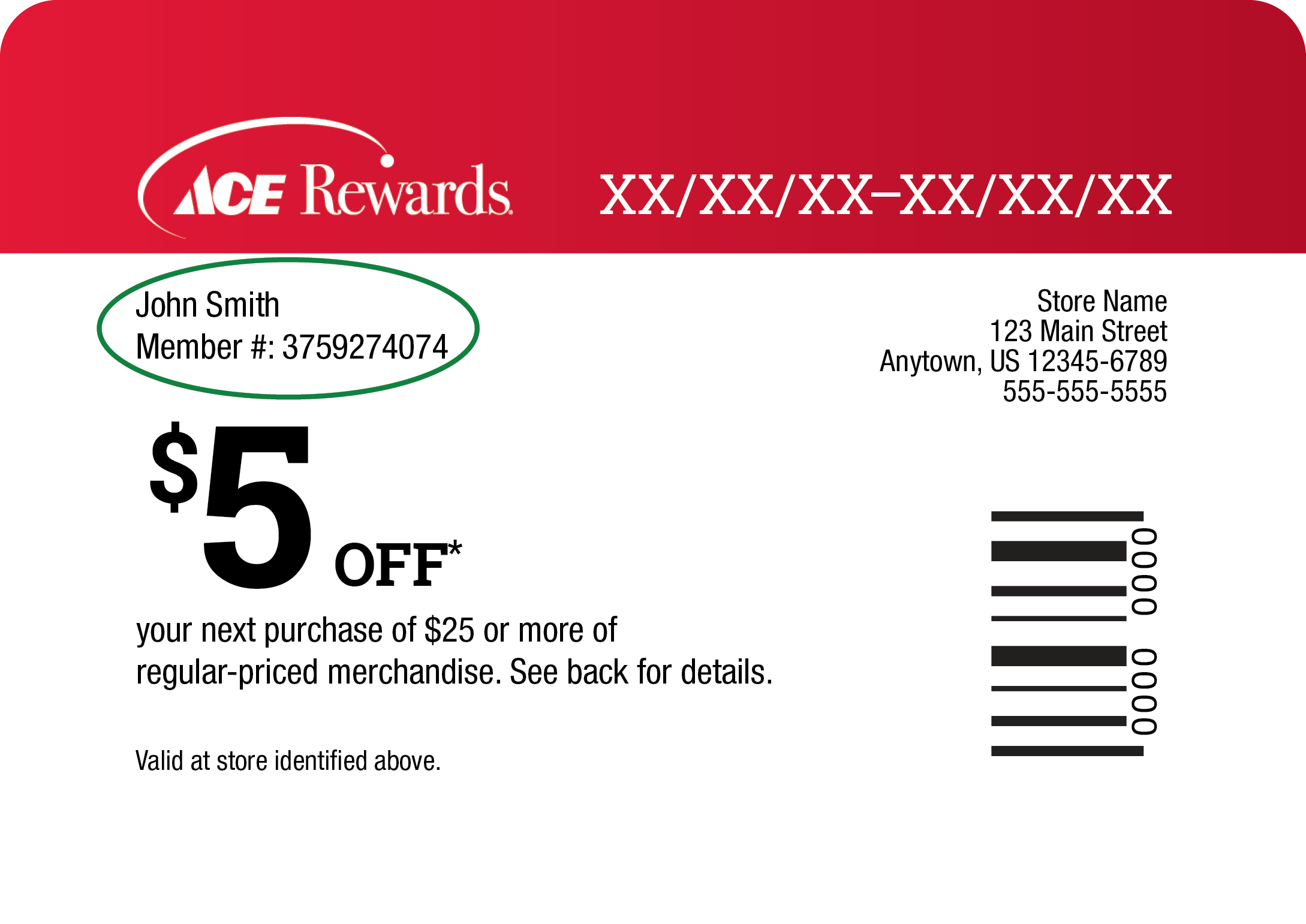
Call Us
1-888-827-4223
Representatives are available to serve you.
Frequently Asked Questions
Frequently Asked Questions
Q. Do I pay online or in store?
A. Your payment is submitted online.
Q. Can I check the status of my order?
A. Yes. If you have an acehardware.com account, simply log in here and click on order history. If you do not have an acehardware.com account, you will have a shipment tracking number located on your confirmation email for ship to home orders. If you have any other questions about your order, email Customer Care here.
Q. Who do I contact if I have questions or want to return my purchase?
A. Please contact Customer Care here or visit your local store for a return. You can find your local store here. The item must be returned in good condition, in original boxes (whenever possible), and with all paperwork, parts and accessories to ensure full credit. You must have your receipt. Gas powered Outdoor Equipment cannot be returned once gas or oil has been put in it, even if the Equipment has been drained of these materials. Assembled items are not returnable. For additional information regarding returns, please click here.
Q. What if I need to return an item due to it being defective?
A. Please return the item to the store that made the delivery and make sure to have your receipt.
Q. What if I have to cancel my Ship to Home order after it's already on the way?
A. Unfortunately you are unable to cancel your ship to home order if it is already on its way to you. If you wish to return the item(s) once received, please return to your nearest Ace store. You can find your local store here. You must have your receipt.
Q. What if I have to cancel my order?
A. Please visit our Cancellations page for more information on how to cancel your order.
Q. What if I have to cancel my Deliver from Store order after it's already on the way?
A. For Deliver from Store orders, you may attempt to cancel the delivery before the order is out for delivery by calling the store delivering your package, however this will vary by store.
Q. What if I can’t find my password or need to reset it?
A. You can reset your password here.
Q. Where can I find a store location?
A. Please visit our store locator here.
Q. Where can I find if a product is excluded from a promotion?
A. Please visit our "Exclusions" page here.
Q. How long does a Free Store Pick up – Fulfilled from Store order take to process?
A. Free Store Pick up – Fulfilled from Store order processing time is dependent on store hours of operation and product availability. Typically an in stock item is available for pickup within 2 hours of placing your order.
Q. How will I know when to pick up my items at the store?
A. You will receive a "Ready for Pickup" email. This email will indicate that the item(s) are ready to be picked up at the store.
Q. How long will the store hold my order?
A. Typically a store will hold your order for 5 days.
Q. What do I need when I go to my local Ace to pick up my order?
A. You will need the following items:
Q. How long does it take to receive my In Stock in Warehouse order?
A. In Stock in Warehouse orders typically take 1-7 business days to arrive depending on your location. Please note, business days are Monday - Friday, excluding federal holidays within the United States. Your order will indicate the date the items will be available.
Q. Is there a shipping charge on Ship-to-Home orders?
A. Yes, there are shipping charges associated with Ship-to-Home orders. Shipping costs for orders placed on acehardware.com are based on the weight of the total order. An order containing multiple items typically receives a volume-shipping discount and therefore your total shipping and handling cost may be lower than the sum of individual ship charges appearing in your cart. You will be provided with the total shipping cost for your order during checkout.
Q. Does Ace offer expedited shipping options?
A. Yes, Ace offers Next Day and Second Day shipping options in addition to Standard Ground.
Q. How long does it take to receive my Ship-to-Home order?
A. Next Day Shipping (Arrives Next Business Day), Second Day Shipping (Arrives within 2 Business Days) and Standard Ground Shipping (Arrives in 3 to 8 Business Days) *Total delivery time includes processing and carrier transit time for all 50 states.
*Note: Due to COVID 19 and high demand, shipping times may be delayed.
Please note, business days are Monday - Friday, excluding federal holidays within the United States. Most items may be shipped to all 50 states via Standard Ground, Second Day and Next Day Service. However, Gift Cards can only be shipped via Standard Ground.
Q. How quickly can you Deliver from Store?
A. Please refer to the product page for the earliest delivery option.
Q. What items are eligible for Deliver from Store?
A. Not all items are eligible for delivery. If an item is available for Deliver from Store, it will be indicated on the product page and in the cart.
Q. Can I have some items delivered, some items shipped to store and other items shipped to my home?
A. Yes!
Q. Can I have some items delivered and others for pick-up at the store the same day?
A. Yes, you may choose In Store Pickup on some items in your order, while choosing Delivery from Store on others in the same cart. All Delivery items in a single order must be delivered to the same location
Q. I was able to choose Deliver from Store while shopping, but when I tried to check out, it was no longer an option. Why?
A. The delivery address you entered may not have been within the Delivery radius of the store you selected.
Q. Do you have a contact phone number?
A. Yes. We can be reached at 888-827-4223. Alternatively, you can contact the Care Center through the form located here.




















